




Introduction
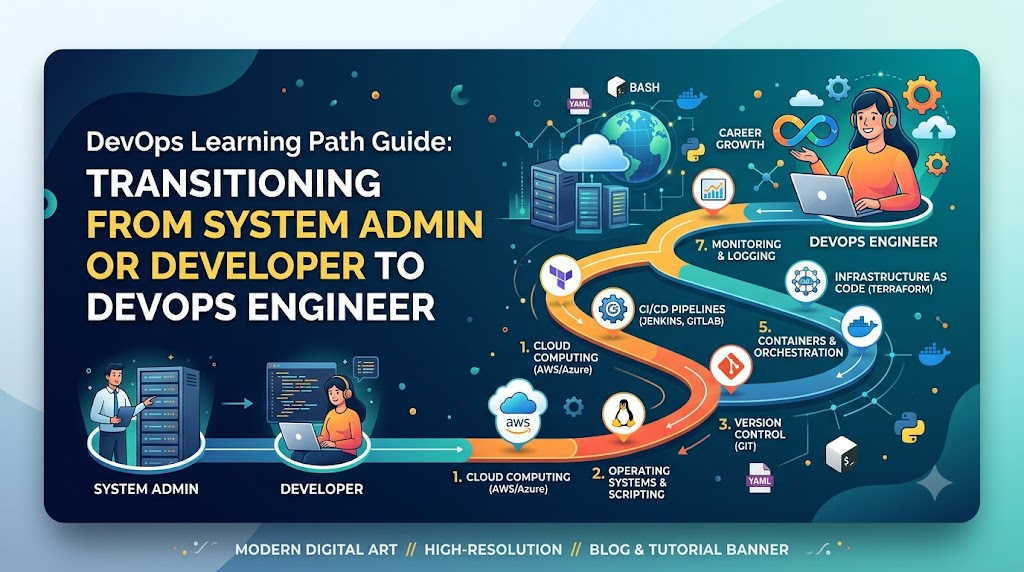
Starting a journey into DevOps can feel overwhelming due to the vast ecosystem of tools, cloud platforms, and methodologies, which often leads beginners to jump into advanced technologies without mastering the underlying concepts. A well-defined DevOps Learning Path transforms this chaotic domain into a structured, step-by-step roadmap—guiding you sequentially through Linux, networking, scripting, version control, CI/CD pipelines, containerization, cloud architecture, Infrastructure as Code, and observability. By focusing on fundamental engineering principles alongside hands-on, real-world project practice rather than isolated tool memorization, you build the practical problem-solving capabilities required to architect resilient production systems. For those seeking structured mentorship, industry-aligned curricula, and hands-on laboratory practice to navigate this transition effectively, educational platforms such as DevOpsSchool offer complete learning ecosystems to help move professionals from foundational concepts to job-ready cloud-native mastery.
What Is a DevOps Learning Path?
A DevOps Learning Path is an organized, sequential framework designed to help individuals acquire the knowledge, technical skills, and operational mindset required to manage modern software delivery pipelines. Rather than attempting to learn random technologies based on industry buzzwords, a structured path outlines what to learn, why it matters, and when to learn it.
The Purpose of a Structured Roadmap
The primary purpose of a roadmap is to transform a chaotic domain into a manageable, logical progression. Software infrastructure has evolved dramatically over the past two decades. We have moved from physical on-premises servers to virtualized environments, and now to cloud-native, microservices-based architectures managed entirely through code. A learning path breaks down this complex ecosystem into digestible stages, ensuring that you build a solid foundation before tackling advanced enterprise architectures.
+-----------------------------------------------------------------------------------+
|                           DEVOPS LEARNING PROGRESSION                             |
+-----------------------------------------------------------------------------------+
|  1. Fundamentals      --> Culture, SDLC, Agile Principles                         |
|  2. Core Infrastructure --> Linux, System Administration, Networking Protocols     |
|  3. Code & Automation  --> Python, Bash, Git Version Control                      |
|  4. Delivery Pipelines --> CI/CD Concepts, Automated Testing, Jenkins/GitLab      |
|  5. Containerization  --> Docker Fundamentals, Images, Registries                 |
|  6. Cloud & IaC       --> AWS/Azure, Terraform, Configuration Management          |
|  7. Orchestration     --> Kubernetes Architecture, Helm, Cluster Management       |
|  8. Observability     --> Metrics, Logs, Tracing, DevSecOps Security              |
+-----------------------------------------------------------------------------------+
Random Learning vs. Guided Learning
- Random Learning: A learner watches a video on Terraform today, attempts to set up a Kubernetes cluster tomorrow, reads a blog post about Jenkins the following day, and tries to learn Python over the weekend. This approach leads to context switching, surface-level knowledge, severe frustration, and an inability to connect how these technologies interact in an enterprise production pipeline.
- Guided Learning: A learner masters Linux command-line navigation and shell scripting first. They use those scripting skills to automate tasks and manage repositories in Git. Next, they build container images with Docker, write automated CI/CD pipelines to build those containers, deploy infrastructure using Terraform, and finally manage application deployment at scale using Kubernetes. Each step builds logically on the previous one.
Understanding how skills build on each other is what separates effective engineers from tool operators. When an issue occurs in a production Kubernetes pod, a skilled engineer uses their Linux knowledge to inspect file systems, their networking knowledge to diagnose DNS or routing failures, and their scripting skills to analyze log patterns.
Why a Structured DevOps Learning Path Matters
Adopting a systematic approach to learning DevOps yields multiple strategic advantages for career switchers, recent graduates, and seasoned IT professionals alike.
Avoiding Confusion and Cognitive Overload
The sheer density of the DevOps landscape causes significant decision paralysis. A structured roadmap removes guesswork by defining a clear trajectory. Instead of asking “What tool should I learn today?”, you follow a pre-planned curriculum focused on core competencies.
Building Strong Fundamentals
Tools come and go. A tool popular today may be replaced or augmented in five years. However, fundamental principles—such as networking, process management, operating system kernels, version control patterns, distributed systems logic, and security frameworks—remain consistent across tools and vendor ecosystems. Strong fundamentals make acquiring new tools straightforward.
Improving Practical Skills and Job Readiness
Companies do not hire engineers simply because they memorized tool specifications; they hire engineers who can solve operational problems, automate repetitive workflows, minimize system downtime, and secure application pipelines. A structured path emphasizes practical exercises, project building, and scenario-based troubleshooting over rote memorization.
Saving Time and Accelerating Growth
Attempting to learn advanced topics without necessary prerequisites wastes dozens of hours struggling with basic issues. Understanding networking primitives upfront, for instance, prevents hours of troubleshooting cloud security group misconfigurations or container routing errors later in your journey.
DevOps Learning Path Overview
The table below outlines the end-to-end progression required to transition from zero background to an enterprise-ready DevOps practitioner.
| Stage | Focus Area | Skills to Learn | Expected Outcome |
| Stage 1 | DevOps Fundamentals | Culture, SDLC, Agile, ITIL basics | Clear understanding of DevOps principles, collaboration models, and software lifecycles |
| Stage 2 | Linux & Networking | CLI, File Permissions, SSH, Networking, DNS, HTTP/S, Firewalls | Ability to administer Linux servers, navigate environments, and diagnose network traffic |
| Stage 3 | Programming & Scripting | Bash, Python, YAML, JSON, REST API integration | Capability to write automation scripts, manipulate structured data, and interact with APIs |
| Stage 4 | Version Control Systems | Git commands, Branching models, Pull Requests, Code Reviews | Mastery over source code management, team collaboration workflows, and versioning |
| Stage 5 | CI/CD Pipelines | Jenkins, GitHub Actions, GitLab CI, Pipeline workflows | Competency in building automated compilation, testing, and deployment pipelines |
| Stage 6 | Containers | Docker, Container Images, Dockerfiles, Registry management | Skill to package applications and their dependencies into portable container artifacts |
| Stage 7 | Cloud Computing | AWS/Azure/GCP, IAM, VPC, EC2, S3, Managed Services | Ability to architect, launch, and secure cloud infrastructure environments |
| Stage 8 | Infrastructure as Code | Terraform, Ansible, Configuration Management, Drift Detection | Skill to provision and manage cloud infrastructure declarative code repositories |
| Stage 9 | Container Orchestration | Kubernetes, Pods, Services, Deployments, Ingress, Helm | Mastery over managing containerized microservices at scale across distributed nodes |
| Stage 10 | Monitoring & Observability | Prometheus, Grafana, ELK/OpenSearch, SLIs/SLO, Tracing | Ability to gain deep operational insights into application performance and infrastructure health |
| Stage 11 | DevSecOps & Security | SAST/DAST, Secret Management, Vulnerability Scanning, Compliance | Capability to embed security checks and compliance controls directly into delivery pipelines |
| Stage 12 | Advanced Practices | GitOps (ArgoCD), Platform Engineering, Service Mesh, SRE | Advanced ability to build developer self-service platforms and highly resilient enterprise systems |
Stage 1: Learn DevOps Fundamentals
Before running a single terminal command or configuring a single pipeline, you must understand the underlying philosophy and business drivers behind DevOps.
Understanding DevOps Culture
DevOps is fundamentally a cultural shift away from traditional organizational silos. Historically, software development teams (Dev) were incentivized to write code and release new features quickly, while operations teams (Ops) were incentivized to maintain system stability, often resisting frequent changes. This alignment mismatch created friction, delayed releases, and unstable production environments.
- Collaboration: Shared ownership across developers, operations, QA, and security teams.
- Automation: Automating manual, repetitive tasks to reduce human error and speed up release cycles.
- Continuous Improvement: Using feedback loops to optimize software delivery and infrastructure resilience iteratively.
- Shared Responsibility: Developers take responsibility for how their code runs in production, and operations teams provide self-service tooling to empower development velocity.
Understanding the Software Development Lifecycle (SDLC)
Modern DevOps practices accelerate every phase of the traditional SDLC:
- Planning: Defining requirements, user stories, architecture designs, and tracking work through backlogs.
- Coding: Writing application logic, performing local testing, and committing code to centralized repositories.
- Testing: Running automated unit, integration, functional, and performance tests.
- Deployment: Releasing application binaries or container images automatically to staging and production environments.
- Monitoring: Continuously gathering runtime metrics, application logs, and system events to verify application health and user experience.
Understanding Agile Methodology
DevOps builds upon Agile development frameworks. While Agile focuses on iterative software development in short sprints, DevOps extends those principles into application delivery and operational management. Understanding frameworks like Scrum and Kanban, story estimations, backlog grooming, and sprint retrospectives helps engineers integrate smoothly into cross-functional product teams.
Stage 2: Build Linux and Networking Fundamentals
Linux is the foundational operating system of the cloud. The vast majority of enterprise servers, public cloud compute instances, container environments, and edge platforms run on Linux distributions such as Ubuntu, Debian, Red Hat Enterprise Linux (RHEL), Rocky Linux, or Amazon Linux.
+-----------------------------------------------------------------------------------+
|                            CORE LINUX SUBSYSTEMS                                  |
+-----------------------------------------------------------------------------------+
|  [ User Space ]    --> Shell (Bash/Zsh), System Utilities, Applications           |
|  [ Kernel Space ]  --> Process Management, Memory Management, File System Drivers  |
|  [ Hardware ]      --> CPU, Memory, Storage Disks, Network Interfaces             |
+-----------------------------------------------------------------------------------+
Essential Linux Skills
- File System Navigation & Management: Master directory structures (
/etc,/var,/usr,/opt), file manipulation commands (cp,mv,rm,find,grep,awk,sed), and storage administration. - User & Permission Management: Understand Linux user groups, standard permission bits (
chmod,chown), file access control lists (FACLs), and administrative privilege escalation (sudo). - Process Management: Learn how operating system processes are created, monitored, and managed using utilities such as
ps,top,htop,kill, and system service managers likesystemd. - Package Management: Gain familiarity with package managers across different Linux families, including
apt(Debian/Ubuntu) anddnf/yum(RHEL/Fedora). - Shell Basics: Master command line shortcuts, standard input/output redirection (
>,>>), piping (|), environment variables, and text processing.
Networking Fundamentals
A strong grasp of networking concepts is non-negotiable for modern infrastructure engineering:
- IP Addressing & Subnetting: IPv4/IPv6 address spaces, CIDR notation (
/24,/16), public vs. private IP ranges. - DNS (Domain Name System): Resolution workflows, record types (A, CNAME, MX, TXT, NS), local hosts file, and troubleshooting utilities (
dig,nslookup,host). - HTTP/HTTPS Protocols: Request/response cycles, status codes (2xx, 3xx, 4xx, 5xx), headers, TLS/SSL certificate handshakes, and encryption mechanisms.
- Ports & Routing: Common networking ports (22, 80, 443, 8080, 3306), routing tables, network address translation (NAT), and gateway configurations.
- Firewalls & Security Groups: Packet filtering using
iptables,nftables, orufwto restrict inbound and outbound traffic. - Load Balancing: Fundamentals of distributing incoming application traffic across multiple backend compute nodes using Layer 4 (TCP/UDP) and Layer 7 (HTTP/HTTPS) routing rules.
Stage 3: Learn Programming and Automation Skills
Modern DevOps relies heavily on automation. Managing systems manually through interactive command shells does not scale across hundreds or thousands of cloud instances. As a DevOps engineer, you write scripts and code to automate repetitive operational tasks.
Recommended Languages
- Python: The standard language for infrastructure automation, cloud API management, custom monitoring scripts, and data manipulation. Python offers readable syntax and extensive library support (e.g.,
boto3for AWS,requestsfor REST APIs). - Bash Scripting: Essential for writing quick automation scripts directly on Linux nodes, customizing container entrypoint commands, and orchestrating basic terminal workflows.
- YAML & JSON: Data serialization formats used universally across modern infrastructure platforms. Ansible playbooks, Kubernetes manifests, Docker Compose files, and CI/CD pipelines are almost exclusively written in YAML or JSON.
Python
# Example: Python automation script interacting with system metrics
import os
import psutil

def check_disk_usage(threshold=80):
    usage = psutil.disk_usage('/')
    percent_used = usage.percent
    print(f"Current disk usage: {percent_used}%")
    if percent_used > threshold:
        print(f"WARNING: Disk usage exceeded threshold of {threshold}%!")
        # Logic to send alert notification via API could be placed here
    else:
        print("Disk usage is within safe operating parameters.")

if __name__ == "__main__":
    check_disk_usage()
Key Scripting Capabilities to Develop
- Writing scripts to automate log cleanup, backup generation, and user onboarding.
- Parsing and transforming JSON/YAML outputs returned from cloud provider command-line interfaces.
- Interacting programmatically with RESTful APIs using standard HTTP methods (GET, POST, PUT, DELETE) and handling authentication tokens.
Stage 4: Learn Version Control Systems (VCS)
Version control systems form the backbone of modern software engineering and Infrastructure as Code practices. Every configuration file, deployment script, infrastructure definition, and application source code file must reside in a centralized, version-controlled repository.
+-----------------------------------------------------------------------------------+
|                              GIT BRANCHING WORKFLOW                               |
+-----------------------------------------------------------------------------------+
|  main/master  ===============================================================>    |
|                     \                                              /              |
|  feature-branch      \------> Commit A -------> Commit B --------/ (Pull Request) |
+-----------------------------------------------------------------------------------+
Essential Git Concepts and Tools
- Core Commands: Master repository initialization (
git init), cloning (git clone), tracking changes (git add), committing (git commit), and pushing/pulling code (git push,git pull). - Branching Strategies: Learn patterns like GitFlow, GitHub Flow, and Trunk-Based Development. Understand feature branches, release branches, and hotfix workflows.
- Merging & Rebasing: Master combining code changes using
git mergeand maintaining linear history usinggit rebase. Understand how to resolve merge conflicts safely. - Code Collaboration: Use pull requests (PRs) or merge requests (MRs) to conduct code reviews, enforce automated status checks, and maintain software quality standards before integrating changes into main production branches.
| Git Concept | Why It Matters |
| Commit History | Provides a complete, immutable audit trail of who changed what code, when, and why. |
| Branching | Allows developers and operators to work on new features or infrastructure experiments safely in isolation. |
| Pull Requests | Enforces quality controls, peer reviews, and automated CI tests before changes hit main environments. |
| Git Tags | Marks specific points in repository history as releases (e.g., v1.0.0), simplifying deployment tracking. |
Stage 5: Learn CI/CD Pipeline Concepts
Continuous Integration and Continuous Delivery/Deployment (CI/CD) represent the core engine of DevOps execution. CI/CD pipelines convert manual software compilation, testing, packaging, and infrastructure deployment processes into fully automated, repeatable workflows.
+-----------------------------------------------------------------------------------+
|                            AUTOMATED CI/CD PIPELINE                               |
+-----------------------------------------------------------------------------------+
| [Code Commit] -> [Build Binary] -> [Unit Test] -> [Security Scan] -> [Deploy]    |
+-----------------------------------------------------------------------------------+
Core Concepts
- Continuous Integration (CI): The practice of automating the build and testing of code every time a team member commits changes to version control. CI catches bugs early, improves code quality, and reduces integration issues.
- Continuous Delivery (CD): An extension of CI where code changes are automatically built, tested, and prepared for a release to production. Deployment to production requires manual approval.
- Continuous Deployment (CD): The advanced practice where every change that passes all stages of the automated pipeline is released directly to production users without manual intervention.
Pipeline Workflow Architecture
A standard enterprise CI/CD pipeline follows a defined linear execution model:
$$\text{Source Code Push} \longrightarrow \text{Automated Build} \longrightarrow \text{Static Analysis/Tests} \longrightarrow \text{Image Packaging} \longrightarrow \text{Staging Deploy} \longrightarrow \text{Production Deploy}$$
Popular CI/CD Engines
- Jenkins: The industry standard open-source automation server, featuring extensive plugin ecosystems and programmatic
Jenkinsfileconfigurations. - GitHub Actions: Native CI/CD workflow automation directly integrated into GitHub repositories using YAML syntax.
- GitLab CI/CD: Fully integrated DevOps platform offering robust pipeline management, container registries, and environment tracking.
Stage 6: Learn Containers and Container Management
Containerization changed how software is packaged, shipped, and run. Before containers, applications suffered from the classic “it works on my machine” problem due to environment discrepancies between local developer laptops, staging servers, and production instances.
+-----------------------------------------------------------------------------------+
|                        VIRTUAL MACHINES vs. CONTAINERS                            |
+-----------------------------------------------------------------------------------+
|  [ App A ]  [ App B ]                  |  [ App A ]  [ App B ]                    |
|  [ Bins  ]  [ Bins  ]                  |  [ Bins  ]  [ Bins  ]                    |
|  [ Guest ]  [ Guest ]  <-- OS Level    |  +------------------+                    |
|  +------------------+                  |  | Container Engine | <-- Process Level  |
|  |    Hypervisor    |                  |  +------------------+                    |
|  +------------------+                  |  | Host OS Kernel   |                    |
|  | Host OS / Hardware|                 |  | Infrastructure   |                    |
+-----------------------------------------------------------------------------------+
Docker Fundamentals
Docker isolates applications at the process level by leveraging Linux kernel features such as control groups (cgroups) and namespaces.
- Images: Immutable, read-only templates containing application code, runtime environments, system libraries, and dependencies required to run an application.
- Containers: Lightweight, runnable instances of Docker images executing as isolated processes on the host kernel.
- Dockerfiles: Text scripts containing sequential instructions used to build Docker images automatically.
- Registries: Centralized storage repositories used to store and distribute container images (e.g., Docker Hub, Amazon ECR, GitHub Container Registry).
Container Best Practices
- Multi-Stage Builds: Separate build dependencies from runtime dependencies inside Dockerfiles to produce minimal container image sizes.
- Least Privilege Execution: Configure containers to run using non-root system users to minimize security risks.
- Stateless Design: Write applications to store persistent state in external databases or object storage rather than inside container file systems.
Stage 7: Learn Cloud Computing
Modern DevOps practices are deeply intertwined with cloud computing platforms. Cloud environments provide on-demand, programmatic access to compute power, storage, database systems, networking infrastructure, and managed operational services via APIs.
Core Cloud Services Concepts
- Compute: On-demand virtual machines (e.g., AWS EC2, Azure VMs) and serverless computing functions (e.g., AWS Lambda, Azure Functions).
- Storage: Object storage for files and media (e.g., AWS S3, Azure Blob Storage), block storage for file systems (e.g., AWS EBS), and network file shares (e.g., AWS EFS).
- Networking: Virtual Private Clouds (VPC), custom subnets, routing tables, NAT gateways, peering connections, and VPN connectivity.
- Identity & Access Management (IAM): Granular access management governing which users, service accounts, and applications can perform specific actions on cloud resources.
+-----------------------------------------------------------------------------------+
|                           MAJOR CLOUD ECOSYSTEMS                                  |
+-----------------------------------------------------------------------------------+
|  Provider                | Compute          | Storage        | Managed K8s        |
|  ------------------------+------------------+----------------+------------------  |
|  Amazon Web Services     | AWS EC2          | AWS S3         | AWS EKS            |
|  Microsoft Azure         | Azure Virtual VM | Blob Storage   | Azure AKS          |
|  Google Cloud Platform   | Google Compute   | Cloud Storage  | Google GKE         |
+-----------------------------------------------------------------------------------+
Focusing on mastering one major cloud provider (such as AWS or Azure) deeply is more valuable than gaining superficial familiarity with all of them. The underlying concepts remain consistent across public cloud vendors.
Stage 8: Learn Infrastructure as Code (IaC)
Infrastructure as Code (IaC) is the practice of provisioning, configuring, and managing infrastructure resources using machine-readable configuration files rather than relying on manual console clicks or interactive scripts.
Terraform
# Example: Basic Terraform configuration for an AWS S3 bucket
terraform {
  required_providers {
    aws = {
      source  = "hashicorp/aws"
      version = "~> 5.0"
    }
  }
}

provider "aws" {
  region = "us-east-1"
}

resource "aws_s3_bucket" "devops_storage" {
  bucket        = "devopsschool-learning-path-bucket-2026"
  force_destroy = true

  tags = {
    Environment = "Development"
    ManagedBy   = "Terraform"
  }
}
Strategic Benefits of IaC
- Consistency: Eliminates environment drift across development, testing, staging, and production environments.
- Version Control: Infrastructure code can be versioned, reviewed, tagged, and rolled back using Git workflows.
- Speed & Automation: Spin up complex enterprise infrastructure environments in minutes via automated execution commands.
IaC Tool Categories
- Declarative Provisioning Tools (e.g., HashiCorp Terraform, AWS CloudFormation): You define the desired end state of your infrastructure (e.g., “I need two virtual machines, one load balancer, and a database”), and the tool automatically calculates the necessary execution steps to achieve that state.
- Configuration Management Tools (e.g., Ansible, Chef, Puppet): Designed primarily to configure operating systems, install software packages, manage configuration files, and enforce compliance rules on compute nodes after provisioning.
| Tool | Category | Paradigm | Primary Use Case |
| Terraform | Infrastructure Provisioning | Declarative | Provisioning multi-cloud resources (VPCs, VM instances, Databases) |
| Ansible | Configuration Management | Imperative / Declarative | Configuring servers, applying OS patches, installing software suites |
| CloudFormation | Infrastructure Provisioning | Declarative | Provisioning native AWS cloud infrastructure resources |
Stage 9: Learn Kubernetes and Container Orchestration
While Docker allows you to run containers on a single host, running production applications across hundreds of compute instances requires a container orchestration framework. Kubernetes (K8s) has become the standard platform for orchestrating containerized workloads at scale.
+-----------------------------------------------------------------------------------+
|                          KUBERNETES ARCHITECTURE OVERVIEW                         |
+-----------------------------------------------------------------------------------+
|  [ Control Plane ]                                                                |
|  kube-apiserver | etcd (State) | kube-scheduler | kube-controller-manager         |
|        ^                                                                          |
|        | (API Communications)                                                     |
|        v                                                                          |
|  [ Worker Nodes ]                                                                 |
|  +-----------------------------------------------------------------------------+  |
|  | Node 1: kubelet | kube-proxy | Container Runtime | Pods (Containers A, B)   |  |
|  | Node 2: kubelet | kube-proxy | Container Runtime | Pods (Containers C, D)   |  |
|  +-----------------------------------------------------------------------------+  |
+-----------------------------------------------------------------------------------+
Core Kubernetes Abstractions
- Pods: The smallest deployable units in Kubernetes, encapsulating one or more co-located containers sharing storage and network namespaces.
- Deployments: Declarative objects that manage the state of Pod replicas, automating rolling updates, scaling operations, and rollbacks.
- Services: Abstract entry points providing stable network IP addresses, load balancing, and service discovery across dynamic Pods.
- Ingress Controllers: HTTP/HTTPS reverse proxies that route external internet traffic to internal cluster services based on hostnames and paths.
- ConfigMaps & Secrets: Objects used to decouple non-sensitive configuration data and sensitive secrets (passwords, TLS keys) from application code binaries.
- Helm: The package manager for Kubernetes, enabling engineers to bundle, version, and share complex Kubernetes applications using parameterized templates.
Stage 10: Learn Monitoring and Observability
Deploying applications is only half the job; ensuring they run smoothly, reliably, and efficiently in production requires robust observability. Modern observability builds upon three core pillars: Metrics, Logs, and Traces (the “three pillars of observability”).
+-----------------------------------------------------------------------------------+
|                           THREE PILLARS OF OBSERVABILITY                          |
+-----------------------------------------------------------------------------------+
|  1. METRICS  --> Aggregated numeric data points measuring system health (CPU, RAM)|
|  2. LOGS     --> Immutable event records emitted by applications and services     |
|  3. TRACES   --> End-to-end request lifecycle paths across microservices           |
+-----------------------------------------------------------------------------------+
Core Concepts
- Metrics Collection: Tracking quantitative operational data over time (e.g., CPU utilization, memory consumption, disk I/O, HTTP request throughput, error rates, and response latency). Standard tools include Prometheus and Grafana.
- Centralized Logging: Aggregating text-based event logs generated by distributed container instances and servers into a searchable centralized platform. Popular stacks include the ELK Stack (Elasticsearch, Logstash, Kibana), OpenSearch, and Grafana Loki.
- Distributed Tracing: Tracking individual user request lifecycles as they travel across distributed microservice boundaries to identify performance bottlenecks. Common tools include Jaeger and OpenTelemetry.
- Site Reliability Engineering (SRE) Integration: Defining Service Level Indicators (SLIs), Service Level Objectives (SLOs), and Error Budgets to balance feature delivery speed against system stability.
Stage 11: Learn DevSecOps Practices
DevSecOps is the integration of security practices and automated security checks into every phase of the DevOps software delivery pipeline. Rather than treating security as an isolated audit performed right before production release, DevSecOps shifts security left, addressing vulnerabilities early in the development lifecycle.
+-----------------------------------------------------------------------------------+
|                             DEVSECOPS PIPELINE INTEGRATION                        |
+-----------------------------------------------------------------------------------+
| [Git Commit]  -->  SAST (Code Analysis) & Secret Scanning                         |
| [Build Image] -->  SCA (Dependency Vulnerabilities) & Container Scanning          |
| [Deploy Test] -->  DAST (Dynamic Security Analysis) & Cloud Policy Audits         |
+-----------------------------------------------------------------------------------+
Key Security Practices
- Static Application Security Testing (SAST): Automated tools scanning source code repositories for security vulnerabilities, bad coding practices, and hardcoded secrets (e.g., SonarQube, Semgrep).
- Software Composition Analysis (SCA): Scanning third-party open-source libraries and package dependencies for known CVEs (Common Vulnerabilities and Exposures) using tools like Snyk or Trivy.
- Container Security Scanning: Auditing base container images for operating system and application vulnerabilities prior to deployment.
- Secret Management: Storing sensitive values (database credentials, API tokens, certificates) securely using dedicated secret stores like HashiCorp Vault, AWS Secrets Manager, or Azure Key Vault, preventing secrets from leaking into version control repositories.
- Compliance as Code: Enforcing security policies automatically on cloud infrastructure and Kubernetes clusters using policy engines like Open Policy Agent (OPA) or Kyverno.
Complete DevOps Skills Roadmap Table
This reference matrix tracks your progress across skill levels:
| Skill Area | Beginner Level | Intermediate Level | Advanced Level |
| Linux Admin | Navigating file system, file permissions, managing processes | Managing system services (systemd), storage management, shell scripting | Kernel tuning, performance troubleshooting, deep memory analysis |
| Networking | IP addressing, DNS lookups, SSH connections | Subnetting, firewall rules, HTTP status codes, load balancers | BGP routing, VPN tunnels, Service Mesh (Istio), CNI plugins |
| Git & VCS | Commit, push, pull, simple feature branching | Rebasing, resolving merge conflicts, tag management | GitFlow strategies, submodules, repository hook automations |
| Scripting | Basic Bash commands, simple variable usage | Structured Python scripting, JSON/YAML parsing, API calls | Object-oriented automation frameworks, custom CLI tools |
| CI/CD | Running manual pipelines, basic compilation tasks | Parameterized pipelines, automated testing, notifications | Multi-stage release pipelines, deployment strategies (Canary, Blue/Green) |
| Cloud Computing | Launching virtual machines, managing basic storage | VPC networking, security groups, IAM role policies | Multi-region architectural design, cost optimization, landing zones |
| Docker | Building basic Dockerfiles, running containers | Multi-stage Docker builds, Docker Compose local setups | Container image optimization, security hardening, custom runtimes |
| Kubernetes | Creating Pods, Deployments, and Services | StatefulSets, Ingress routing, Helm chart packaging | Custom Resource Definitions (CRDs), Operators, Cluster federation |
| Infrastructure as Code | Writing basic Terraform resources, applying state | Modules, remote state storage, state locking, Ansible integration | Writing custom providers, policy-as-code enforcement, drift recovery |
| Observability | Reading log files, monitoring server metrics | Grafana dashboards, Prometheus metric scraping, log aggregation | Distributed request tracing, automated alert routing, SLO tracking |
| Security | Managing SSH keys, keeping systems patched | Automated static scans, container vulnerability scanning | Vault integration, OPA policy enforcement, automated compliance audits |
Hands-On DevOps Projects to Build
Building hands-on projects is the most effective way to turn theoretical concepts into practical engineering capability. Here are six end-to-end projects you can add to your portfolio.
+-----------------------------------------------------------------------------------+
|                        PRACTICAL PORTFOLIO PROJECTS                               |
+-----------------------------------------------------------------------------------+
|  1. Automated CI/CD Pipeline    --> GitHub Actions + SonarQube + Docker           |
|  2. Containerized Application   --> Dockerized Web App + Nginx Reverse Proxy      |
|  3. Cloud Infrastructure (IaC)  --> Terraform + AWS VPC/EC2/RDS                   |
|  4. Kubernetes Deployment       --> K8s Cluster + Helm + Ingress Routing          |
|  5. Observability Stack         --> Prometheus + Grafana + Custom Alerts          |
|  6. DevSecOps Security Pipeline --> SAST + SCA + HashiCorp Vault Secrets          |
+-----------------------------------------------------------------------------------+
1. CI/CD Pipeline Project
- Objective: Build a fully automated integration and delivery pipeline for a web application.
- Implementation: Set up a GitHub or GitLab repository containing a sample Node.js or Python application. Configure a pipeline that triggers automatically on every code push. The pipeline should run unit tests, check code linting, run static code analysis using SonarQube, package the application into a Docker image, and push the image to a container registry.
2. Docker Application Deployment Project
- Objective: Containerize a multi-tier microservice application stack locally.
- Implementation: Create a
docker-compose.ymlfile that orchestrates a frontend web application, a backend REST API service, and a PostgreSQL database. Configure environment variables, volume mounts for persistent data, and isolated bridge networks to ensure secure service-to-service communication.
3. Cloud Infrastructure Automation Project using Terraform
- Objective: Provision a complete, multi-tier cloud environment on AWS or Azure using code.
- Implementation: Write declarative Terraform modules that launch a custom Virtual Private Cloud (VPC), public and private subnets across multiple availability zones, internet gateways, NAT gateways, security groups, auto-scaling compute groups, and a managed relational database. Configure remote backend state storage with state locking enabled.
4. Kubernetes Deployment Project
- Objective: Deploy, manage, and expose a scalable application on a Kubernetes cluster.
- Implementation: Set up a local cluster using Minikube or Kindle, or deploy a cloud cluster using EKS or AKS. Write Kubernetes manifest files containing Deployments, ConfigMaps, Secrets, Horizontal Pod Autoscalers (HPA), and Service definitions. Package these manifests into a clean, reusable Helm chart and route external web traffic into the cluster using an NGINX Ingress Controller.
5. Monitoring Dashboard Project
- Objective: Build an operational metrics and monitoring stack for a distributed environment.
- Implementation: Deploy Prometheus and Grafana onto your infrastructure. Configure Prometheus to scrape metrics from node exporters running on cloud servers and application end-points. Build custom, real-world Grafana dashboards displaying CPU usage, memory usage, network traffic, and HTTP error trends. Configure alert rules that send automated notifications via Slack or email when metrics breach defined operational thresholds.
6. DevSecOps Security Pipeline Project
- Objective: Embed automated security auditing directly into a container delivery pipeline.
- Implementation: Take an existing CI/CD workflow and add security controls. Integrate Trivy to scan Docker container images for OS package vulnerabilities before pushing to registries. Integrate GitLeaks to prevent hardcoded passwords from entering your repository. Fetch database credentials at runtime securely from HashiCorp Vault rather than storing them in application source code.
Common Mistakes While Creating a DevOps Learning Path
Avoiding common traps saves months of wasted effort and prevents burnout.
+-----------------------------------------------------------------------------------+
|                        COMMON LEARNING TRAPS TO AVOID                             |
+-----------------------------------------------------------------------------------+
|  [X] Learning too many tools at once without deep fundamentals                    |
|  [X] Skipping Linux command line and networking concepts                         |
|  [X] Watching tutorials endlessly without building hands-on projects              |
|  [X] Chasing certifications while neglecting practical troubleshooting skills      |
+-----------------------------------------------------------------------------------+
1. Learning Too Many Tools Simultaneously
Attempting to learn Jenkins, GitLab CI, CircleCI, and ArgoCD all in the same week leads to confusion. Focus on mastering one tool within a domain (e.g., GitHub Actions for CI/CD, Terraform for IaC) before exploring alternative implementations.
2. Ignoring Linux and System Fundamentals
Jumping straight to high-level orchestration platforms like Kubernetes without understanding basic Linux system architecture, networking, file systems, and permissions causes frustration when applications fail and troubleshooting is required.
3. Avoiding Hands-On Practice
Passively watching video tutorials creates an illusion of competence. True technical confidence comes from writing code, running commands, breaking environments, reading error logs, and fixing problems yourself.
4. Focusing Exclusively on Certifications
Certifications validate knowledge, but they are not a substitute for hands-on capability. Hiring managers look for practical problem-solving skills, project experience, and architectural understanding alongside certifications.
5. Neglecting Soft Skills and Team Culture
DevOps is as much about people and processes as it is about technology. Communication, empathy, collaborative problem-solving, and cross-functional teamwork are essential skills for every successful DevOps practitioner.
How Long Does It Take to Learn DevOps?
The time required to become job-ready depends on your starting background, consistency, and daily study hours.
| Experience Level | Weekly Dedication | Estimated Timeframe | Primary Focus Areas |
| Complete Beginner | 15–20 hours/week | 6 to 9 Months | Linux, Networking, Scripting, Git, Cloud basics, Docker, CI/CD |
| IT Support / SysAdmin | 10–15 hours/week | 4 to 6 Months | Infrastructure as Code, CI/CD, Docker, Kubernetes, Advanced Cloud |
| Software Developer | 10–15 hours/week | 3 to 5 Months | Linux system operations, Cloud architecture, IaC, Kubernetes, Monitoring |
| Experienced Engineer | 8–12 hours/week | 2 to 4 Months | Advanced Kubernetes, DevSecOps, Platform Engineering, SRE practices |
Consistency matters far more than intensity. Dedicating two hours every day to structured learning and hands-on laboratory practice yields significantly better retention than studying for 12 hours once a week.
How to Choose the Right DevOps Training and Resources
Selecting high-quality educational resources ensures your learning stays aligned with industry practices.
- Instructor Experience: Look for training programs led by active industry professionals, senior DevOps architects, and cloud engineering leaders who share real-world engineering scenarios rather than just theoretical slide decks.
- Hands-On Laboratories: Choose platforms that offer practical, sandbox laboratory environments where you can practice configuring cloud resources, writing pipelines, and troubleshooting live clusters.
- Project-Based Curriculum: Verify that the curriculum includes real-world projects that mirror production enterprise applications and workflows.
- Up-to-Date Course Content: The cloud and container landscape moves fast. Ensure training materials cover modern toolsets and declarative practices rather than legacy approaches.
- Mentorship and Community Support: Having access to active learner communities, discussion forums, and direct instructor mentorship helps you unblock difficult technical challenges quickly.
How DevOpsSchool Helps Learners Build Their DevOps Learning Path
For professionals and teams seeking a guided, industry-tested environment to accelerate their journey, platforms like DevOpsSchool offer structured training frameworks tailored to modern engineering demands.
DevOpsSchool provides comprehensive educational programs covering the complete software delivery ecosystem. Their structured learning tracks take professionals from core Linux and scripting fundamentals up through enterprise-grade cloud architecture, CI/CD automation, Docker containerization, Kubernetes cluster management, Infrastructure as Code using Terraform, and DevSecOps security integration.
Through interactive, mentor-led live sessions, hands-on lab environments, and real-world project scenarios, learners gain practical experience solving actual operational challenges. Whether you are an individual transitioning into a cloud career or an enterprise looking to upskill engineering teams, structured mentorship programs provide the clear direction, technical rigor, and career guidance needed to navigate today’s tech landscape.
DevOps Career Opportunities After Following the Learning Path
Completing a structured learning path opens up diverse career opportunities across cloud engineering, software delivery, and operations management.
| Role | Core Responsibilities | Required Key Skillsets |
| DevOps Engineer | Automating CI/CD pipelines, managing infrastructure, maintaining build/release stability | Git, Linux, Jenkins/GitHub Actions, Docker, Cloud, Terraform |
| Cloud Engineer | Architecting, deploying, securing, and optimizing cloud compute and storage systems | AWS/Azure/GCP, VPC design, IAM, Terraform, Serverless architectures |
| Site Reliability Engineer (SRE) | Ensuring system availability, reliability, latency control, and performance optimization | Python/Go, Linux kernel, Prometheus, Grafana, Distributed systems, SLOs |
| Platform Engineer | Building internal developer platforms (IDPs) that simplify self-service application deployment | Kubernetes, Helm, ArgoCD, Custom Operators, Infrastructure APIs |
| DevSecOps Engineer | Integrating automated security scanning, policy enforcement, and compliance into pipelines | SAST/DAST tools, Vault, Trivy, OPA, Cloud Security Policies |
| Automation Engineer | Eliminating manual operational tasks through custom scripting and orchestration frameworks | Python, Bash, Ansible, REST API automation, Automated testing tools |
Career Progression Trajectory
+-----------------------------------------------------------------------------------+
|                           DEVOPS CAREER PROGRESSION                               |
+-----------------------------------------------------------------------------------+
|  [ Associate / Junior DevOps Engineer ]                                          |
|            |                                                                      |
|            v                                                                      |
|  [ Mid-Level DevOps / Cloud Engineer ]                                            |
|            |                                                                      |
|            v                                                                      |
|  [ Senior DevOps Engineer / SRE / Platform Engineer ]                             |
|            |                                                                      |
|            v                                                                      |
|  [ Principal DevOps Architect / Infrastructure Director ]                         |
+-----------------------------------------------------------------------------------+
Future Trends in DevOps Learning
The DevOps field continues to evolve. Staying competitive requires keeping an eye on emerging trends across the industry.
- Platform Engineering and IDPs: Moving beyond custom pipeline construction toward building internal developer platforms (IDPs) that give developers self-service access to infrastructure and environments.
- GitOps Practice Expansion: Using Git repositories as the single source of truth for both infrastructure definitions and application operational states, driven by tools like ArgoCD and Flux.
- AI-Assisted Operations (AIOps): Integrating machine learning models into telemetry pipelines to analyze operational logs, predict system failures, and automate root-cause analysis.
- Cloud-Native DevSecOps Integration: Automated compliance checking, policy enforcement, and supply chain security (software bill of materials or SBOM) integrated natively into build pipelines.
- Serverless and Edge Computing: Managing decentralized workloads where infrastructure abstracting reaches peak efficiency, requiring engineers to manage micro-runtimes across globally distributed edge nodes.
Frequently Asked Questions (FAQs)
1. What is a DevOps Learning Path?
A DevOps Learning Path is an organized, step-by-step roadmap designed to guide individuals through acquiring the technical skills, tools, methodologies, and operational mindset required for modern cloud engineering and automated software delivery careers.
2. How should beginners start learning DevOps?
Beginners should start with foundational concepts rather than advanced tools. Focus first on understanding the software development lifecycle, Linux operating system administration, basic networking, Git version control, and shell scripting before moving to cloud, container, and orchestration tools.
3. How long does it take to learn DevOps?
For a complete beginner dedicating 15 to 20 hours per week, it typically takes 6 to 9 months of consistent study and hands-on practice to become job-ready. Software developers or system administrators can often complete the transition in 3 to 6 months.
4. Do I need programming skills for DevOps?
Yes, basic programming or scripting capability is essential. You do not need to build complex application algorithms, but you must be comfortable writing automation scripts in languages like Python or Bash, parsing data structures (JSON/YAML), and interacting programmatically with REST APIs.
5. Which DevOps tools should I learn first?
Start with fundamental tools: Git for version control, Bash and Python for scripting, GitHub Actions or Jenkins for CI/CD, and Docker for containerization. Once these are familiar, progress to Terraform for Infrastructure as Code and Kubernetes for orchestration.
6. Is Linux knowledge really important for DevOps?
Yes. Linux powers the vast majority of cloud servers, application containers, enterprise deployments, and build agents. A solid command of Linux system administration, permissions, processes, and CLI tools is crucial for daily operations and troubleshooting.
7. Should I learn cloud computing before Kubernetes?
Yes. Learning a public cloud platform (such as AWS or Azure) first helps you understand virtual networking, compute instances, storage volumes, and access control. These concepts form the underlying infrastructure where Kubernetes clusters execute.
8. Are DevOps certifications enough to get a job?
Certifications validate theoretical knowledge and demonstrate commitment, but they are rarely enough on their own. Hiring managers prioritize practical, hands-on experience, real-world project portfolios, and scenario-based troubleshooting capabilities alongside certifications.
9. What projects should DevOps beginners build?
Beginners should build projects like an automated CI/CD pipeline using GitHub Actions, containerizing a multi-tier web application using Docker Compose, provisioning cloud infrastructure using Terraform, and deploying a web application onto a local Kubernetes cluster monitored by Grafana and Prometheus.
10. Can developers switch to a DevOps career?
Yes. Software developers already understand source code management, testing, and application lifecycles. By building skills in Linux administration, networking, cloud infrastructure provisioning, containerization, and automated pipelines, developers can transition effectively into DevOps engineering.
11. Can system administrators switch to DevOps?
System administrators possess strong operating system, networking, and hardware troubleshooting skills. By learning programming (Python), version control (Git), Infrastructure as Code (Terraform), and automated CI/CD deployment pipelines, system admins can smoothly move into DevOps roles.
12. What is the difference between DevOps and SRE?
DevOps is a set of cultural principles and practices aimed at unifying software development and operations. Site Reliability Engineering (SRE) is a specific implementation of DevOps created by Google that applies software engineering approaches to solve operational and reliability problems.
13. What is DevSecOps and why is it important?
DevSecOps integrates automated security practices, vulnerability scanning, and policy enforcement directly into every stage of the DevOps delivery pipeline, catching security flaws early in development rather than right before release.
14. What is Infrastructure as Code (IaC)?
Infrastructure as Code is the practice of managing, provisioning, and configuring compute, storage, and networking resources using machine-readable configuration files (like Terraform HCL) rather than manual console interactions.
15. Is DevOps still a good career choice?
Yes. Demand for skilled DevOps, Cloud, and Platform Engineers remains consistently high across industries worldwide. As organizations continue migrating to cloud-native, microservices-based architectures, the need for professionals who can automate, secure, and manage these environments continues to grow.
Final Thoughts
Building a successful career in DevOps is a journey of continuous learning. Success in this field does not come from memorizing command flags or trying every new tool that hits the market. Instead, it comes from developing strong core engineering fundamentals, mastering declarative automation, understanding cloud architectures, and learning how to break down operational complexity into simple, repeatable processes. A well-structured DevOps Learning Path keeps your journey organized, helping you move past decision paralysis and build practical skills systematically. Focus on understanding why systems work the way they do, practice writing code and building projects daily, and embrace troubleshooting when things break—because finding and fixing issues is where real learning happens. By combining strong foundational knowledge with consistent hands-on practice, you build the technical capabilities required to design resilient, automated, and scalable software delivery systems that drive business value.