




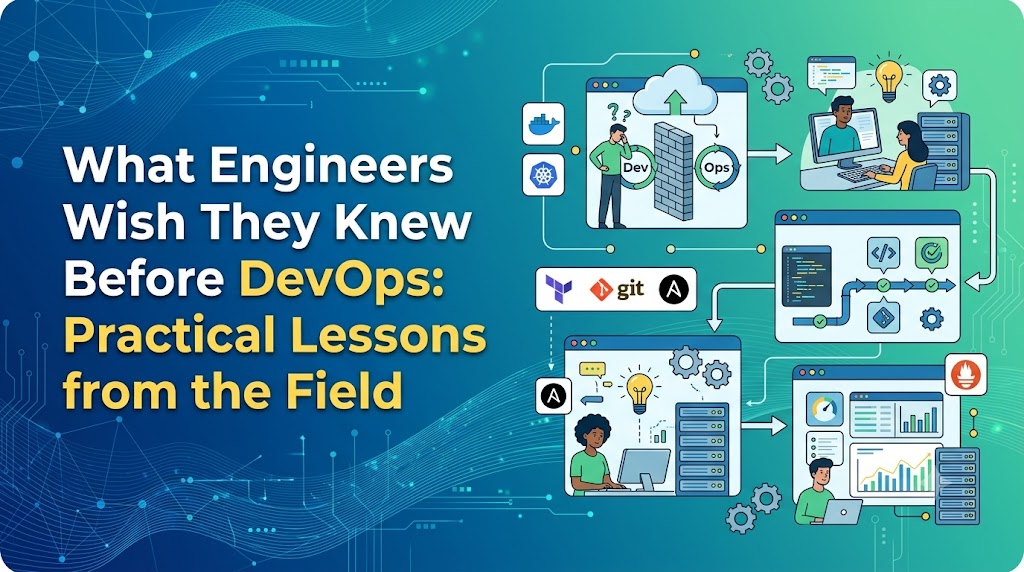
An engineer installs Docker, provisions an AWS free-tier virtual machine, copies a sample Jenkinsfile, and runs their first pipeline. Everything turns green. It feels straightforward—until the first real assignment hits. A deployment pipeline fails at 2 AM due to an expired TLS certificate. A containerized microservice crashes in staging because it cannot resolve the DNS name of an internal database. A Terraform apply run fails halfway through, leaving orphaned cloud resources, and a spike in network latency starts triggering false-positive alerts across the entire monitoring dashboard. Suddenly, running terminal commands from tutorials is no longer enough.
This is the reality most engineers face when moving into DevOps. They enter the domain believing it is a checklist of tools to memorize, only to realize that real-world DevOps work is about understanding how software, infrastructure, networks, security, automation, and human teams interact under pressure.
What DevOps Really Means Beyond the Buzzwords
DevOps is frequently marketed as a job title or a specific software stack. In engineering practice, it is a collaborative operating model and engineering discipline designed to shorten the systems development life cycle while delivering features, fixes, and updates reliably.
       [ Plan ] ───> [ Code ] ───> [ Build ] ───> [ Test ]
          ^                                           │
          │                                           v
     [ Monitor ] <─── [ Operate ] <─── [ Deploy ] <─── [ Release ]
DevOps bridges the historical divide between software development (which focuses on adding features quickly) and IT operations (which focuses on system stability and uptime). It integrates:
- Culture: Shared ownership of software quality, performance, and uptime across teams.
- Engineering Practices: Continuous integration, automated testing, declarative infrastructure management, and proactive observability.
- Processes: Rapid feedback loops, structured code reviews, and blameless post-mortems.
- Automation: Removing manual, error-prone steps from the software delivery pipeline.
Collecting tools without adopting these principles leads to “automated chaos”—broken software simply deploys faster.
25 Practical Lessons Experienced Engineers Learned the Hard Way
Lesson 1: DevOps Is Not Just About Tools
Beginners often rush to learn Docker, Kubernetes, Terraform, Helm, Prometheus, and GitHub Actions all at once. Memorizing syntax without understanding architectural fundamentals creates fragile workflows. Tools change frequently; the underlying architectural concepts do not. Focus on understanding why a tool exists before memorizing its configuration options.
Lesson 2: Linux Fundamentals Matter More Than Expected
Almost all modern cloud infrastructure, container runtimes, and deployment pipelines run on Linux distributions. You do not need to memorize every flag, but you must know how to inspect and navigate a Linux system.
- Filesystems and Storage: Understanding
/var/log,/etc, inode limits, mount points, and disk utilization. - Process Management: Inspecting CPU and memory hogs with
top,htop,ps, and managing system services withsystemctlandjournalctl. - Permissions and Security: Managing
chmod,chown, POSIX permissions, and environment variables. - Networking Utilities: Diagnosing sockets and ports using
curl,netstat,ss,dig, andtraceroute.
Lesson 3: Networking Is a Core DevOps Skill
When an application fails, the root cause is frequently network-related. A solid grasp of networking fundamentals helps you avoid hours of aimless troubleshooting.
| Concept | Practical Engineering Application |
| DNS | Resolving service endpoints, debugging split-horizon setups, and managing latency in record lookups. |
| TCP/IP & Ports | Diagnosing blocked connections, open listener ports, and socket exhaustions. |
| HTTP/HTTPS | Debugging status codes (4xx, 5xx), handling TLS handshakes, headers, and reverse proxy timeouts. |
| Routing & NAT | Configuring subnets, default gateways, and allowing private workloads outbound internet access. |
| Load Balancing | Layer 4 vs. Layer 7 traffic distribution, session affinity, health checks, and SSL termination. |
Lesson 4: Git Is More Than Commit and Push
Git is the foundation for modern delivery workflows and Infrastructure as Code (IaC). You must understand branching strategies (such as Trunk-Based Development and GitFlow), semantic version tagging, interactive rebasing, merge conflict resolution, and how to safely revert production regressions using git revert instead of destructive history rewrites.
Lesson 5: Scripting and Automation Are Essential
You do not need to build complex web applications, but you must be comfortable writing automation scripts to eliminate repetitive tasks.
- Bash / Shell: Excellent for lightweight OS tasks, container entrypoints, and pipeline glue code.
- Python: Ideal for interacting with cloud APIs, parsing complex JSON/YAML data, and building automated maintenance utilities.
Lesson 6: Cloud Is Not Magic
Cloud providers abstract physical hardware, but they do not eliminate the operational principles of computing, storage, networking, and security. A poorly designed architecture in an on-premises datacenter remains poorly designed when migrated to the cloud. You must understand VPC architecture, compute limits, storage tiers, identity management, and cost structures.
Lesson 7: CI/CD Is a Process, Not Just a Pipeline File
Continuous Integration and Continuous Deployment represent a delivery philosophy:
[ Git Commit ] ──> [ Static Analysis & Linting ] ──> [ Unit & Integration Tests ]
                         │
[ Production Verification ] <── [ Staged Deployment ] <── [ Artifact Build & Scan ]
A good pipeline is not defined by its tool; it is defined by its ability to validate code quality, enforce security scans, build immutable artifacts, run automated tests, and provide reliable rollback mechanisms when a deployment fails.
Lesson 8: Containers Do Not Automatically Solve Architectural Problems
Containers provide process isolation, consistent runtime environments, and portability. However, placing a poorly architected monolith into a Docker container will not resolve its underlying memory leaks, database connection bottlenecks, stateful storage issues, or poor concurrency handling.
Lesson 9: Kubernetes Has a Steep Learning Curve
Do not jump straight into Kubernetes on day one. Master Linux, containerization, and networking first. When you do learn Kubernetes, focus on understanding the core abstractions—Pods, Deployments, Services, Ingress, ConfigMaps, Secrets, and Namespaces—before attempting to manage complex service meshes, custom operators, or production clusters.
Lesson 10: Infrastructure as Code Changes How Infrastructure Is Managed
Writing infrastructure configurations in tools like Terraform, OpenTofu, or Ansible treats your servers, networks, and storage like application code. This enables version control, code reviews, drift detection, and reproducible environments. Never copy-paste IaC templates without understanding what resources they allocate and what access permissions they grant.
Lesson 11: Troubleshooting Is a Systematic Process
Effective engineers do not guess or apply random configuration fixes during an outage. They follow a deliberate diagnostic workflow:
[ 1. Observe Symptoms ] ────> [ 2. Gather Evidence (Logs/Metrics) ]
                                            │
[ 4. Isolate Root Cause ] <── [ 3. Form & Test Hypotheses ]
         │
         v
[ 5. Apply & Verify Fix ] ──> [ 6. Document Findings in Post-Mortem ]
Lesson 12: Logs, Metrics, and Traces Matter (Observability)
Monitoring alerts you when something is broken; observability helps you understand why it broke.
- Logs: Discrete event records detailing specific errors and context.
- Metrics: Aggregable numeric data (CPU usage, request rates, error rates, memory saturation) tracked over time.
- Traces: End-to-end paths of requests navigating through distributed microservices, identifying latency bottlenecks.
Lesson 13: Security Cannot Be Bolted on at the End (DevSecOps)
Security is a shared responsibility across the entire engineering pipeline. This includes securing the software supply chain, managing secrets outside of source repositories, scanning container base images for CVEs, enforcing the principle of least privilege in IAM policies, and automating compliance checks directly within CI pipelines.
Lesson 14: Production Is Completely Different From a Local Lab
Local development environments run with single users, zero network latency, minimal datasets, and relaxed security constraints. Production systems deal with concurrent real users, variable network conditions, persistent storage constraints, strict compliance boundaries, and sudden traffic spikes. Always design systems with production constraints in mind.
Lesson 15: Automation Needs Guardrails
Unchecked automation accelerates mistakes at scale. A buggy script can delete production databases as quickly as it provisions them. Always implement automated validation checks, dry-run modes (terraform plan), blast-radius limits, approval gates for production, and automated rollback triggers.
Lesson 16: Documentation Is an Engineering Skill
Undocumented systems create single points of failure around individual engineers. Write clear runbooks, architecture decision records (ADRs), environment setup guides, and post-incident reviews. Good documentation reduces onboarding time and prevents midnight escalations.
Lesson 17: Communication Matters as Much as Technical Skill
DevOps engineers work at the intersection of development, operations, security, quality assurance, and product teams. The ability to explain technical trade-offs, coordinate incident responses calmly, write actionable bug reports, and advocate for technical debt remediation is just as vital as writing clean infrastructure code.
Lesson 18: System Failure Is Inevitable
Complex distributed systems will eventually fail. Disks fill up, cloud providers experience regional network issues, dependencies deprecate, and third-party APIs experience outages. Mature engineering organizations practice blameless post-mortems focused on systemic remediation rather than individual fault.
Lesson 19: Reliability Requires Deliberate Engineering
A successful build and deployment does not mean your application is reliable. Reliability engineering involves designing for graceful degradation, configuring health checks, implementing circuit breakers, managing capacity limits, and setting Service Level Objectives (SLOs).
Lesson 20: Cost Is an Engineering Metric
Cloud infrastructure costs accumulate rapidly when resources are misconfigured or forgotten. Engineers must monitor data transfer charges, size compute instances accurately according to workloads, clean up orphaned disks and test environments, and implement lifecycle rules on cloud storage buckets.
Lesson 21: You Do Not Need to Learn Everything at Once
Chasing every trending open-source tool leads to cognitive fatigue. Prioritize deep understanding of foundational concepts over superficial familiarity with fifty different tools. Once you understand the fundamentals of containerization or infrastructure provisioning, switching between specific tools becomes straightforward.
Lesson 22: Knowing How to Read Documentation Beats Memorization
Experienced engineers do not memorize parameters and configurations. They excel at reading official documentation, parsing stack traces, interpreting kernel error codes, and synthesizing technical knowledge to resolve novel problems efficiently.
Lesson 23: Certifications Validate Knowledge but Do Not Replace Experience
Certifications provide structured roadmaps and help validate your baseline knowledge. However, they are not a substitute for hands-on debugging experience, building real projects, or understanding how production architectures behave under real-world conditions.
Lesson 24: Practical Projects Teach More Than Static Tutorials
Tutorials walk you down the “happy path” where nothing fails. Building your own projects—such as deploying a microservice with a multi-stage CI/CD pipeline, configuring Prometheus monitoring, and intentionally simulating pod crashes—teaches you how to identify and remediate actual engineering failures.
Lesson 25: Career Growth Requires Continuous Learning
DevOps and platform engineering evolve continuously as paradigms shift toward platform engineering, cloud-native architectures, and AI-assisted automation. Cultivating curiosity and strong engineering fundamentals ensures your skills remain relevant across any industry shift.
Practical DevOps Learning Roadmap
Stage 1: Fundamentals    ──> Linux, Networking, Git, Bash/Python Scripting
Stage 2: Core Delivery   ──> CI/CD Pipelines, Docker Containers, Cloud Platforms, IaC
Stage 3: Operations      ──> Observability (Logs, Metrics, Traces), Incident Response
Stage 4: Security        ──> DevSecOps, Secret Management, IAM Least Privilege
Stage 5: Advanced Scale  ──> Kubernetes Orchestration, SRE Practices, Platform Engineering
- Stage 1 — Fundamentals: Master the Linux shell, core networking protocols (DNS, TCP, HTTP), Git workflows, and basic Python/Bash automation.
- Stage 2 — DevOps Core: Learn container packaging with Docker, Infrastructure as Code with Terraform, cloud core services on a single provider, and automated CI/CD pipeline design.
- Stage 3 — Operations & Observability: Implement centralized logging, metric collection with Prometheus and Grafana dashboards, alerting rules, and structured troubleshooting workflows.
- Stage 4 — Security (DevSecOps): Integrate static code analysis, vulnerability scanning, secure secret management, and principle-of-least-privilege access controls.
- Stage 5 — Advanced Architecture: Master Kubernetes cluster management, Site Reliability Engineering (SRE) concepts, and internal developer platforms (IDPs).
Common Mistakes Beginners Make (and What to Do Instead)
- Mistake: Memorizing tool commands without understanding what they do under the hood.Alternative: Learn how operating systems, containers, and networks function before learning automation abstractions.
- Mistake: Treating cloud providers as a black box and ignoring networking.Alternative: Study VPC subnets, route tables, security groups, and DNS configuration early.
- Mistake: Relying solely on video tutorials without building end-to-end projects.Alternative: Deploy a real multi-tier application, deliberately break it, and troubleshoot the logs.
- Mistake: Hardcoding credentials, API tokens, and secrets in Git repositories.Alternative: Use environment variables, secret managers, and automated repository secret scanners from day one.
- Mistake: Ignoring documentation, runbooks, and team communication.Alternative: Treat documentation and clear technical communication as primary engineering deliverables.
Pre-DevOps Readiness Checklist
You do not need to check every box before starting, but this list provides a clear baseline for tracking your progress:
- Can navigate a Linux filesystem, manage file permissions, and inspect active processes from the terminal.
- Understand how DNS, HTTP methods, status codes, ports, and subnets work.
- Comfortable branching, merging, and resolving basic conflicts in Git.
- Can write basic Bash or Python scripts to automate a file-handling or API task.
- Understand the difference between building an application and deploying it to an environment.
- Understand container basics: images, layers, volumes, and ports.
- Comfortable reading stack traces and service logs to locate the origin of an error.
- Willing to read official documentation instead of relying purely on copy-pasted code snippets.
What Experienced Engineers Wish They Had Known Early
- Fundamentals outlast tools. Tools become deprecated; networking, operating systems, and distributed systems architecture remain relevant for decades.
- Troubleshooting is the core job. Building pipelines is only a small part of the work; finding why something crashed in production is where the real value lies.
- A green build does not guarantee uptime. Test your rollback strategies, failure scenarios, and disaster recovery processes regularly.
- Simplicity beats cleverness. A straightforward, readable deployment script is always easier to maintain at 3 AM than a complex, convoluted automation setup.
- Shared ownership is essential. Breaking down silos between developers, operations, and security teams is the only way to build reliable software delivery lifecycles.
Building Structured DevOps Skills
Mastering the wide spectrum of DevOps disciplines—from systems administration and cloud infrastructure to continuous delivery, container orchestration, and reliability engineering—can feel overwhelming when navigating fragmented tutorials.
Structured training programs and guided curricula can help engineers connect these concepts systematically. For engineers and organizations looking to build hands-on proficiency across cloud platforms, Infrastructure as Code, CI/CD pipelines, containerization, and DevSecOps best practices, exploring comprehensive learning resources through DevOpsSchool provides guided learning paths designed to bridge the gap between foundational theory and real-world production engineering.
The Future of DevOps and Platform Engineering
As cloud-native ecosystems mature, the DevOps landscape continues to evolve around several key trends:
- Platform Engineering & Internal Developer Platforms (IDPs): Building standardized self-service platforms that enable software developers to provision infrastructure and deploy applications without getting bogged down by infrastructure complexities.
- Shift-Left Security (DevSecOps): Integrating automated compliance and vulnerability checks directly into the early stages of the continuous integration lifecycle.
- Site Reliability Engineering (SRE) Integration: Using error budgets, service-level objectives, and automated remediation to balance release velocity with infrastructure stability.
- AI-Assisted Operations: Utilizing machine learning for intelligent anomaly detection, log parsing, and automated pipeline optimizations—augmenting, but not replacing, foundational engineering skills.
Engineers who invest in understanding systems architecture, networking, security, and deliberate automation will remain well-positioned to adapt to whatever tools and platforms emerge next.
Frequently Asked Questions
What should engineers know before learning DevOps?
Engineers should have a working knowledge of operating system fundamentals (primarily Linux), basic computer networking (IP, DNS, TCP/IP, HTTP), version control with Git, and fundamental scripting in Bash or Python.
Is Linux strictly necessary for DevOps?
Yes. The vast majority of production web servers, cloud compute instances, container runtimes, and pipeline agents run on Linux. Knowing how to inspect files, manage system processes, configure permissions, and check network sockets via the terminal is essential.
How important is networking for DevOps engineers?
Networking is critical. Most deployment and runtime failures in distributed systems, containers, and cloud environments stem from misconfigured DNS, firewall rules, routing tables, proxy configurations, or port conflicts.
Do I need to be an expert programmer to learn DevOps?
No. You do not need to build complex software applications or master advanced algorithms, but you do need to write scripts in Bash or Python to automate tasks, parse structured data (JSON/YAML), and interact with APIs.
Should I learn Kubernetes first?
No. Learn Linux fundamentals, networking, and basic containerization with Docker first. Understanding how a single container runs and communicates across a network makes Kubernetes orchestration concepts significantly easier to grasp.
Are DevOps certifications necessary to get a job?
Certifications help structure your learning path and validate foundational knowledge on your resume, but they do not replace hands-on project experience, practical troubleshooting skills, and an understanding of production systems.
How much hands-on practice is needed?
DevOps cannot be learned through theory alone. You should spend the majority of your learning time setting up infrastructure, building deployment pipelines, deploying applications, and diagnosing intentional failure scenarios.
What is the best way to start a DevOps career?
Start with strong fundamentals in Linux, networking, and Git. Build end-to-end personal projects—such as provisioning cloud infrastructure with IaC, setting up a CI/CD pipeline, and configuring monitoring—and document your architectural decisions and troubleshooting processes.
Final Thoughts
DevOps is not a collection of buzzwords or a race to learn every tool on GitHub. It is an engineering discipline centered on building reliable, automated systems that allow software to be delivered safely, rapidly, and predictably.
When you invest time in understanding systems architecture, operating systems, and networking before jumping into high-level abstractions, advanced tools like Kubernetes and Terraform become natural extensions of concepts you already understand. Focus on the fundamentals, practice deliberate troubleshooting, design with security and reliability in mind, and treat continuous learning as a core part of your engineering career.