




Introduction
Manual processes are the primary bottleneck in modern software delivery. When engineers spend hours configuring servers, manually running tests, or patching software packages, they lose valuable time that could be spent on building features that add actual value to the business. In the early days of IT, this was accepted as the standard way of working, but today, it is a liability.
Automation has transformed the way organizations approach IT operations. By removing the dependency on manual intervention, teams can reduce human error, increase the velocity of releases, and ensure that their environments are consistent and reproducible. DevOps automation is not just a trend; it is the competitive advantage that allows high-performing organizations to deploy code dozens of times a day while maintaining high stability.
At DevOpsSchool, we focus on the practical application of these concepts. Whether you are a student, a developer, or a system administrator, understanding that automation is a foundational pillar of DevOps is your first step toward mastering the field. Automation does not replace people; it empowers teams to focus on innovation rather than maintenance.
What Is DevOps Automation?
At its core, DevOps automation is the practice of replacing manual steps in the software development lifecycle with scripts, tools, and processes. It covers everything from writing code to deploying it into production and monitoring its performance.
Think of it like a kitchen assembly line. Instead of one chef trying to chop vegetables, boil water, cook the protein, and plate the meal at the same time, an automated process ensures that each station is prepared, the timing is synchronized, and the quality is checked at every stage. In the DevOps context, automation ensures that when a developer pushes a code change, it is automatically built, tested, and prepared for deployment without a human needing to manually trigger each step.
Why Automation Matters in DevOps
Automation is not just about speed; it is about reliability. Humans make mistakes when performing repetitive tasks, especially under pressure. Automation removes this variable.
- Faster Delivery: Automating the path from code commit to production reduces the time it takes to release features.
- Reduced Human Errors: Scripts run the same way every time. They do not get tired, distracted, or skip a step because they are in a rush.
- Improved Consistency: Automation ensures that development, testing, and production environments are identical, reducing the “it works on my machine” problem.
- Better Scalability: As a company grows, it becomes impossible to manage hundreds of servers manually. Automation allows a small team to manage massive infrastructure footprints.
- Increased Productivity: By offloading repetitive operational tasks to automation, engineers can dedicate their time to high-value architectural work and solving complex problems.
Areas Where DevOps Automation Is Commonly Used
Automation touches almost every part of the software delivery lifecycle. The goal is to create a seamless pipeline.
| Area | Example Activities |
| Source Code Management | Automated code reviews, linting, and branch protection rules. |
| Build Automation | Compiling code, managing dependencies, and packaging artifacts. |
| Testing | Automated unit tests, integration tests, and security scans. |
| Infrastructure Provisioning | Creating virtual machines, databases, or cloud networks via code. |
| Configuration Management | Ensuring servers have the correct software and settings applied. |
| Deployments | Blue-green deployments, rolling updates, and automated rollbacks. |
| Monitoring | Automatically collecting logs, metrics, and triggering alerts on anomalies. |
| Security Scanning | Checking containers and codebases for vulnerabilities automatically. |
CI/CD Automation Explained
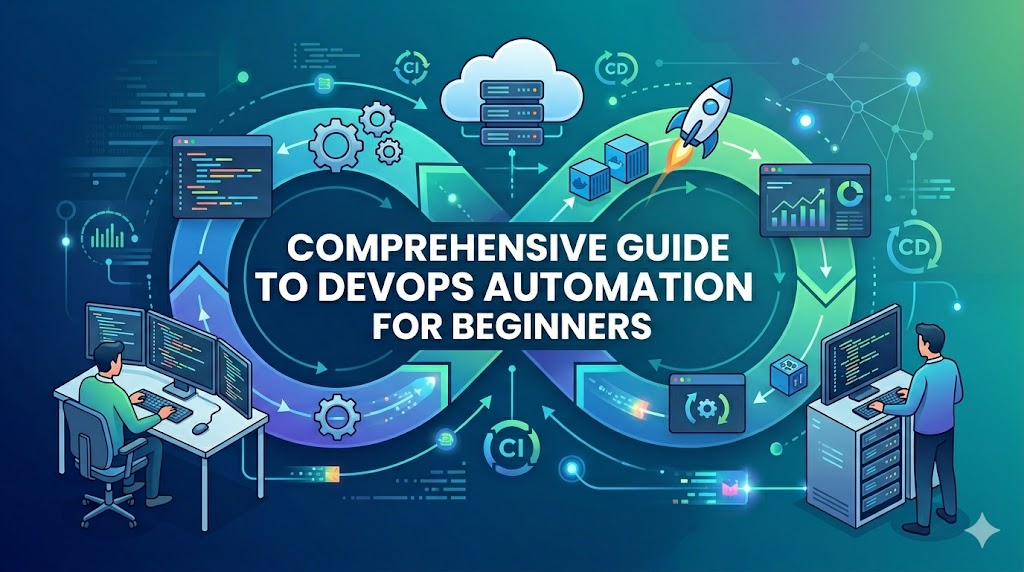
CI/CD stands for Continuous Integration and Continuous Delivery (or Deployment). It is the backbone of DevOps automation.
Continuous Integration (CI)
This is the practice of frequently merging code changes into a central repository. Every time code is merged, an automated build and test process runs. If the tests fail, the team is notified immediately. This prevents the “integration hell” that occurs when developers try to merge weeks of work at the last minute.
Continuous Delivery (CD)
Continuous Delivery ensures that the code is always in a deployable state. The automation pipeline builds the software and runs a suite of tests. If it passes, the code is ready to be pushed to production at any time, often with a manual approval step.
Continuous Deployment (CD)
Continuous Deployment takes this a step further by automatically deploying every change that passes the pipeline directly to the production environment. This requires high confidence in your automated testing suite.
Infrastructure Automation Fundamentals
Infrastructure as Code (IaC) is the practice of managing hardware and cloud resources through configuration files rather than manual interaction with web consoles.
- Provisioning: Using tools to create the physical or virtual resources, such as creating an AWS EC2 instance or a Kubernetes cluster.
- Configuration Management: Using tools to install software, manage users, and update settings on existing servers.
Tools like Terraform allow you to define your entire infrastructure in text files. If you need to replicate your production environment for testing, you simply run your Terraform script. Ansible helps you ensure that every server is configured exactly the same way, eliminating configuration drift.
Testing Automation in DevOps
Testing is the gatekeeper of quality. If you automate deployments without automated testing, you are simply shipping bugs faster.
- Unit Testing: Testing the smallest parts of the application, usually functions or methods.
- Integration Testing: Verifying that different modules of the application work together correctly.
- Regression Testing: Ensuring that new changes have not broken existing functionality.
- Security Testing: Automatically scanning dependencies for known vulnerabilities or checking code for security flaws during the build process.
Deployment Automation
Deployment automation is about minimizing downtime and risk when releasing new software versions.
- Rolling Deployments: Updating a few instances at a time to ensure the application remains available.
- Blue-Green Deployments: Running two identical environments. You deploy to the “green” environment while “blue” is live. Once satisfied, you switch traffic to green.
- Canary Releases: Sending a small percentage of user traffic to the new version to check for errors before rolling it out to everyone.
Monitoring and Alerting Automation
You cannot manage what you cannot see. Modern automation includes self-monitoring systems.
- Metrics Collection: Automatically gathering data on CPU, memory, and application performance.
- Automated Alerts: Configuring systems to notify engineers via tools like Slack or PagerDuty when thresholds are breached.
- Incident Detection: Advanced systems can detect patterns in logs that indicate a failure and can sometimes trigger automated scripts to restart services or scale out resources.
Popular DevOps Automation Tools
Choosing the right tool depends on your specific environment, but these are the industry standards.
| Tool | Primary Use |
| Git | Version control and source code management. |
| Jenkins | Automation server for CI/CD pipelines. |
| Docker | Containerization to ensure environment consistency. |
| Kubernetes | Orchestration for managing containerized applications. |
| Terraform | Provisioning infrastructure using code. |
| Ansible | Configuration management and automation. |
| Prometheus | Monitoring and alerting. |
| Grafana | Visualization of metrics and dashboards. |
Real-World Example: Team Without Automation
Imagine a team where deployments are manual. A developer finishes a feature and sends a file to the operations team. The operations engineer logs into a server, manually copies the file, restarts the service, and hopes nothing breaks.
When something goes wrong, they do not know what changed because there is no version history for server configurations. The team spends most of their time fixing issues rather than building features. Release days are stressful, chaotic, and prone to human error, often resulting in long hours and high team burnout.
Real-World Example: Team After DevOps Automation Adoption
Now, consider a team that has adopted automation. A developer commits code to Git. A Jenkins pipeline automatically triggers, runs the tests, builds the Docker image, and deploys it to a staging environment.
The team reviews the staging environment, clicks a button to approve, and the same pipeline deploys the code to production. If an error occurs, they can use Git to revert to the previous known-good state in seconds. The team is now collaborative, releases are frequent and boring, and the focus is on shipping quality software.
Common Mistakes Organizations Make
- Automating Broken Processes: If your manual process is flawed, automating it will only produce bad results faster. Fix the process first.
- Choosing Too Many Tools: Start with a few standard tools rather than trying to build a complex, tool-heavy ecosystem that is hard to maintain.
- Ignoring Documentation: Automation code is still code. It needs documentation so other team members understand how to maintain it.
- Lack of Monitoring: Never automate a process if you do not have the visibility to know when it fails.
- No Rollback Strategy: Automation should make it easy to roll back to a previous state, not lock you into a broken configuration.
Best Practices for Successful DevOps Automation
- Start Small: Pick one low-risk, repetitive task to automate first. Build confidence before moving to critical infrastructure.
- Automate Repetitive Tasks: If you do it more than twice, automate it.
- Use Version Control: Everything, including your infrastructure scripts, should be stored in Git.
- Test Automation Pipelines: Treat your pipeline code with the same care as your application code.
- Monitor Continuously: Use automated monitoring to alert you to failures in real-time.
- Improve Incrementally: Automation is not a project that finishes; it is a mindset of continuous improvement.
Role of DevOpsSchool in Understanding Automation Concepts
Understanding the tools is only half the battle; knowing how to design workflows is the other half. DevOpsSchool provides the foundational knowledge and hands-on exposure required to implement these practices in real-world scenarios. By focusing on practical CI/CD implementations, infrastructure automation, and workflow design, learners can bridge the gap between theoretical knowledge and industry-standard practices. These concepts are taught through a lens of real-world applicability, ensuring that the skills gained are relevant to modern enterprise environments.
Career Benefits of Learning DevOps Automation
The demand for professionals who understand automation is skyrocketing.
- DevOps Engineer: Focuses on bridging the gap between development and operations.
- Cloud Engineer: Designs and manages cloud-native infrastructure.
- Automation Engineer: Specializes in building scripts and pipelines to improve efficiency.
- Site Reliability Engineer (SRE): Uses software engineering to solve infrastructure problems.
- Platform Engineer: Builds internal tools and platforms for developers to use.
Industries Benefiting From DevOps Automation
- SaaS: Rapid release cycles require automated pipelines.
- Banking & Finance: Security and compliance are automated to meet strict regulations.
- Healthcare: Reliability and uptime are critical, making automation essential.
- E-Commerce: Scaling infrastructure during peak traffic is only possible through automation.
- Telecom: Managing massive network infrastructures requires automation.
Future of DevOps Automation
The future of automation is becoming smarter.
- AI-Assisted Automation: Using machine learning to suggest pipeline improvements or detect anomalies in logs.
- Self-Healing Systems: Infrastructure that detects its own issues and restarts or reconfigures itself.
- GitOps Adoption: Using Git as the single source of truth for all infrastructure and application changes.
- Platform Engineering Growth: Focusing on building internal developer platforms that make automation self-service.
- Intelligent Observability: Moving from simple alerts to systems that understand the root cause of an issue.
FAQs
1. What is DevOps automation?
It is the use of software to perform repetitive tasks in the software development and operations lifecycle, reducing human intervention.
2. Why is automation important?
It increases the speed of software delivery, reduces errors, improves consistency, and allows teams to scale.
3. Which DevOps tool should I learn first?
Start with Git. It is the foundation of modern software development and automation workflows.
4. Is DevOps automation only for large companies?
No. Even small teams benefit from automation by reducing the operational burden and allowing them to move faster.
5. What is Infrastructure as Code?
It is the practice of defining infrastructure, like servers and databases, in configuration files instead of using manual setup processes.
6. How does CI/CD support automation?
CI/CD automates the process of code integration, testing, and deployment, ensuring a reliable pipeline from development to production.
7. Can automation eliminate manual work completely?
It significantly reduces manual work, but humans are still needed for strategy, complex troubleshooting, and decision-making.
8. How long does it take to learn DevOps automation?
It is a continuous learning process. You can learn the basics of a specific tool in weeks, but mastering the mindset takes months of practice.
9. Do I need to be a programmer to do DevOps automation?
You do not need to be a software developer, but you must be comfortable reading code and writing scripts.
10. What is the difference between CI and CD?
CI focuses on merging and testing code, while CD focuses on preparing and deploying that code to environments.
11. Does automation increase security?
Yes, by allowing you to enforce security policies and scan for vulnerabilities automatically in every build.
12. Is it safe to automate production deployments?
Yes, provided you have automated testing and robust rollback strategies in place.
13. What is the biggest challenge in DevOps automation?
The cultural shift. Teams must move away from “manual” thinking to “automation-first” thinking.
14. What are the best metrics to track for automation?
Deployment frequency, lead time for changes, mean time to recovery, and change failure rate.
15. Where can I practice DevOps automation?
You can set up your own environment using virtual machines or cloud providers, or join learning programs like those at DevOpsSchool.
Final Thoughts
DevOps automation is a journey, not a one-time project. It begins with identifying the most painful manual tasks and slowly replacing them with reliable, automated processes. Do not be intimidated by the number of tools available; focus on understanding the concepts first.
Successful automation is never just about the tools. It is about the combination of tools, improved processes, and a cultural shift toward collaboration. Start small, automate repetitive tasks, monitor everything, and improve your pipelines incrementally. This is the path to long-term success in the DevOps world.