







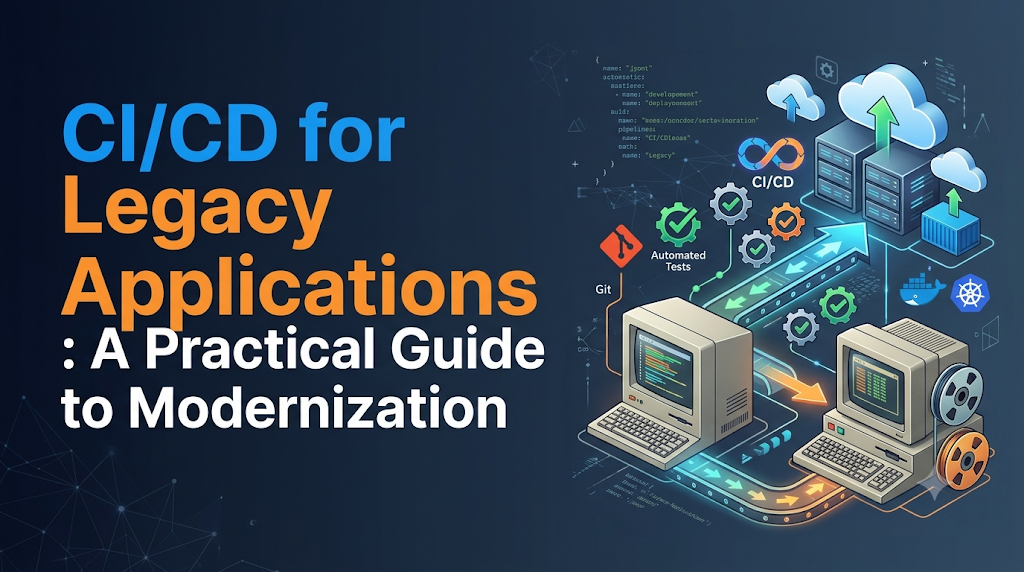
Organizations often rely on mature, legacy applications that form the backbone of daily business operations. These systems handle core transactions, customer data, and critical reporting. While the software works reliably in production, releasing updates remains a major hurdle. Code changes require tedious manual steps, regression testing takes days or weeks, and deployments carry operational risks that keep engineering teams on edge. Replacing an entire legacy system with a modern, microservices-based architecture is rarely straightforward. Such rewrites are expensive, highly disruptive, carry a high risk of project failure, and often introduce unforeseen bugs into stable business logic.
Instead of a high-risk rewrite, organizations can adopt Continuous Integration and Continuous Delivery (CI/CD) to progressively improve software delivery. Introducing CI/CD to older systems allows teams to preserve existing application functionality and business value while systematically eliminating manual friction, reducing release anxiety, and accelerating time-to-market. For professionals seeking to master these techniques, structured learning paths provided by educational platforms like DevOpsSchool offer valuable insights into bridging traditional architectures with modern automation.
1. Why Legacy Applications Struggle With Modern CI/CD
Older software systems were often designed during an era when release cycles spanned months rather than hours. Consequently, their architectural and operational characteristics conflict directly with the principles of continuous delivery.
- Monolithic application architecture: Codebases are tightly bound into a single, massive deployment unit, making it impossible to test or release individual features independently.
- Outdated programming languages and frameworks: Older runtimes, obsolete libraries, and deprecated language features lack native support for modern testing frameworks and automation tooling.
- Limited automated test coverage: Systems often rely entirely on manual quality assurance (QA) verification, leaving codebases vulnerable to regressions.
- Manual build and deployment procedures: Tribal knowledge dictates how code is compiled, packaged, and transferred to servers, leading to human error.
- Hardcoded configuration values: Database strings, service endpoints, and environment-specific settings are frequently embedded directly into the source code.
- Tight coupling between components: Business logic, database interactions, and user interfaces blend together, preventing modular execution.
- Legacy databases and dependencies: Older database management systems lack schema version control, and external binary dependencies may no longer be actively maintained.
- Inconsistent development environments: Discrepancies between local developer machines, staging, and production environments cause unexpected failures (“it works on my machine”).
- Limited documentation: Architecture diagrams, dependency maps, and deployment runbooks are frequently outdated or missing entirely.
- Strict uptime and compatibility requirements: Because the business depends heavily on continuous availability, teams are hesitant to touch fragile workflows.
These factors compound over time, resulting in slow release frequencies, unpredictable production stability, and reduced engineering productivity.
2. Assess the Application Before Building a Pipeline
Before writing any automation scripts or pipeline configurations, engineering teams must conduct a thorough diagnostic assessment of the legacy ecosystem. Blindly applying modern CI/CD tools to an unmapped monolith usually results in broken builds and frustrated teams.
+-----------------------------------------------------------------+
|                   Legacy Application Assessment                 |
+-----------------------------------------------------------------+
          |                                       |
          v                                       v
+---------------------------+           +-------------------------+
|    Code & Architecture    |           | Operational Workflows   |
|  - Monolith boundaries    |           | - Manual build steps    |
|  - Outdated dependencies  |           | - Config mapping        |
+---------------------------+           +-------------------------+
          |                                       |
          +-------------------+-------------------+
                              |
                              v
              +-------------------------------+
              |   Safe Automation Roadmap     |
              +-------------------------------+
Key Assessment Areas
- Application architecture assessment: Identify internal modules, shared libraries, and tightly coupled code blocks.
- Source code and repository review: Determine where code lives, how branching is managed, and whether version control is even utilized consistently.
- Build process analysis: Document every step required to transform raw source code into a runnable artifact, noting manual interventions.
- Dependency inventory: Catalog all third-party libraries, runtime versions, operating system patches, and hardware constraints.
- Database and configuration mapping: Identify where configuration lives and how database schemas interact with application code.
- Existing testing practices: Evaluate what manual or automated checks currently exist, even if minimal.
- Deployment procedure documentation: Interview operations engineers to capture undocumented deployment quirks.
- Infrastructure and environment assessment: Review target servers, network policies, and resource limitations.
- Operational and business-critical dependencies: Map out external integrations, batch jobs, and third-party APIs.
This discovery phase allows consultants and engineering teams to identify low-risk components that are safe to automate first, while isolating fragile areas that require preparatory refactoring.
3. Choose a Modernization Strategy That Fits the Application
Modernizing delivery for legacy systems does not require a one-size-fits-all approach. Teams should select strategies that align with the application’s stability, complexity, and business value.
- Wrapping existing build processes: Encapsulate legacy shell scripts, Makefiles, or batch files inside automated pipeline runners without altering the underlying code.
- Gradually replacing manual deployment steps: Automate file transfers and service restarts one step at a time, keeping human approval gates until confidence grows.
- Introducing automated testing around existing functionality: Write tests that capture current behavior before refactoring any code.
- Separating configuration from application code: Extract hardcoded parameters into environment variables or external configuration stores.
- Modularizing selected components: Break off small, peripheral utilities or reporting scripts into independent services where feasible.
- Using containers where technically appropriate: Package legacy runtimes into Docker containers to ensure consistent execution environments across stages.
- Modernizing one service or module at a time: Apply the Strangler Fig pattern to gradually intercept and replace legacy functionality with modern services.
| Strategy | Primary Benefit | Potential Limitation |
| Process Wrapping | Fast implementation; zero code changes | Preserves underlying technical debt |
| Config Extraction | Improves environment flexibility | Requires code modifications |
| Containerization | Eliminates environment drift | Difficult for legacy OS-bound apps |
| Strangler Fig | Systematic long-term replacement | High initial architectural overhead |
Incremental modernization balances risk and reward, delivering immediate productivity gains without risking core business operations.
4. Build a CI Pipeline Around Existing Development Workflows
Continuous Integration (CI) is the foundation of automated software delivery. For legacy applications, the goal is not to refactor the codebase immediately, but to ensure that code changes are built, packaged, and validated automatically upon commit.
Core CI Implementation Steps
- Source control standardization: Migrate all source code into a modern version control system (like Git) with clear branching strategies.
- Automated build execution: Configure CI servers (such as Jenkins, GitLab CI, or GitHub Actions) to trigger builds automatically on code push.
- Dependency management: Centralize external libraries and tools so builds pull dependencies reliably.
- Compilation and packaging: Script the exact compilation commands required to generate executable binaries, WAR files, or installers.
- Unit and integration testing: Execute existing automated test suites during every build.
- Static code analysis: Run linters or security scanners to catch syntax errors and basic code smells.
- Build artifact creation: Store compiled outputs in a versioned artifact repository (such as Nexus or Artifactory).
- Version identification: Tag every build with a unique version number or commit hash for traceability.
- Build failure notifications: Alert developers immediately via email or chat when a build fails.
Example: Converting a Manual Build to a Pipeline
- Manual Process: An engineer logs into a build server via SSH, pulls the latest code, runs
ant build, manually copies configuration files, and compresses the output into a ZIP file. - Automated CI Script:YAML
stages: - build - package legacy_build_job: stage: build script: - echo "Starting legacy build process..." - ant clean compile - cp config/production.properties dist/config.properties - tar -czf legacy-app-$CI_COMMIT_SHA.tar.gz dist/ artifacts: paths: - legacy-app-$CI_COMMIT_SHA.tar.gz
5. Introduce Testing Where Coverage Is Missing
Legacy applications often suffer from a lack of automated test coverage. Developers hesitate to make changes because they cannot predict what might break. Introducing testing into a legacy system requires a pragmatic, layered approach.
- Characterization tests: Automated tests written to capture the current behavior of the software—warts and all—serving as a safety net against unintended changes.
- Regression testing: Automated checks focused on verifying that core business workflows remain intact after modifications.
- Unit testing: Tests targeting isolated functions or classes, introduced gradually as legacy code is touched for bug fixes or new features.
- Integration testing: Validating communication between the application, databases, and external file systems.
- API testing: Automated checks against legacy SOAP or REST endpoints to ensure contract stability.
- Database validation: Scripts confirming that data queries execute correctly and maintain data integrity.
- Smoke testing: Quick sanity checks run immediately after deployment to verify basic application health.
- End-to-end (E2E) testing: Simulated user journeys testing the complete application stack from UI to database.
Progressive Test Integration Strategy
Rather than attempting 100% test coverage upfront, teams should adopt a “Test Around the Edges” strategy:
- Write characterization tests for any legacy module scheduled for modification.
- Add automated regression tests for critical transaction paths (e.g., checkout, login, report generation).
- Gradually expand unit test coverage during routine maintenance bug fixes.
6. Manage Legacy Dependencies and Build Environments
Legacy applications frequently depend on outdated compilers, specific operating system patches, or proprietary libraries that are no longer supported on modern infrastructure. Ensuring repeatable builds requires strict environment management.
- Dependency inventory: Maintain an exhaustive list of every library, driver, and runtime version required.
- Version pinning: Explicitly define exact version numbers for all dependencies to prevent unexpected breakages caused by automatic updates.
- Internal package repositories: Host archived or modified legacy libraries in an internal artifact repository.
- Legacy compiler and runtime requirements: Isolate older runtimes (e.g., Java 6, Python 2.7, .NET Framework 3.5) using dedicated build agents or container images.
- Build environment standardization: Use immutable build agent images to ensure every build executes in an identical environment.
- Reproducible builds: Guarantee that building the same source code revision multiple times yields identical binary outputs.
- Dependency vulnerability checks: Scan legacy third-party libraries for known Common Vulnerabilities and Exposures (CVEs).
- Software Bill of Materials (SBOM): Generate inventory reports detailing all open-source and proprietary components included in the build.
When legacy applications require obsolete operating systems, containerized build environments or dedicated legacy build agents provide the isolation necessary to compile code safely without compromising corporate security policies.
7. Automate Deployment Without Breaking Existing Operations
Moving from manual server deployments to automated pipelines requires careful orchestration, especially when dealing with production systems that cannot afford unplanned downtime.
Step-by-Step Deployment Automation
- Deployment scripts: Replace manual instructions with idempotent automation scripts (using Bash, PowerShell, Ansible, or custom deployment tools).
- Environment-specific configuration: Decouple configuration parameters from deployment artifacts, injecting environment-specific settings dynamically.
- Artifact promotion: Ensure that the exact binary artifact tested in staging is promoted to production without rebuilding.
- Deployment approvals: Implement manual sign-off gates in the pipeline for production releases until automated confidence is established.
- Database migration handling: Coordinate schema updates before deploying application binaries.
- Configuration validation: Verify that target servers meet network, memory, and permission prerequisites before deployment execution.
- Backup and recovery preparation: Automatically capture database snapshots and application state backups prior to initiating deployment.
- Deployment verification: Run automated health checks immediately following deployment to confirm successful startup.
Teams should automate low-risk environments (development and testing) first, refining their scripts and gaining operational confidence before automating staging and production pipelines.
8. Choose Safe Release Strategies for Legacy Systems
Not every modern deployment strategy (such as advanced Kubernetes-based canary rollouts) is compatible with monolithic legacy architectures. Choosing the right release strategy depends heavily on underlying infrastructure and database constraints.
- Rolling deployments: Incrementally updating servers behind a load balancer, replacing older instances with new ones batch by batch.
- Blue-green deployment: Maintaining two identical production environments (Blue and Green), routing traffic entirely to one while deploying and testing the new version on the other.
- Canary releases: Routing a small percentage of production traffic to the new version to monitor stability before a full rollout (feasible if architecture supports parallel versions).
- Feature flags: Wrapping new features in conditional toggles, allowing code to be deployed to production while remaining hidden from users until ready.
- Maintenance-window deployments: Scheduling deployments during pre-defined low-traffic windows when downtime is contractually permissible.
- Controlled release approvals: Requiring managerial or technical sign-off before releasing artifacts to production.
- Rollback and roll-forward planning: Documenting and automating exact reversal procedures if a deployment fails.
Evaluating database compatibility is critical when selecting a release strategy. If an application version change requires a breaking database schema modification, simpler rollback strategies may become impossible without data loss.
9. Handle Database Changes and Backward Compatibility
Database schema updates represent one of the most perilous aspects of legacy application modernization. Monolithic applications often share a single database, meaning database changes can easily break older application instances if not managed carefully.
Best Practices for Legacy Database CI/CD
- Schema versioning: Track all database changes using migration management tools (such as Flyway, Liquibase, or custom migration scripts).
- Database migration automation: Integrate migration execution directly into the deployment pipeline, running scripts in a controlled sequence.
- Backward-compatible schema changes: Ensure that any database modification works seamlessly with both the currently running application version and the incoming version.
- Expand-and-contract migration patterns:
- Expand: Add new columns or tables alongside existing ones.
- Migrate: Update application code to write to both old and new structures while backfilling historical data.
- Contract: Remove obsolete columns or tables only after all application instances have been updated.
- Data backup and validation: Automatically verify database integrity and take pre-deployment backups.
- Application and database release coordination: Sequence deployments so database schema updates precede or align precisely with application binary releases.
- Rollback limitations: Acknowledge that while application binaries can easily be rolled back, database down-migrations are complex and prone to data loss; design migrations to be additive wherever possible.
Illustrative Example: Adding a New Field Safely
Instead of renaming an existing column user_name to full_name (which would immediately break running instances of an older legacy app):
- Migration 1 (Expand): Add a new column
full_nameto the table while keepinguser_name. Update application code to populate both fields. - Migration 2 (Transition): Update legacy queries to read from
full_namewhile maintaining fallback logic touser_name. - Migration 3 (Contract): Once all old instances are retired, drop the
user_namecolumn in a subsequent release.
10. Add Security and Compliance to the Delivery Workflow
Security and compliance cannot be treated as an afterthought in legacy modernization. Older applications often contain outdated libraries with known vulnerabilities, making automated scanning essential.
- Static Application Security Testing (SAST): Analyze source code for security vulnerabilities, hardcoded credentials, and insecure coding patterns.
- Software Composition Analysis (SCA): Scan third-party dependencies against vulnerability databases to identify outdated or compromised packages.
- Secret scanning: Prevent API keys, passwords, and connection strings from being accidentally committed to version control.
- Dependency vulnerability scanning: Regularly audit build inputs for CVEs.
- Infrastructure as Code (IaC) validation: Ensure configuration scripts comply with organizational security policies.
- Secure artifact storage: Restrict access to artifact repositories containing compiled binaries.
- Access control: Implement role-based access control (RBAC) across CI/CD tools and deployment environments.
- Audit trails: Maintain immutable logs recording who triggered builds, approved deployments, and accessed production systems.
- Compliance approvals: Integrate regulatory sign-offs into pipeline workflows where required by industry standards.
Teams should introduce security checks gradually—starting with passive reporting (alerts without failing builds) before enforcing strict blocking gates to avoid halting development velocity.
11. Monitor Application Health After Deployment
Successfully deploying a legacy application via an automated pipeline does not guarantee that the software is functioning correctly in production. Comprehensive monitoring bridges the gap between CI/CD automation and operational stability.
- Application logs: Centralize log aggregation to capture runtime errors, warnings, and transaction traces.
- Infrastructure metrics: Monitor CPU utilization, memory consumption, disk I/O, and network throughput on legacy servers.
- Error rates: Track HTTP 5xx errors, database connection failures, and unhandled exceptions in real time.
- Response times: Measure transaction latency to detect performance degradation following a release.
- Availability monitoring: Implement uptime checks to verify that core application endpoints remain accessible.
- Database performance: Monitor slow query logs, connection pool saturation, and lock contentions.
- Deployment verification: Automated health probes executed immediately post-release.
- Alerting and incident response: Configure targeted notifications for engineering teams when anomalous behavior occurs.
- Release-related failure tracking: Correlate production incidents directly with specific build IDs and commit hashes to accelerate root-cause analysis.
Connecting deployment events with application performance monitoring (APM) dashboards allows engineering teams to identify within minutes whether a new release introduced an operational regression.
12. A Practical Example: Introducing CI/CD Into a Legacy Application
Note: The following scenario is entirely illustrative to demonstrate practical implementation steps.
Scenario Overview
A mid-sized enterprise relies on a mission-critical Java/JSP monolithic application (“EnterpriseCore”) running on an on-premise application server, backed by an Oracle database. Historically, deployments required a senior engineer to manually execute build scripts, FTP WAR files to production servers, and manually restart services during a monthly midnight maintenance window.
Step-by-Step Implementation Journey
- Review existing processes: Documented all manual build commands, configuration file locations, and restart procedures.
- Version control migration: Moved the monolithic source code into a private Git repository, establishing feature branch workflows.
- Build procedure automation: Created a build script using Maven/Ant wrapped inside a GitLab CI pipeline runner to compile code and generate versioned WAR artifacts.
- Basic testing introduction: Added a smoke test suite verifying that core login and dashboard endpoints return HTTP 200 responses.
- Artifact versioning: Configured the pipeline to tag build artifacts with unique semantic version numbers stored in an internal artifact repository.
- Testing environment automation: Automated deployments to a staging server mirroring production, replacing manual FTP transfers.
- Security and config checks: Integrated basic SAST scanning and automated configuration property validation into the pipeline.
- Controlled production deployment: Implemented manual approval gates in the pipeline, allowing engineers to trigger production deployments during approved maintenance windows with a single click.
- Monitoring integration: Connected application log forwarders and uptime monitors to alert engineers instantly upon service startup failures.
- Scaling automation: Extended pipeline capabilities to handle automated database migration scripts for subsequent feature releases.
Results
By following this incremental journey, the organization reduced release deployment time from 4 hours of manual effort to a 15-minute automated process, eliminated deployment human errors, and established a reliable foundation for future software modernization.
13. Common Challenges and How Teams Can Overcome Them
Adopting CI/CD for legacy systems presents predictable hurdles. Recognizing these challenges early allows engineering leaders to plan effective mitigations.
| Common Challenge | Root Cause | Realistic Solution & Mitigation Strategy |
| Unstable Test Suites | Flaky, outdated, or nonexistent tests | Start by writing characterization tests around critical paths; do not block builds on legacy test failures initially. |
| Unsupported Build Tools | Obsolete compilers or proprietary build utilities | Encapsulate legacy build tools within dedicated containerized build agents or virtual machines. |
| Hidden Dependencies | Undocumented third-party binaries and libraries | Conduct thorough dependency audits and host local copies in an internal artifact repository. |
| Environment Drift | Inconsistencies between dev, staging, and prod | Standardize staging environments to mirror production; utilize infrastructure configuration management. |
| Long-Running Builds | Monolithic codebases taking hours to compile | Optimize build scripts, implement parallel job execution where possible, and cache unchanged dependencies. |
| Database Compatibility | Shared databases breaking older app instances | Adopt expand-and-contract migration patterns and versioned database schema management. |
| Cultural Resistance | Fear of changing established manual workflows | Demonstrate small wins early, provide hands-on training, and involve operations teams in pipeline design. |
Gradual adoption combined with open communication helps engineering teams overcome organizational resistance and technical roadblocks smoothly.
14. Measuring the Success of Legacy CI/CD Adoption
To justify ongoing modernization efforts and guide continuous improvement, organizations must track meaningful delivery metrics without turning them into punitive performance quotas.
- Build success rate: Percentage of pipeline builds that complete successfully without errors.
- Build duration: Total time required from code commit to artifact generation.
- Deployment frequency: How often code changes are successfully released to testing or production environments.
- Lead time for changes: Total elapsed time from code commit to production deployment.
- Change failure rate: Percentage of deployments that cause production incidents or require immediate rollbacks.
- Mean time to restore (MTTR): Average time required to recover from a production failure.
- Automated test coverage: Percentage of codebase covered by automated unit, integration, and characterization tests.
- Manual deployment effort: Reduction in hours spent performing manual release tasks.
- Security finding remediation: Rate at which identified dependency vulnerabilities and SAST warnings are resolved.
- Release-related incidents: Frequency of bugs or outages traced directly back to deployment events.
Establishing an initial baseline during the discovery phase allows teams to track measurable progress quarter-over-quarter, proving tangible ROI to stakeholders.
15. A 60-Day Roadmap for Legacy CI/CD Modernization
A structured, phased roadmap helps organizations avoid overwhelm and maintain momentum when modernizing legacy software delivery.
+-----------------------------------------------------------------+
|              60-Day Legacy CI/CD Modernization Roadmap          |
+-----------------------------------------------------------------+
| Days 1–15   | Discovery, dependency mapping & process audit     |
| Days 16–30  | CI foundation, version control & build automation |
| Days 31–45  | Controlled staging delivery & config management   |
| Days 46–60  | Security scans, production monitoring & controls  |
+-----------------------------------------------------------------+
Phase 1: Discovery and Preparation (Days 1–15)
- Key Deliverables: Comprehensive architecture assessment document, dependency inventory, and manual deployment runbook audit.
- Validation Activities: Review findings with cross-functional engineering and operations stakeholders to identify quick-win automation targets.
Phase 2: CI Foundation (Days 16–30)
- Key Deliverables: Source code migrated to Git, automated build pipeline configured on a CI server, and versioned build artifacts generated.
- Validation Activities: Execute successful test builds across multiple developer branches to confirm build repeatability.
Phase 3: Controlled Delivery (Days 31–45)
- Key Deliverables: Automated deployments to staging/testing environments, configuration separation, and initial characterization test integration.
- Validation Activities: Perform end-to-end test deployments from code commit to staging verification without human intervention.
Phase 4: Security and Operational Improvement (Days 46–60)
- Key Deliverables: Integration of SAST/SCA security scans, production monitoring dashboards, manual production approval gates, and rollback runbooks.
- Validation Activities: Conduct a successful controlled production deployment using the new automated pipeline with zero unplanned downtime.
Conclusion: Modernize the Delivery Process One Step at a Time
Legacy applications do not need to be completely rewritten or replaced before organizations can reap the benefits of CI/CD. By understanding existing system architectures, building reliable test safety nets around critical paths, automating repeatable build tasks step-by-step, and introducing controlled deployment workflows, engineering teams can dramatically improve release reliability and speed.
For professionals looking to deepen their expertise in modernizing traditional infrastructure and building robust delivery pipelines, educational resources and structured training programs offered by DevOpsSchool provide practical, real-world knowledge to guide successful DevOps transformations. Modernizing legacy delivery is a journey—take it one automated step at a time.