




Introduction
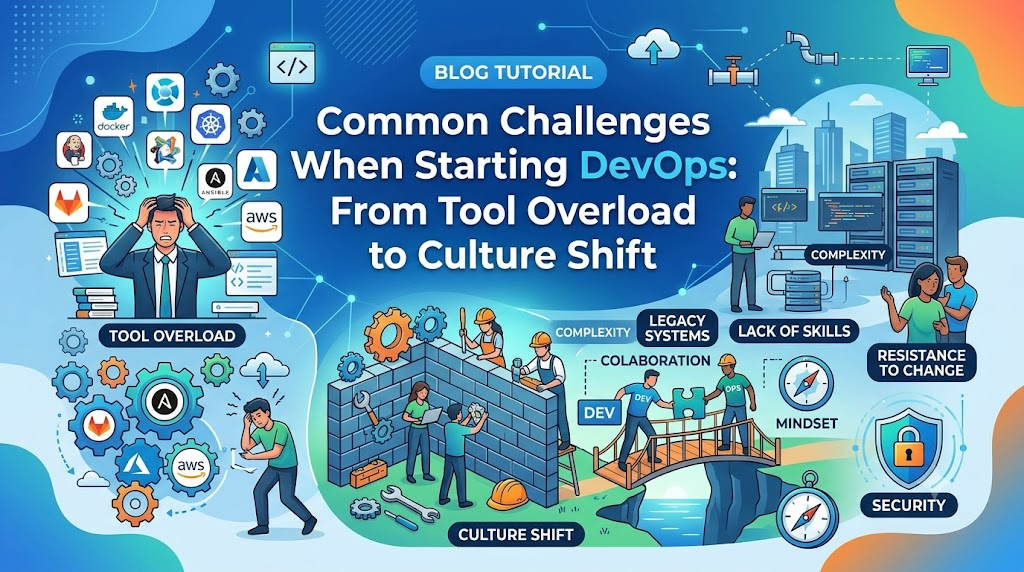
Modern software delivery demands speed, stability, and continuous value creation, yet transition efforts frequently stumble over cultural silos, tooling overload, and process friction—often referred to as the traditional “wall of confusion” between development and operations teams. Understanding the Common Challenges When Starting DevOps is essential for engineers, IT managers, and enterprises aiming to avoid costly missteps and build resilient software delivery pipelines, a core focus emphasized across training programs at DevOpsSchool. This comprehensive guide breaks down every stage of the adoption process—offering practical solutions for cultural shifts, tool selection, CI/CD setup, cloud integration, and continuous monitoring to help you build a scalable, production-ready DevOps ecosystem.
What Is DevOps?
Definition and Core Concepts
DevOps is a set of practices, cultural philosophies, and tools that increases an organization’s ability to deliver applications and services at high velocity. It bridges the traditional gap between software development (Dev) and IT operations (Ops), removing artificial barriers to foster a unified engineering lifecycle.
       +-------------------------------------------------+
       |                  PLAN & CODE                    |
       +------------------------+------------------------+
                                |
                                v
       +-------------------------------------------------+
       |             BUILD, TEST & PACKAGE               |
       +------------------------+------------------------+
                                |
                                v
       +-------------------------------------------------+
       |           RELEASE, DEPLOY & OPERATE             |
       +------------------------+------------------------+
                                |
                                v
       +-------------------------------------------------+
       |             MONITOR & FEEDBACK                  |
       +-------------------------------------------------+
Core Principles
- Collaboration and Shared Responsibility: Developers and operations engineers share ownership of the application throughout its entire lifecycle, from design to production support.
- Automation: Manual processes are replaced with automated code-driven workflows, including infrastructure provisioning, testing, and application deployment.
- Continuous Integration and Continuous Delivery (CI/CD): Code changes are automatically validated, merged, tested, and prepared for deployment, allowing rapid release cycles.
- Continuous Monitoring and Feedback: Production applications and underlying infrastructure are continuously monitored to detect issues early and inform future development iterations.
Business Value
For a business, adopting these principles translates to significantly faster time-to-market, higher application quality, lower deployment risk, and quick recovery when production issues occur.
Why Starting DevOps Can Be Challenging
Starting DevOps is rarely a plug-and-play process. While installing a tool like Jenkins or Docker can happen overnight, changing how human beings work together requires deliberate effort and strategic planning.
Organizational Change and Culture
Organizations are conditioned to operate in structured siloes with rigid handoffs. Shifting to an ecosystem where teams share ownership demands a fundamental change in mindset, leadership support, and daily workflows.
Technical Complexity
The modern cloud-native ecosystem evolves at a relentless pace. Beginners must understand system administration, networking, distributed systems, continuous integration, containerization, and cloud platforms simultaneously.
The Learning Curve
Engineers moving into this field must absorb a broad spectrum of concepts. A developer must understand infrastructure configuration, while a system administrator must learn software design principles and scripting.
+------------------------------------------------------------------------+
|                          THE DevOps MINDSET                            |
+------------------------------------+-----------------------------------+
|      Traditional IT Mindset        |          DevOps Mindset           |
+------------------------------------+-----------------------------------+
| * Siloed responsibilities          | * Shared ownership across lifecycle|
| * Manual releases & handoffs       | * Automated pipelines (CI/CD)     |
| * Reactive troubleshooting         | * Proactive observability         |
| * Infrequent, large updates        | * Frequent, small deployments     |
+------------------------------------+-----------------------------------+
Common Challenges When Starting DevOps
The table below outlines the core obstacles organizations and engineers encounter during the initial phases of adoption.
| Challenge | Why It Happens | Recommended Solution |
| Lack of Clear Knowledge | Overwhelmed by industry buzzwords and fragmented tutorials | Adopt a structured, practical learning roadmap focusing on core principles |
| Resistance to Change | Human tendency to stick to familiar, established routines | Establish leadership support, highlight early wins, and build cross-functional trust |
| Poor Collaboration | Deeply entrenched functional siloes between Dev and Ops | Form integrated product teams with shared goals and metrics |
| Tool Overload | Attempting to adopt every popular tool at once | Select a minimal core stack and master foundational toolsets first |
| Weak Automation | Relying on fragile, manual scripts without standard design | Treat automation code as product code using version control and testing |
| Limited Cloud Knowledge | Treating public cloud as just a remote virtual machine host | Learn cloud-native concepts, managed services, and Infrastructure as Code |
| Security Oversights | Viewing security as an afterthought or final manual gate | Implement DevSecOps and automate security checks early in the pipeline |
| Legacy Infrastructure | Monolithic codebases coupled tightly to physical hardware | Refactor applications gradually using containerization and API wrappers |
| Skill Gaps | Inability to bridge software development and system management | Invest in structured upskilling programs and mentorship |
| Budget Limitations | High upfront investment in tooling and cloud adoption | Start with open-source tools and demonstrate ROI with small pilot projects |
Detailed Breakdown of Key Adoption Challenges
Challenge 1: Understanding DevOps Culture
A primary hurdle when starting DevOps is treating it purely as a software suite to buy or install. Tooling alone cannot fix broken organizational communication.
The Silo Mindset
In legacy models, development teams are measured on feature velocity, encouraging them to ship code quickly. Operations teams are measured on uptime and stability, making them inherently cautious about deploying changes. This creates conflicting incentives.
DEVELOPMENT GOAL: Speed & New Features
                  VS.
OPERATIONS GOAL: Stability & Minimal Change
The Cultural Solution
Overcoming this gap requires establishing a shared ownership environment where both teams share operational accountability.
- Developers participate in on-call rotations to see how their code performs in production.
- Operations teams work directly in application repositories to contribute infrastructure automation scripts.
- Post-incident reviews focus on systemic improvements rather than assigning personal blame.
Challenge 2: Choosing the Right Tools
The ecosystem contains hundreds of tools for continuous integration, configuration management, container management, cloud provisioning, and monitoring.
+------------------------------------------------------------------+
|                     THE DevSecOps TOOLCHAIN                      |
+------------------------------------------------------------------+
|  Source Control |  CI/CD Engine  | Containerization | Orchestration  |
|      Git        |    Jenkins     |      Docker      |   Kubernetes   |
+-----------------+----------------+------------------+--------------+
|  Infrastructure | Configuration  |    Monitoring    |  Log Mgmt    |
|    Terraform    |    Ansible     |    Prometheus    |  ELK Stack   |
+------------------------------------------------------------------+
Tool Overload and Paralysis
Engineers often attempt to adopt every trending technology simultaneously, leading to fragile architectures and maintainability issues.
Practical Selection Strategy
Focus on standard, widely supported options that address immediate operational needs:
- Version Control: Git (GitHub, GitLab, or Bitbucket)
- Continuous Integration: Jenkins, GitHub Actions, or GitLab CI
- Containerization: Docker
- Orchestration: Kubernetes
- Infrastructure as Code: Terraform
- Configuration Management: Ansible
- Observability: Prometheus and Grafana
Master foundational workflows with core tools before introducing specialized alternatives into your environment.
Challenge 3: Learning Too Many Technologies at Once
A common mistake for beginners is attempting to learn the entire ecosystem simultaneously, which leads to burnout and superficial understanding.
WRONG APPROACH:  Learn Linux + Docker + Kubernetes + AWS + Terraform + Jenkins all at once
RIGHT APPROACH:  Master Linux -> Learn Git -> Master Docker -> Automate CI/CD -> Add IaC
Structured Learning Progression
Build competencies step-by-step to form a solid engineering foundation:
+----------------------------------------------------------------+
|                    STEP-BY-STEP SKILL PATH                     |
+----------------------------------------------------------------+
| Stage 1: Linux Administration & Networking Fundamentals        |
| Stage 2: Git Version Control & Scripting (Bash/Python)         |
| Stage 3: Containerization Concepts with Docker                 |
| Stage 4: CI/CD Pipeline Construction with GitHub Actions/Jenkins|
| Stage 5: Infrastructure Provisioning using Terraform           |
| Stage 6: Container Orchestration using Kubernetes              |
+----------------------------------------------------------------+
Challenge 4: Lack of Linux and Networking Knowledge
Attempting advanced cloud orchestration without standard systems administration experience often causes execution issues down the line.
+----------------------------------------------------------------+
|                 CRITICAL SYSTEMS FUNDAMENTALS                  |
+-------------------------------+--------------------------------+
|       Linux OS Basics         |      Networking Essentials     |
+-------------------------------+--------------------------------+
| * File Permissions (chmod)    | * IP Addressing & Subnetting   |
| * Process Management (systemd)| * DNS Resolution & Routing     |
| * Shell Scripting (Bash)      | * Firewalls & Security Groups  |
| * Disk Management & LVM       | * TCP/IP, HTTP/S, SSH Protocols|
+-------------------------------+--------------------------------+
System Administration Essentials
Most cloud infrastructure and containerized workloads run on Linux platforms. Understanding process management, file permissions, resource utilization, and shell scripting is essential for daily operations.
Core Networking Requirements
Understanding how systems talk to each other relies on standard networking concepts:
- IP addressing and CIDR notation
- Subnetting and routing tables
- DNS configuration
- Load balancer management
- Network security controls (firewalls, security groups)
Without these fundamentals, debugging container networks or distributed cloud services becomes unnecessarily difficult.
Challenge 5: CI/CD Pipeline Complexity
Continuous Integration and Continuous Delivery form the engine of automated application delivery. Designing reliable, maintainable deployment pipelines requires clear architecture.
+-----------------------------------------------------------------------+
|                       TYPICAL CI/CD PIPELINE                          |
+-----------------------------------------------------------------------+
| [Code Commit] -> [Automated Build] -> [Unit Test] -> [Security Scan]  |
|                                                              |        |
| [Production Deployment] <- [Staging Test] <- [Artifact Registry] <----+
+-----------------------------------------------------------------------+
Managing Pipeline Debt
Pipelines often evolve into unmaintainable scripts with hardcoded credentials and fragile dependencies.
Building Robust Pipelines
To build resilient, maintainable automated pipelines:
- Treat pipeline configurations as code by storing definitions in version control (
Jenkinsfile,.github/workflows/main.yml). - Keep stages modular: separate code compilation, testing, packaging, and deployment into clean steps.
- Run tests early in the execution flow to capture failures before build artifacts reach integration stages.
- Store built artifacts in dedicated repositories (Nexus, JFrog Artifactory) rather than rebuilding from raw code across environments.
Challenge 6: Infrastructure Automation
Manual cloud console configurations and dynamic system changes create inconsistencies across environments, making production deployments risky and hard to repeat.
+----------------------------------------------------------------+
|                 INFRASTRUCTURE AS CODE (IaC)                   |
+----------------------------------------------------------------+
|                                                                |
|   +-------------------+          +------------------------+    |
|   | Terraform Code    | -------->| Declarative Provision  |    |
|   | (.tf files)       |          | (Cloud Resources)      |    |
|   +-------------------+          +------------------------+    |
|                                                                |
|   +-------------------+          +------------------------+    |
|   | Ansible Playbooks | -------->| Imperative Config      |    |
|   | (.yml files)      |          | (Server Management)    |    |
|   +-------------------+          +------------------------+    |
|                                                                |
+----------------------------------------------------------------+
Infrastructure as Code (IaC)
Declarative tools like Terraform allow engineers to define infrastructure resources in code files, enabling automated versioning, peer code reviews, and reproducible deployments across development, staging, and production environments.
Configuration Management
Tools like Ansible handle software installation, service state management, and continuous server configuration after hardware or cloud resources are provisioned. Combining declarative provisioning with automated configuration management prevents configuration drift across environment fleets.
Challenge 7: Cloud Adoption Challenges
Migrating workloads to cloud environments without adjusting software architecture often creates unexpected performance bottlenecks and high infrastructure costs.
+------------------------------------------------------------------+
|                    CLOUD ADOPTION APPROACHES                     |
+---------------------------------+--------------------------------+
|    Lift-and-Shift (Legacy)      |     Cloud-Native Architecture  |
+---------------------------------+--------------------------------+
| * Static Virtual Machines       | * Containerized Microservices  |
| * Manual Scaling Configuration  | * Elastic Auto-scaling Groups  |
| * Unmanaged Relational DBs      | * Managed Database Engines     |
| * High Idle Infrastructure Costs| * Optimized Serverless Compute |
+---------------------------------+--------------------------------+
Moving Beyond Basic Migration
Simply moving virtual machines from on-premises data centers to cloud providers without application modernizations limits scalability and increases costs.
Modern Cloud Strategy
- Platform Mastery: Focus deeply on one major cloud platform (AWS, Azure, or Google Cloud Platform) before attempting multi-cloud architectures.
- Leveraging Managed Services: Use managed cloud offerings for databases, object storage, and Kubernetes engines to reduce maintenance overhead.
- Financial Operations (FinOps): Implement automated tagging, automated instance scheduling, and cloud cost tracking to optimize resource utilization.
Challenge 8: Monitoring and Observability
Deploying applications rapidly without production visibility makes identifying system failures dependent on customer bug reports.
+------------------------------------------------------------------+
|                   THE THREE PILLARS OF OBSERVABILITY             |
+------------------+-----------------------+-----------------------+
|  METRICS         |  LOGS                 |  TRACES               |
|  Numeric values  |  Timestamped events   |  End-to-end request   |
|  over time       |  from services        |  journeys             |
|  (Prometheus)    |  (ELK / Loki)         |  (Jaeger / Tempo)     |
+------------------+-----------------------+-----------------------+
Metrics, Logs, and Traces
- Metrics: Numerical measurement data collected over time intervals to monitor CPU load, memory utilization, throughput, and error rates.
- Logs: Detailed event strings generated by applications and operating systems, centralized via tools like Fluentd, Elasticsearch, and Kibana.
- Traces: End-to-end tracking of distributed network requests as they navigate through interconnected microservices architectures.
Proactive Observability Stack
A modern observability architecture pairs Prometheus metrics collection with Grafana dashboards to trigger automated alerts before minor degradation issues escalate into full system outages.
Challenge 9: Security Integration (DevSecOps)
Treating application security as a final review step right before release creates deployment delays and leads to late-stage bug fixes.
TRADITIONAL SECURITY GATE:
[Dev] -> [Test] -> [Deploy Prep] -> [Manual Security Audit] -> [REJECTED]

DEVSECOPS APPROACH (SHIFT LEFT):
[Dev + IDE Security Scan] -> [CI Automated Security Scan] -> [Automated Deploy]
Shifting Security Left
DevSecOps integrates security automated validation early and continuously throughout the software development lifecycle.
- Static Application Security Testing (SAST): Automated analysis of source code repositories to spot security vulnerabilities during local development and code commits.
- Dependency Scanning: Scanning third-party external libraries and frameworks for known vulnerabilities (CVEs) before build creation.
- Secret Management: Moving API tokens, keys, and credentials out of application source code into secure engines like HashiCorp Vault.
- Container Security: Scanning base container images for operating system and package vulnerabilities during build steps.
Challenge 10: Resistance to Organizational Change
Technical changes often face human resistance when introduced into existing operations without clear communication or support structures.
+------------------------------------------------------------------+
|                 OVERCOMING CHANGE RESISTANCE                     |
+------------------------------------------------------------------+
| Executive Sponsorship -> Secures necessary resources & alignment |
| Pilot Projects        -> Proves success on non-critical workloads|
| Transparent Training  -> Upskills teams without imposing panic   |
| Incremental Shifts    -> Reduces operational friction            |
+------------------------------------------------------------------+
Addressing Operational Pushback
Team members often resist changes out of fear of replaced job functions, increased operational workload, or unfamiliar software tools.
Execution Strategies
- Leadership Alignment: Secure explicit backing from senior leadership to authorize process changes and budget for upskilling programs.
- Start Small: Launch pilot initiatives on non-critical, internal application services to build team confidence and refine workflows.
- Invest in Continuous Education: Provide structured training, hands-on lab environments, and external mentor guidance to help existing staff develop new skills.
Challenge 11: Legacy Systems and Monoliths
Attempting to apply microservice deployment models directly to legacy monolithic software systems often results in platform instability.
STRANGLER FIG PATTERN:
Step 1: Monolith handles all traffic (100%)
Step 2: Microservice A handles 10% of traffic, Monolith handles 90%
Step 3: Microservice A & B handle 50% of traffic, Monolith handles 50%
Step 4: Microservices handle 100% of traffic, Monolith retired
Managing Technical Debt
Legacy software architectures often lack test coverage, rely on static hosting, and feature tightly coupled database schemas.
Modernization Strategy
- Strangler Fig Pattern: Gradually extract individual modules from monolithic codebases into independent microservices over time.
- Containerization: Package legacy applications inside containers to standardize execution environments across legacy environments and modern cloud infrastructure.
- API Wrappers: Create clean API contracts around legacy interfaces to enable smooth integration with automated delivery platforms.
Challenge 12: Measuring DevOps Success
Without clear tracking metrics, organizations struggle to evaluate whether new operational changes actually improve delivery efficiency or application stability.
+------------------------------------------------------------------+
|                         KEY DORA METRICS                         |
+-----------------------------------+------------------------------+
| Deployment Frequency              | How often code deploys       |
| Lead Time for Changes             | Time from commit to prod     |
| Mean Time to Restore (MTTR)       | Time to recover from outages |
| Change Failure Rate               | Percentage of failing updates|
+-----------------------------------+------------------------------+
DORA Key Performance Indicators
The DevOps Research and Assessment (DORA) organization defines four core metrics used by software engineering teams globally:
| DORA Metric | Focus | Target Direction |
| Deployment Frequency | Speed | Higher is better |
| Lead Time for Changes | Velocity | Lower is better |
| Mean Time to Restore (MTTR) | Stability | Lower is better |
| Change Failure Rate | Quality | Lower is better |
Tracking these metrics gives management actionable visibility into engineering throughput and system stability.
Beginner Learning Roadmap
A structured learning path helps engineers build job-ready skills incrementally without feeling overwhelmed by tool selection options.
+----------------------------------------------------------------------+
|                     COMPLETE DevSecOps ROADMAP                       |
+----------------------------------------------------------------------+
| [1. Linux & Network] -> [2. Git & Scripting] -> [3. Containers & Docker] |
|                                                                      |
| [6. Observability]   <- [5. Cloud & IaC]    <- [4. CI/CD Pipelines]    |
+----------------------------------------------------------------------+
| Stage | Skills & Tools to Focus On | Expected Learning Outcome |
| Stage 1: System Fundamentals | Linux CLI, user permissions, networking basics, systemd | Comfortable operating, managing, and troubleshooting servers via terminal |
| Stage 2: Version Control & Scripting | Git, GitHub, Bash scripting, basic Python | Able to automate administrative tasks and manage code in repositories |
| Stage 3: Containerization | Docker, Dockerfiles, Docker Compose, networking | Ability to containerize applications and run multi-container environments |
| Stage 4: CI/CD Automation | Jenkins, GitHub Actions, build artifacts, test runs | Able to build automated pipelines for testing and code packaging |
| Stage 5: Cloud & IaC | AWS/Azure essentials, Terraform provisioning, Ansible | Comfortable defining and deploying cloud infrastructure automatically |
| Stage 6: Orchestration | Kubernetes deployments, services, ingress, Helm charts | Capable of managing containerized applications across clustered nodes |
| Stage 7: Monitoring & Security | Prometheus, Grafana, Trivy, Vault, DevSecOps principles | Able to observe system performance and integrate security controls |
Best Practices to Overcome DevOps Challenges
To ensure a smooth transition, integrate these tested practices into your daily engineering routine:
+----------------------------------------------------------------------+
|                     DevOps SUCCESS CHECKLIST                         |
+----------------------------------------------------------------------+
|  Start small with a non-critical pilot project                    |
|  Focus on core concepts before learning specialized tools        |
|  Maintain version control for application code AND infrastructure |
|  Automate manual build, test, and deployment steps incrementally  |
|  Instrument applications with centralized logging and metrics     |
|  Shift security scanning left into developer workflows            |
|  Measure team velocity and stability using DORA metrics           |
+----------------------------------------------------------------------+
1. Start Small and Iterate
Do not attempt to convert your core enterprise application stack all at once. Begin with a smaller internal tool or microservice, demonstrate clear improvements, and apply those lessons to core platforms.
2. Learn Concepts Before Tooling
Focus on underlying operational concepts—such as continuous integration workflows, container routing, and configuration management—rather than memorizing specific tool interfaces.
3. Automate Gradually
Identify manual operations, such as manual deployment steps or server patching scripts, and convert them into automated, version-controlled workflows one step at a time.
4. Foster Shared Accountability
Encourage open communication between development, operational, and security teams through shared project metrics and collaborative incident reviews.
Real-World DevOps Adoption Example
Consider how a traditional e-commerce application modernizes its application delivery pipeline using automation best practices.
+-----------------------------------------------------------------------+
|                 END-TO-END AUTOMATED DELIVERY FLOW                    |
+-----------------------------------------------------------------------+
| Developer Commit -> GitHub Action Pipeline -> Automated Testing Pass |
|                                                              |        |
| Grafana Monitoring <- Kubernetes Cluster <- Artifact to Registry <----+
+-----------------------------------------------------------------------+
Modernized Application Workflow
- Code Commit: A software engineer commits a feature update to a main branch in GitHub.
- Automated Trigger: A GitHub Actions runner detects the commit, initiates the pipeline, and executes unit tests.
- Security Integration: Static code evaluation (SonarQube) and container scanning (Trivy) check code dependencies for vulnerabilities.
- Container Build: Upon passing validation checks, Docker packages the application into a container image and tags it with a commit SHA.
- Artifact Publishing: The packaged container image pushes automatically to a container registry (Amazon ECR).
- Infrastructure Provisioning: Terraform updates infrastructure configurations, while Helm deploys updated containers into a Kubernetes cluster.
- Observability: Prometheus monitors application resource usage and system health metrics, sending realtime telemetry to Grafana dashboards for continuous feedback.
Popular DevOps Tools for Beginners
Understanding the ecosystem helps you choose the right tool for each stage of the development lifecycle.
+-----------------------------------------------------------------+
|                       TOOL CATEGORIZATION                       |
+-------------------+--------------------+------------------------+
|   Infrastructure  |    CI/CD Engines   |      Observability     |
|  Terraform/Ansible|   Jenkins/GitHub   |   Prometheus/Grafana   |
+-------------------+--------------------+------------------------+
Key Tool Ecosystem Summary
- Git: Version control standard for tracking source code and infrastructure changes.
- Jenkins: Open-source automation server for building and running CI/CD pipelines.
- Docker: Container engine that standardizes application packaging and execution across environments.
- Kubernetes: Enterprise container platform for managing deployment, scaling, and networking at scale.
- Terraform: Declarative Infrastructure as Code platform for provisioning multi-cloud resources.
- Ansible: Agentless configuration management tool for server setup and software maintenance.
- Prometheus: Time-series metric collection and alerting system designed for container platforms.
- Grafana: Visualization framework for monitoring platform metrics and runtime telemetry.
| Tool | Core Purpose | Learning Curve | Primary Industry Usage |
| Git | Distributed Version Control | Moderate | Universal across engineering teams |
| Jenkins | CI/CD Automation | Moderate to High | Legacy and enterprise automation |
| Docker | Application Containerization | Moderate | Standard for cloud application builds |
| Kubernetes | Container Orchestration | High | Standard for cloud container management |
| Terraform | Infrastructure Provisioning | Moderate | Multi-cloud resource management |
| Ansible | Configuration Management | Low to Moderate | Server setup and application deployment |
| Prometheus | Metric Collection | Moderate | Realtime infrastructure monitoring |
| Grafana | Telemetry Visualization | Low to Moderate | Operational metric dashboards |
Career Opportunities After Learning DevOps
Adopting these engineering practices opens up high-growth career tracks across the IT industry.
+--------------------------------------------------------------------+
|                         CAREER PATHWAYS                            |
+--------------------------------------------------------------------+
| DevOps Engineer       -> Build pipelines, manage environments     |
| Site Reliability (SRE)-> Ensure uptime, balance velocity/stability |
| Platform Engineer     -> Build self-service developer tools        |
| Cloud Architect       -> Design scalable cloud-native systems      |
+--------------------------------------------------------------------+
Core Industry Roles
- DevOps Engineer: Focuses on pipeline automation, deployment workflows, and container management.
- Cloud Engineer: Specializes in cloud infrastructure design, security management, and cloud resources.
- Platform Engineer: Builds internal development platforms and self-service tools for software developers.
- Site Reliability Engineer (SRE): Focuses on system availability, performance optimization, and operational efficiency using software engineering principles.
- Infrastructure Engineer: Manages low-level virtual systems, automation scripts, and hardware provisioning platforms.
Certifications and Upskilling Path
Industry-recognized certifications validate practical knowledge and accelerate career advancement. Structured education platforms like DevOpsSchool provide structured pathways to prepare for these certifications through hands-on training.
| Certification Name | Target Role | Prerequisites | Main Focus Area |
| AWS Certified DevOps Engineer | Cloud Specialist | Intermediate AWS Knowledge | AWS automation, provisioning, and cloud management |
| Certified Kubernetes Administrator (CKA) | Cluster Administrator | Linux and Docker basics | Kubernetes cluster administration and troubleshooting |
| HashiCorp Certified: Terraform Associate | Infrastructure Engineer | Cloud Infrastructure basics | Infrastructure provisioning using Terraform declarative code |
| Docker Certified Associate (DCA) | Container Specialist | Linux CLI experience | Container engine setup, image builds, and runtime management |
| Red Hat Certified Specialist in Ansible Automation | Systems Administrator | Linux System Admin | Automated configuration management and enterprise playbook execution |
Common Beginner Mistakes
Avoid these frequent mistakes when starting your DevOps learning journey:
+--------------------------------------------------------------------+
|                      COMMON MISTAKES TO AVOID                      |
+--------------------------------------------------------------------+
| [X] Memorizing tool commands without understanding concepts         |
| [X] Skipping basic Linux CLI operations and networking basics      |
| [X] Relying only on manual cloud console setups without code       |
| [X] Relying entirely on theoretical study without practical hands-on labs |
| [X] Treating security as a final review step rather than early code|
+--------------------------------------------------------------------+
- Learning Tools Without Core Concepts: Memorizing command-line syntax for a tool without understanding underlying operational principles makes troubleshooting difficult.
- Ignoring System Fundamentals: Trying to learn advanced cloud setups without basic Linux terminal proficiency creates confusion.
- Treating Infrastructure as Manual Work: Configuring production environments manually via cloud interfaces instead of writing reusable Infrastructure as Code templates.
- Relying Only on Theoretical Learning: Studying certification guides without setting up local labs or real-world build environments limits skill development.
Future Trends in DevOps
As cloud ecosystems evolve, modern engineering practices continue to incorporate new techniques to streamline software delivery.
+--------------------------------------------------------------------+
|                         EMERGING TRENDS                            |
+--------------------------------------------------------------------+
| Platform Engineering -> Self-service internal platforms            |
| GitOps               -> Version-controlled declarative deployment  |
| AI-Assisted Operations -> Predictive monitoring and automation     |
| DevSecOps Integration -> Security checks built directly into IDEs |
+--------------------------------------------------------------------+
Emerging Innovations
- Platform Engineering: Building self-service internal developer platforms (IDPs) that simplify infrastructure management for developers.
- GitOps: Using Git repositories as the single source of truth for cloud-native operational environments (using tools like ArgoCD and Flux).
- AI-Assisted Operations (AIOps): Integrating machine learning algorithms into logging and monitoring platforms to automatically predict and identify system issues.
- Zero-Trust Security: Embedding granular security checks and identity controls directly into cloud applications and pipeline infrastructure.
Frequently Asked Questions (FAQs)
What are the biggest challenges when starting DevOps?
The primary challenges include shifting team culture toward shared responsibility, navigating tool overload, managing pipeline complexity, and bridging skill gaps between software engineering and system administration.
Is DevOps difficult for complete beginners?
While it has a learning curve due to its wide scope, beginners can master it by building a strong foundation in Linux, networking, version control, and scripting before moving on to cloud platforms and containerization tools.
Which skills should I learn first?
Start with Linux systems administration, basic networking, Git version control, and a scripting language like Bash or Python. These fundamentals make learning cloud technologies and container systems much easier.
Is Linux mandatory for a DevOps career?
Yes. The vast majority of cloud environments, container systems, and enterprise deployment tools run on Linux distributions. System navigation skills are essential for day-to-day operations.
Which cloud platform should I start with?
AWS is a great starting point due to its large market share and comprehensive documentation. However, learning core concepts on Azure or Google Cloud Platform is equally valuable, as fundamental cloud architecture remains consistent across providers.
Is Kubernetes mandatory for beginners?
Not initially. Beginners should first master Docker and container concepts. Once comfortable packaging and running containers locally, you can progress to container orchestration with Kubernetes.
Which tools are essential for a beginner?
A foundational toolset includes Git for source management, Docker for containerization, Jenkins or GitHub Actions for CI/CD automation, Terraform for infrastructure provisioning, and Prometheus for basic system monitoring.
How long does it take to learn DevOps fundamentals?
With consistent daily study and hands-on practice, you can build solid foundational skills in 6 to 9 months. Mastering advanced enterprise architectures takes continuous real-world experience.
Do I need strong programming knowledge?
You do not need to be a full-stack software developer, but you should be comfortable writing scripts (Bash or Python) and understanding application build steps, API calls, and code structures.
How important is automation in DevOps?
Automation is a core pillar. It eliminates repetitive manual tasks, reduces human error during deployments, and ensures consistent configuration across software environments.
What certifications should I pursue first?
Beginner-friendly options include the AWS Certified Cloud Practitioner, HashiCorp Certified: Terraform Associate, or Certified Kubernetes Application Developer (CKAD) after mastering basic concepts.
Can I learn DevOps without prior cloud experience?
Yes. You can run Linux virtual machines, Docker containers, and local Kubernetes clusters (using Minikube or Kind) on your local computer using open-source tools before moving to public cloud environments.
How do organizations overcome initial adoption challenges?
Organizations succeed by securing leadership backing, starting with small pilot projects, investing in staff upskilling, automating processes gradually, and focusing on culture alongside tooling updates.
Is DevOps a good long-term career choice?
Yes. The demand for engineers who understand automated infrastructure, continuous integration, and modern cloud deployment architectures continues to grow globally across enterprise and startup environments.
Where should I start learning?
Begin with a structured curriculum that offers hands-on lab projects. Exploring structured educational courses and guides on platforms like DevOpsSchool provides practical guidance to build job-ready technical skills systematically.
Final Thoughts
Overcoming the common challenges when starting DevOps requires patience, continuous learning, and a balanced focus on technical skills and organizational culture. Tooling alone will not transform an engineering organization; real value comes from building automated, transparent delivery pipelines that allow cross-functional teams to ship updates safely and efficiently. Every engineer and team faces early hurdles—from complex tools to pipeline errors and cloud integration issues. The key to long-term success is breaking down the learning journey into manageable steps. Master systems administration fundamentals, focus on simple automation setups, and build hands-on projects that reinforce core concepts. With a practical, step-by-step approach, overcoming initial obstacles becomes an achievable process, paving the way for a rewarding career and resilient software delivery systems.