




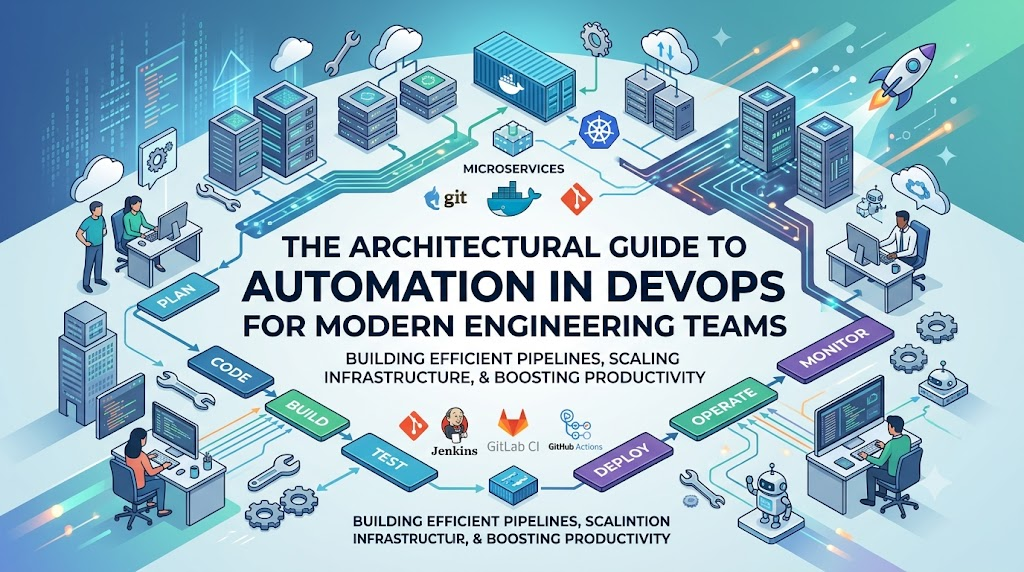
Introduction
Modern software development has evolved from monolithic systems deployed on local hardware to complex, microservice-based applications distributed across multi-cloud and containerized platforms like Kubernetes. As architectures grew, legacy manual delivery processes—such as handcrafted server setups, spreadsheet-driven release tracking, and siloed hand-offs between development and operations teams—created severe operational bottlenecks, leading to slow release cycles, configuration drift, and frequent production outages. To eliminate these friction points, engineering teams have embraced Automation in DevOps
. By converting manual tasks into deterministic, code-driven workflows, organizations leveraging structured platforms like DevOpsSchool achieve the speed, consistency, and resilience required for modern continuous delivery.
What Is Automation in DevOps?
Automation in DevOps refers to the practice of using software tools, scripts, and programmatic processes to perform tasks across the software development and delivery lifecycle without requiring human intervention. It spans every stage of software production—from code compilation and automated testing to infrastructure provisioning, application deployment, security audits, and operational monitoring.
At its core, automation replaces prone-to-error manual interventions with deterministic, repeatable software logic. If a process must be executed more than once, it should be defined as code, stored in version control, and executed via automated tools.
       +--------------------------------------------------+
       |             THE DEVOPS AUTOMATION CYCLE          |
       |                                                  |
       |     +--------+      +-------+      +-------+     |
       |     | Plan   | ---> | Code  | ---> | Build |     |
       |     +--------+      +-------+      +-------+     |
       |         ^                              |         |
       |         |                              v         |
       |     +--------+      +-------+      +-------+     |
       |     | Monitor| <--- | Deploy| <--- | Test  |     |
       |     +--------+      +-------+      +-------+     |
       |                                                  |
       +--------------------------------------------------+
Automation vs. DevOps Culture
It is critical to distinguish between DevOps as a culture and automation as an enabler:
- DevOps Culture focuses on shared responsibility, cross-functional collaboration, transparency, and continuous feedback between development and operations teams.
- DevOps Automation is the technical engine that makes cultural alignment sustainable. Without automation, teams spend their time firefighting, executing routine tasks, and hand-delivering release artifacts, leaving little space for collaborative engineering.
Scripting vs. Enterprise DevOps Automation
A common point of confusion among beginners is the difference between simple scripting and full DevOps automation:
- Simple Scripting: An engineer writes a custom Bash or PowerShell script to automate a local task on their individual machine (e.g., clearing logs or restarting a process). These scripts are often unversioned, lack error handling, depend on specific environment setups, and reside locally on a developer’s workstation.
- Complete DevOps Automation: Processes are designed as systemic, end-to-end workflows. Infrastructure is defined programmatically using Declarative Configuration (Infrastructure as Code). Builds, security scans, unit tests, integration tests, and deployments trigger automatically based on events (such as a code commit). The workflows execute inside isolated, reproducible execution environments with centralized audit logging, role-based access control, and self-healing systems.
Why Automation Is Important in DevOps
Software engineering without automation is like trying to scale custom manufacturing without an assembly line—it simply does not scale efficiently. Automation provides several core advantages to modern engineering teams:
- Faster Software Releases: Automated pipelines reduce release times from months or weeks down to minutes. Developers can push small, incremental changes to production rapidly.
- Reduction of Human Error: Manual deployments are susceptible to misconfigurations, missed steps, and accidental overrides. Automated workflows execute the exact same instructions every time.
- Process Consistency: Automation ensures that every environment—Development, Staging, QA, and Production—is provisioned and configured identically, eliminating the classic “it worked on my machine” problem.
- Infinite Operational Scalability: Scaling applications manually across thousands of cloud servers is impossible. Automated orchestrators dynamically scale systems based on real-time traffic demand.
- Enhanced Team Collaboration: When tasks are automated and defined as code stored in Git repositories, operations and development teams gain visibility into system configurations and deployment logic.
- Reliable Production Environments: Automated health checks, self-healing nodes, and automated rollback strategies minimize continuous service outages and lower Mean Time to Recovery (MTTR).
Manual Process vs. DevOps Automation
To understand the impact of automation, we can compare how operational capabilities differ between traditional manual environments and automated DevOps systems:
| Operational Area | Traditional Manual Process | Modern DevOps Automation |
| Deployment Speed | Takes hours to days; requires maintenance windows | Takes minutes; run continuously without downtime |
| Error Handling | High rate of human error; difficult to troubleshoot | Low error rate; automated validation and rollbacks |
| Repeatability | Low; subject to documentation gaps and human drift | Absolute; deterministic configuration applied identically |
| Scalability | Slow; requires manual provisioning of hardware/VMs | Instant; elasticity handled via dynamic auto-scaling |
| Monitoring | Reactive; manual log checks after system failure occurs | Proactive; real-time metric collection and automated alerts |
| Team Productivity | Low; engineers waste time on repetitive maintenance | High; engineers focus on feature delivery and innovation |
| Maintenance Effort | Labor-intensive; constant firefighting and drift management | Low manual overhead; handled via version-controlled code |
How Automation Works in the DevOps Lifecycle
Automation spans every phase of the continuous delivery cycle. The diagram below illustrates how automated execution flows seamlessly across every phase of development:
+-----------------------------------------------------------------------------------+
|                        DEVOPS AUTOMATION LIFECYCLE FLOW                           |
|                                                                                   |
|  [PLAN]       --> Backlog management & tracking via automated webhooks.            |
|  [CODE]       --> Git commit triggers pre-commit hooks and static analysis.        |
|  [BUILD]      --> Automated compilation and container artifact packaging.         |
|  [TEST]       --> Unit, integration, and security test suites execute automatically. |
|  [DEPLOY]     --> Orchestrated release to staging/production via IaC pipelines.   |
|  [MONITOR]    --> Continuous observability, anomaly detection, automated alerts.  |
|  [FEEDBACK]   --> Telemetry feeds directly back into developer planning backlogs.  |
+-----------------------------------------------------------------------------------+
1. Planning Phase
- Automated Integration: Task management platforms automatically update bug statuses, track commit links, and generate release notes based on Git commit messages and branch tags.
2. Coding Phase
- Developer Workflows: Code formatters and pre-commit hooks validate syntax, format source code, and run initial security linting locally before changes enter the shared repository.
3. Building Phase
- Artifact Generation: On code commit, build systems automatically pull dependencies, compile binaries, run static application security testing (SAST), and package applications into container images.
4. Testing Phase
- Quality Assurance: Unit testing, functional testing, integration testing, API validation, and performance tests execute automatically within isolated temporary test environments.
5. Deployment Phase
- Release Execution: Applications are automatically deployed across targeted environments using deployment strategies such as Canary or Blue/Green, minimizing risk and zero application downtime.
6. Monitoring Phase
- Observability: Telemetry tools continuously inspect application health, performance metrics, network traffic, and system logs, triggering automated alerts when anomalies exceed thresholds.
7. Feedback and Continuous Improvement
- Operational Insight: System metrics, error traces, and performance analytics feed directly back into product management systems to shape future sprint planning and bug prioritizations.
Types of Automation in DevOps
Automation in DevOps spans distinct functional areas across the software lifecycle.
                  +-----------------------------------+
                  |   TYPES OF DEVOPS AUTOMATION      |
                  +-----------------------------------+
                                    |
     +-----------------+------------+------------+-----------------+
     |                 |                         |                 |
+----+----+     +------+-----+             +-----+------+    +-----+-----+
| Build   |     | Testing    |             | Deployment |    | Infra &   |
| Autom.  |     | Autom.     |             | Autom.     |    | Cloud     |
+---------+     +------------+             +------------+    +-----------+
Build Automation
Build automation turns raw source code into functional, deployable software artifacts.
- Automated Application Builds: Compiling source code files into executable formats (e.g., binaries, JAR files, or container images) using automated scripts triggered by Git pushes.
- Dependency Management: Automatically fetching, locking, and validating third-party libraries and code dependencies.
- Compilation Processes: Standardizing build flags and environment configurations across all builds to guarantee reproducible output artifacts.
Testing Automation
Automated testing ensures that new features or bug fixes do not break existing software features.
- Automated Functional & Unit Testing: Executing thousands of granular code-level tests in seconds to verify business logic.
- Integration Testing: Automatically checking communication endpoints between distinct services, databases, and third-party APIs.
- Security Testing: Programmatically checking dependencies for known security vulnerabilities (CVEs) and analyzing code paths for injection vulnerabilities.
Deployment Automation
Deployment automation moves validated software packages into target server environments.
- Automated Releases: Eliminating manual FTP/SSH uploads by using automated deployment mechanisms to push updates smoothly.
- Environment Management: Programmatically configuring environment variables, secrets, database configurations, and network settings.
- Automated Rollback Systems: Instantly reverting production systems back to the last known stable application version if health checks fail immediately post-deployment.
Infrastructure Automation
Infrastructure automation manages raw hardware, virtual machines, networking, and cloud services.
- Automated Provisioning: Spin up compute instances, storage buckets, and subnets dynamically using code declarations.
- Configuration Management: Programmatically enforcing OS settings, software packages, user access, and firewall rules continuously to eliminate configuration drift.
Monitoring Automation
Monitoring automation observes application behavior and infrastructure health without requiring human oversight.
- Automated Alerts: Routing threshold alerts directly to on-call engineering teams through tools like PagerDuty or Slack.
- Incident Response: Triggering automated corrective runbooks (e.g., restarting a dead process or clearing temporary disks) when system anomalies occur.
Role of CI/CD Automation in DevOps
Continuous Integration (CI) and Continuous Delivery/Deployment (CD) form the core execution framework of modern DevOps automation.
+-----------------------------------------------------------------------------------+
|                            THE CI/CD AUTOMATION PIPELINE                          |
|                                                                                   |
|  +---------------+      +---------------+      +---------------+      +--------+  |
|  | Source Commit | ---> | Automated     | ---> | Automated     | ---> | Package|  |
|  | (Git Push)    |      | Build         |      | Unit Testing  |      | Artifact|  |
|  +---------------+      +---------------+      +---------------+      +--------+  |
|                                                                            |      |
|                         CONTINUOUS INTEGRATION (CI)                        |      |
|  ------------------------------------------------------------------------- v ---  |
|                         CONTINUOUS DELIVERY / DEPLOYMENT (CD)             |      |
|                                                                            |      |
|  +---------------+      +---------------+      +---------------+      +--------+  |
|  | Prod Deploy   | <--- | Automated     | <--- | Staging Deploy| <--- | Store  |  |
|  | (Live Users)  |      | Security Scan |      | & E2E Testing |      | Registry| |
|  +---------------+      +---------------+      +---------------+      +--------+  |
+-----------------------------------------------------------------------------------+
Understanding the Pipeline Components
- Continuous Integration (CI): The practice of regularly integrating code changes from multiple developers into a central code repository. Every commit triggers an automated build and test pipeline to catch software integration defects early.
- Continuous Delivery (CD): Extends Continuous Integration by automatically packaging, testing, and preparing build artifacts for deployment to production. Deployment to production requires a single manual approval.
- Continuous Deployment (CD): Takes Continuous Delivery a step further. Every code change that passes all phases of the automated test pipeline deploys directly to production servers automatically, without human intervention.
Prominent CI/CD Tools
+------------------+----------------------------------------------------------------+
| TOOL             | PRIMARY USE CASE & CAPABILITY                                  |
+------------------+----------------------------------------------------------------+
| Jenkins          | Extensible, open-source automation platform with plug-ins.    |
| GitHub Actions   | Native CI/CD workflow automation integrated into Git repos.    |
| GitLab CI/CD     | Built-in pipeline functionality spanning SCM and security.     |
| Azure DevOps     | Enterprise suite for enterprise CI/CD and release pipelines.  |
+------------------+----------------------------------------------------------------+
Real-World Pipeline Example
Consider a microservice running inside an e-commerce platform. When a developer pushes a code commit to the main branch:
- Trigger: GitHub Actions detects the Git commit event and launches a runner container.
- Build: The engine compiles the Go code and builds a Docker container image.
- Test: The pipeline executes unit tests and integration tests against a temporary database container.
- Scan: Dependency scanners inspect the image layers for vulnerabilities.
- Publish: The verified image is pushed to an enterprise Container Registry tagged with the Git commit hash.
- Deploy: The pipeline updates the target Kubernetes cluster configuration, prompting a rolling update of the service without downtime.
Infrastructure Automation in DevOps
Historically, requesting a new server required submitting IT tickets, manual hardware approvals, manual OS installations, and tedious network configuration—a process that took weeks. Infrastructure Automation eliminates this friction using Infrastructure as Code (IaC).
+-----------------------------------------------------------------------+
|                    INFRASTRUCTURE AS CODE (IaC)                       |
|                                                                       |
|  +--------------------+       +-------------------+       +--------+  |
|  | Declarative Code   | ----> | IaC Engine        | ----> | Cloud  |  |
|  | (main.tf / YAML)   |       | (Terraform/Ansible|       | Infra  |  |
|  +--------------------+       +-------------------+       +--------+  |
+-----------------------------------------------------------------------+
Infrastructure as Code Concepts
IaC allows engineering teams to define virtual hardware, storage, networks, and load balancers inside declarative configuration files (e.g., HCL, YAML, or JSON). These files are stored in version control systems alongside application code, making infrastructure provisioning:
- Versionable: You can track who changed infrastructure settings and when.
- Auditable: Infrastructure state can be reviewed before changes are applied.
- Reproducible: Identical infrastructure environments can be recreated on demand.
Core Tools Driving Infrastructure Automation
- Terraform: Declarative, cloud-agnostic tool used to provision underlying cloud infrastructure (VMs, VPCs, Managed Kubernetes clusters, IAM roles).
- Ansible: Agentless configuration management tool used to configure operating systems, deploy configurations, manage software packages, and enforce security policies across running servers.
Real-World IaC Example
Instead of logging into a cloud management console and manually clicking buttons to launch servers, an engineer writes a declarative Terraform definition:
Terraform
# Example Terraform block defining enterprise cloud compute infrastructure
resource "aws_instance" "web_server" {
  ami           = "ami-0c55b159cbfafe1f0"
  instance_type = "t3.micro"

  tags = {
    Name        = "Production-WebServer"
    Environment = "Production"
    ManagedBy   = "Terraform"
  }
}
When this code executes through an automated pipeline, Terraform checks the current state of the cloud account, determines the differences, and provisions the exact instance programmatically.
Cloud Automation in DevOps
Cloud infrastructure provides on-demand access to resources, but managing these resources manually creates unnecessary operational cost and complexity. Cloud automation programmatically handles computing, storage, networking, and platform services across public, private, and hybrid cloud environments.
+-----------------------------------------------------------------------+
|                        CLOUD AUTOMATION ENGINES                       |
|                                                                       |
|   +-------------------+   +--------------------+   +--------------+   |
|   | AWS Auto Scaling  |   | Azure ARM/Bicep    |   | GCP Cloud    |   |
|   | & CloudFormation  |   | & Automation       |   | Deployment   |   |
|   +-------------------+   +--------------------+   +--------------+   |
+-----------------------------------------------------------------------+
Core Capabilities of Cloud Automation
- Elastic Auto-Scaling: Automatically spinning up compute nodes when traffic spikes and terminating unnecessary instances during off-peak hours to minimize cloud costs.
- Automated Cloud Provisioning: Deploying complex cloud resources—such as managed database instances, managed object storage buckets, and API gateways—programmatically using platform APIs.
- Cloud Cost Optimization: Running scheduled automated runbooks that shut down non-production development environments outside of business hours to prevent budget waste.
- Multi-Cloud Environment Management: Utilizing cloud-agnostic management engines to orchestrate workloads seamlessly across Amazon Web Services (AWS), Microsoft Azure, and Google Cloud Platform (GCP).
Container Automation and Kubernetes
Containerization revolutionized how applications are packaged and delivered. Containers isolate software applications along with their dependencies into lightweight, portable runtime packages. Managing containers manually at scale, however, is unsustainable without container orchestration.
+-----------------------------------------------------------------------+
|                   CONTAINER & KUBERNETES ORCHESTRATION                |
|                                                                       |
|  [Docker Container] ---> [Kubernetes Control Plane]                   |
|                                  |                                    |
|         +------------------------+------------------------+           |
|         v                                                 v           |
|  [Self-Healing Node]                              [Auto-Scaling Node] |
+-----------------------------------------------------------------------+
Core Container Tools and Concepts
- Docker: Standardized tool used to build, package, and run applications inside containerized environments.
- Kubernetes (K8s): An enterprise container orchestrator that automates container deployment, scaling, health tracking, networking, and load balancing across multi-node clusters.
- Helm: The package manager for Kubernetes. Helm charts define, install, and upgrade complex Kubernetes application configurations using version-controlled packages.
- GitOps (e.g., ArgoCD, Flux): An operational framework where Git acts as the single source of truth for declaratively defined application infrastructure and configurations. GitOps controllers running inside Kubernetes continually pull configurations from Git, automatically matching cluster runtime states to source control definitions.
Kubernetes Automated Operations
- Self-Healing: If an application container crashes or becomes unresponsive, Kubernetes automatically terminates it and launches a fresh replacement instance.
- Automated Rollouts and Rollbacks: Upgrades container instances incrementally (rolling updates) while monitoring application health. If errors occur, Kubernetes automatically reverts the deployment to the previous stable state.
- Dynamic Resource Allocation: Dynamically scales container instances up or down based on real-time CPU, memory, or custom network metrics.
Automation in DevSecOps
Traditional security practices relied on perimeter audits and manual code reviews late in the development cycle. This often delayed releases or forced teams to push unvalidated code to hit deadlines. DevSecOps embeds automated security checks directly into every stage of the DevOps delivery pipeline—a concept known as shifting security left.
+-----------------------------------------------------------------------+
|                       DEVSECOPS AUTOMATION PIPELINE                   |
|                                                                       |
|  [Code Commit] -> [Automated SAST] -> [SCA Scan] -> [Container Scan]  |
|                                                              |        |
|                                                 (Deploy to Prod)      |
|                                                              v        |
|                                                    [Runtime Monitoring] |
+-----------------------------------------------------------------------+
Automated Security Capabilities
- Static Application Security Testing (SAST): Scans raw application code in real time for security risks like SQL injection or cross-site scripting (XSS) before the code is compiled.
- Software Composition Analysis (SCA): Scans application dependencies and third-party libraries for known vulnerabilities (CVEs) and licensing non-compliance.
- Container Vulnerability Scanning: Analyzes container base images for OS vulnerability patches before deploying them to production environments.
- Policy as Code (e.g., OPA / Kyverno): Programmatically enforces security compliance policies (e.g., blocking containers from running with root administrative privileges) using machine-readable policy definitions.
- Automated Secrets Management: Prevents hardcoding passwords, API tokens, and private keys by dynamically injecting credentials at runtime using tools like HashiCorp Vault.
Monitoring and Operations Automation
Continuous automation extends far beyond build and deployment tasks—it plays an equally crucial role in ongoing application performance management, observability, and system operations.
+-----------------------------------------------------------------------+
|                 OBSERVABILITY & AUTOMATED REMEDIATION                 |
|                                                                       |
|  [System Metrics/Logs] ---> [Observability Engine (Prometheus/ELK)]   |
|                                              |                        |
|                                   (Threshold Breached)                |
|                                              v                        |
|                                 [Automated Alert/Runbook]             |
+-----------------------------------------------------------------------+
Pillars of Operational Observability
- Metrics: Numerical data measuring system resources (CPU usage, memory consumption, latency, error rates).
- Logs: Immutable event records generated by running application services and operating systems.
- Traces: End-to-end operational tracks following user requests through complex microservice architectures.
Observability Automation Tools
- Prometheus & Grafana: Open-source tools for time-series metric collection, real-time query analysis, and dashboard visualization.
- ELK Stack (Elasticsearch, Logstash, Kibana): Distributed platform for aggregating, parsing, indexing, and analyzing operational logs.
Self-Healing and Automated Remediation
Monitoring automation does not stop at alerting engineers when things break. Modern systems run automated remediation runbooks to fix common operational issues without human intervention:
- Scenario: A service experiences a memory leak, causing its node memory utilization to exceed 95%.
- Automated Workflow: Prometheus detects the threshold breach and alerts an event broker. An automated runbook executes instantly, gracefully restarting the affected service container, flushing memory caches, and routing user traffic to operational instances—resolving the incident before end users ever notice a disruption.
Popular DevOps Automation Tools
Selecting appropriate tools requires understanding how different technologies fit together across the DevOps ecosystem:
| Tool Category | Leading Industry Tools | Core Operational Purpose |
| CI / CD Engines | Jenkins, GitHub Actions, GitLab CI, Azure DevOps | Automate code compilation, testing execution, and deployment release pipelines. |
| Configuration Mgmt. | Ansible, Chef, Puppet | Enforce operating system configurations, manage software installations, and maintain state. |
| Infrastructure as Code | Terraform, AWS CloudFormation, Pulumi | Programmatically provision and update cloud hardware, subnets, and platforms. |
| Containers & Orchestration | Docker, Kubernetes, Helm, Podman | Package applications with dependencies and orchestrate containerized workloads. |
| GitOps Delivery | ArgoCD, Flux | Automate continuous deployment by syncing cluster runtime states directly with Git repos. |
| Observability & Logging | Prometheus, Grafana, ELK Stack, Datadog | Track system metrics, aggregate logs, visualize health, and trigger operational alerts. |
| Security Automation | SonarQube, Trivy, Snyk, HashiCorp Vault | Perform static security analysis, scan container dependencies, and inject secrets. |
Real-World DevOps Automation Workflow Example
To visualize how these tools work together, let’s step through a complete end-to-end automated deployment workflow for an enterprise microservices application:
+-------------------------------------------------------------------------------+
|                   COMPLETE END-TO-END AUTOMATION WORKFLOW                     |
|                                                                               |
|  1. Developer pushes code to Git repository branch.                           |
|  2. Webhook triggers GitHub Actions CI pipeline.                              |
|  3. Pipeline compiles code, executes unit tests, and runs SonarQube.           |
|  4. Docker builds container image and scans for CVEs using Trivy.            |
|  5. Image is pushed to cloud Container Registry.                              |
|  6. Terraform ensures target environment infrastructure is fully provisioned.  |
|  7. ArgoCD syncs cluster configuration, initiating a Kubernetes deployment.    |
|  8. Prometheus monitors deployment health and system metrics.                  |
|  9. Webhooks send build status notification to developer Slack channels.       |
+-------------------------------------------------------------------------------+
- Code Commit: A software engineer finishes developing a new API endpoint and pushes the code to a Git feature branch.
- CI Pipeline Trigger: The commit triggers a webhook that launches an automated GitHub Actions pipeline execution environment.
- Validation & Testing: The pipeline runs unit tests, verifies code quality using SonarQube, and checks third-party packages for security vulnerabilities.
- Packaging: Once tests pass, the pipeline builds a Docker image and runs a security scan using Trivy. The verified image is then tagged and pushed to an enterprise container registry.
- Infrastructure Verification: A Terraform check runs within the pipeline, ensuring that target database services, networking rules, and compute capacity match defined configurations.
- Continuous Deployment Execution: ArgoCD detects the new container tag update in Git, automatically syncing the Kubernetes cluster state to pull the new container image and perform a zero-downtime rolling update.
- Production Health Monitoring: Prometheus and Grafana collect real-time error rates and request latencies from the new deployment nodes.
- Automated Notification: The pipeline notifies the engineering team via Slack, detailing the successful release alongside commit details and health metrics.
Benefits of Automation in DevOps
Implementing automation across the software lifecycle yields measurable benefits for enterprise engineering teams:
- Accelerated Time-to-Market: Product features move from initial code development to production deployment in minutes or hours rather than weeks or months.
- Higher Software Quality and Stability: Automated test suites catch functional bugs and regression issues early in the delivery cycle, preventing defects from reaching production.
- Reduced Operational Overhead: Automating manual server setups and release procedures frees engineers to focus on high-value business features and system design.
- Elimination of Configuration Drift: Environments are continuously configured from code definitions, preventing system discrepancies between development, testing, and production environments.
- Optimized Operational Costs: Auto-scaling dynamically adjusts system resources based on actual traffic, avoiding expensive hardware over-provisioning.
- Improved Developer Satisfaction: Eliminating manual deployment procedures, late-night release windows, and manual troubleshooting creates a better developer experience and reduces team burnout.
Challenges of DevOps Automation
While the benefits of automation are compelling, implementing it effectively presents several real-world challenges that engineering teams must navigate:
+-----------------------------------------------------------------------+
|                    DEVOPS AUTOMATION CHALLENGES                       |
|                                                                       |
|  [Initial Complexity]  --> Solution: Modular, step-by-step rollout.   |
|  [Tool Sprawl]         --> Solution: Standardized platform stacks.    |
|  [Skill Gaps]          --> Solution: Continuous team education.       |
|  [Pipeline Fragility]  --> Solution: Resilient pipeline code & tests. |
+-----------------------------------------------------------------------+
1. High Initial Setup Complexity
- Challenge: Converting complex legacy manual release processes into reliable automated pipelines requires significant upfront engineering investment and architectural refactoring.
- Solution: Avoid attempting to automate every process at once. Start by automating low-risk, highly repetitive steps—such as unit testing or basic build steps—and gradually build out full end-to-end pipeline automation over time.
2. Tool Sprawl and Fragmentation
- Challenge: Adopting too many single-purpose automation tools can lead to fragmented workflows, high maintenance overhead, and difficult integration paths.
- Solution: Standardize on integrated platforms that handle multiple pipeline steps natively, reducing ecosystem complexity.
3. Enterprise Skill Gaps
- Challenge: Teams accustomed to traditional manual operations may lack experience with modern scripting, containerization, Infrastructure as Code, and cloud native architectures.
- Solution: Invest in structured training programs and hands-on workshops. Enrolling teams in organized educational programs like those provided by DevOpsSchool helps bridge skill gaps quickly with guided real-world projects.
4. Pipeline Maintenance Overhead
- Challenge: Poorly designed pipelines can become slow, fragile, and prone to flaky test failures, causing deployment delays and frustrating developers.
- Solution: Treat pipeline automation code with the same software engineering standards as primary product code: enforce code reviews, build modular functions, and refactor pipeline definitions regularly.
Best Practices for DevOps Automation
To build resilient, scalable automation systems, follow these field-tested architectural principles:
- Automate the Repetitive and Error-Prone Tasks First: Target high-frequency tasks that suffer from frequent human errors—such as database migrations, manual regression tests, and application packaging—before tackling complex edge cases.
- Keep Automation Workflows Modular and Simple: Avoid building monolithic, complex deployment scripts. Break pipelines into clear, independent, reusable stages (e.g., Build, Test, Security, Provision, Deploy).
- Maintain Everything as Code in Version Control: Store your Infrastructure as Code files, configuration management playbooks, container configurations, and CI/CD pipeline definitions in Git alongside your source code.
- Integrate Security Early (Shift-Left): Embed automated static application security testing (SAST), container vulnerability scanning, and license checks directly into the initial stages of your CI/CD pipelines.
- Design Fail-Safe Systems with Automated Rollbacks: Ensure every deployment pipeline includes automated health checks that automatically trigger rollbacks if a release fails health checks post-deployment.
- Document and Audit Pipeline Workflows: Maintain clear documentation for automated processes, pipeline triggers, and emergency overrides so team members can troubleshoot issues effectively.
DevOps Automation and AIOps
The evolution of enterprise automation lies in the convergence of DevOps automation frameworks with Artificial Intelligence and Machine Learning—a discipline known as AIOps (Artificial Intelligence for IT Operations).
+-----------------------------------------------------------------------+
|                    AIOPS INTEGRATION FRAMEWORK                        |
|                                                                       |
|  [System Telemetry / Logs] ---> [AI / ML Analytics Engine]            |
|                                                |                      |
|                                     (Predictive Insights)             |
|                                                v                      |
|                                  [Automated Remediation]              |
+-----------------------------------------------------------------------+
The Emerging Horizon of Intelligent Automation
- Intelligent Monitoring and Anomaly Detection: Traditional alerts rely on static threshold limits (e.g., alert when CPU > 80%). AIOps platforms establish dynamic baseline models, identifying performance anomalies and pattern deviations before system outages occur.
- Predictive Scaling and Capacity Planning: Instead of reacting after resource usage surges, machine learning models analyze historical traffic trends to pre-provision infrastructure capacity ahead of expected traffic spikes.
- Automated Root Cause Analysis (RCA): During complex multi-service outages, AIOps systems aggregate log streams, error traces, and system metrics across thousands of nodes, instantly highlighting the specific root cause service.
- Autonomous Remediation: Advanced deployment systems can autonomously evaluate system stability post-release, fine-tune resource allocations, and apply self-healing fixes without human intervention.
DevOps Automation Maturity Journey
Transforming an organization’s delivery capabilities is an incremental journey. Organizations typically progress through five distinct levels of automation maturity:
+-----------------------------------------------------------------------+
|                 DEVOPS AUTOMATION MATURITY LEVELS                     |
|                                                                       |
|  Level 1: Manual Processes (Ad-hoc, risky deployments)                |
|    Level 2: Basic Automation (Local build/test scripts)               |
|      Level 3: CI/CD Pipeline Integration (Automated builds & tests)   |
|        Level 4: Advanced Infra & Cloud Automation (IaC & containers)  |
|          Level 5: Intelligent Autonomous Ops (AIOps & self-healing)   |
+-----------------------------------------------------------------------+
Enterprise Maturity Framework
| Maturity Level | Automation Capability | Primary Business Impact |
| Level 1: Manual | Ad-hoc manual deployments; spreadsheet checklists; unversioned infrastructure configs. | High release risk; slow delivery cycles; frequent production downtime. |
| Level 2: Basic | Local scripting used for builds; manual release approvals; basic unit testing executed manually. | Slight efficiency gains; release outcomes remain dependent on individual engineers. |
| Level 3: CI/CD | Automated builds and tests run on central CI servers; standardized deployment pipelines across environments. | Rapid detection of integration bugs; consistent release frequency across teams. |
| Level 4: Cloud & IaC | Fully automated Infrastructure as Code provisioning; container orchestration; GitOps continuous deployment. | Instant environment elasticity; zero-downtime releases; low operational overhead. |
| Level 5: Intelligent | AIOps anomaly detection; automated incident remediation; self-healing system pipelines. | High system resilience; continuous automated business optimization. |
Industries Using DevOps Automation
Automation in DevOps has transformed software delivery across a wide variety of industries:
- Banking and Financial Services: Financial institutions rely on automated DevSecOps pipelines to maintain compliance standards (e.g., PCI-DSS, SOC 2). Automated testing and policy-as-code ensure that every code release adheres to strict security standards while maintaining fast release cadences.
- Healthcare and Life Sciences: Healthcare providers use automated infrastructure and deployment pipelines to manage HIPAA-compliant workloads securely. Automated processes ensure sensitive data environments are isolated and consistently patched against vulnerabilities.
- E-Commerce and Retail: Online retailers use container orchestration and automated auto-scaling to handle sudden surges in traffic during high-volume shopping events like Black Friday, scaling resources up or down dynamically based on user demand.
- SaaS Platforms: Software-as-a-Service companies leverage GitOps and automated deployment strategies (Blue/Green, Canary releases) to deploy hundreds of micro-updates daily without disrupting active user sessions.
- Telecommunications: Telecom operators deploy automated cloud infrastructure pipelines to manage edge computing applications and 5G network orchestration at scale.
- Enterprise IT & Software Houses: IT service organizations use standardized automation frameworks across multi-cloud environments to improve software delivery velocity and lower support costs across client portfolios.
Career Opportunities Related to DevOps Automation
The enterprise push toward automation has generated sustained global demand for specialized DevOps, cloud, and site reliability engineering professionals.
+-----------------------------------------------------------------------+
|                    DEVOPS CAREER PATH MATRIX                          |
|                                                                       |
|  [DevOps Engineer]      --> Focuses on CI/CD pipelines & automation. |
|  [Cloud Engineer]       --> Focuses on Cloud Infra & IaC (Terraform). |
|  [SRE Professional]     --> Focuses on Reliability, SLA/SLOs & Ops.   |
|  [Platform Engineer]    --> Focuses on Internal Developer Platforms.  |
|  [DevSecOps Specialist] --> Focuses on Pipeline Security & Compliance.|
+-----------------------------------------------------------------------+
In-Demand Professional Roles
- DevOps Engineer: Designs, builds, and maintains automated CI/CD pipelines, build systems, and delivery infrastructure across development and operations teams.
- Cloud Infrastructure Engineer: Specializes in automating cloud resource delivery using Infrastructure as Code (IaC) architectures across multi-cloud environments.
- Site Reliability Engineer (SRE): Focuses on system availability, performance monitoring, incident response automation, and building self-healing infrastructure.
- Platform Engineer: Builds internal developer platforms (IDPs) that simplify underlying infrastructure, enabling product developers to deploy code autonomously through automated self-service workflows.
- DevSecOps Engineer: Integrates security tools, static code analysis engines, container vulnerability scanners, and compliance checks directly into automated software release pipelines.
Core Skills Needed for Success
To build a successful career in DevOps automation, focus on mastering these foundational capabilities:
- Strong proficiency in scripting languages (Python, Bash, or Go).
- Experience with Linux system administration and core network protocols.
- Practical knowledge of enterprise CI/CD engines (Jenkins, GitHub Actions, GitLab CI).
- Hands-on experience with Infrastructure as Code tools (Terraform, Ansible).
- Understanding of container platforms and orchestration engines (Docker, Kubernetes).
- Practical understanding of cloud architecture platforms (AWS, Azure, or GCP).
Certifications and Learning Paths
Structured certifications validate technical skills and help fast-track career advancement in modern cloud automation disciplines.
Recommended Certification Matrix
| Certification Name | Best Suited For | Skill Level | Target Competency Focus |
| AWS Certified DevOps Engineer – Professional | Cloud Architects & Engineers | Advanced | AWS cloud infrastructure, automation pipelines, and SRE. |
| Certified Kubernetes Administrator (CKA) | Systems Engineers & Admins | Intermediate-Advanced | Kubernetes cluster management, configuration, and networking. |
| HashiCorp Certified: Terraform Associate | Infrastructure Engineers | Beginner-Intermediate | Infrastructure as Code provisioning and state management. |
| Docker Certified Associate (DCA) | Software Developers & Admins | Intermediate | Container creation, orchestration, runtime management, and security. |
| Red Hat Certified Specialist in Ansible Automation | Systems Administrators | Intermediate-Advanced | Enterprise configuration management, playbooks, and system orchestration. |
For engineers seeking structured training and hands-on skill development, learning hubs like DevOpsSchool offer comprehensive training tracks covering CI/CD integration, Infrastructure as Code, Kubernetes orchestration, and real-world enterprise automation workflows.
Common Beginner Mistakes
Avoiding common implementation traps saves significant time and effort when starting out with DevOps automation:
+-----------------------------------------------------------------------+
|                     COMMON AUTOMATION PITFALLS                        |
|                                                                       |
|  [X] Automating broken, bad processes without fixing them first.      |
|  [X] Learning tools without understanding core underlying concepts.   |
|  [X] Ignoring security checks in deployment pipelines.               |
|  [X] Neglecting basic scripting and Linux operational fundamentals.   |
|  [X] Attempting to build complex pipelines all at once.               |
+-----------------------------------------------------------------------+
Beginner Avoidance Checklist
- Automating Broken Processes: Automating a chaotic, ill-defined manual release process only yields chaotic, ill-defined automated releases—at a much faster rate. Standardize and simplify your workflow on paper before translating it into automation code.
- Tool-Centric Learning vs. Core Fundamentals: Do not focus exclusively on learning tool syntax without first mastering core concepts (e.g., networking, Linux operating systems, security principles, and system architectures).
- Neglecting Scripting and Command Line Skills: Relying entirely on visual interfaces limits your capabilities. Strong Linux command-line and scripting skills (Bash/Python) are essential for building advanced automation.
- Hardcoding Configuration Data and Secrets: Never embed database credentials, API tokens, or server IPs directly into application code or pipeline definitions. Always use environment variables and secure secret stores.
- Skipping Security Automation: Treating security as an afterthought leads to vulnerable pipelines. Integrate automated dependency scanning and SAST checks into your continuous integration workflows from day one.
Future of DevOps Automation
As software architectures grow increasingly complex, the field of DevOps automation continues to evolve rapidly. Keep an eye on these key emerging trends:
- Pervasive Platform Engineering: Enterprise IT teams are moving away from ad-hoc scripts toward building internal developer platforms (IDPs). These platforms offer developers self-service access to pre-approved, fully automated infrastructure templates.
- Widespread GitOps Adoption: Managing application configurations and cloud infrastructure via declarative Git repositories is becoming the standard for modern cloud-native environments.
- AI-Driven Observability and Remediation: Machine learning models are transforming traditional monitoring tools into proactive engines capable of predicting failures and auto-healing infrastructure issues before service disruptions occur.
- Serverless and Event-Driven Pipelines: CI/CD execution environments are moving toward ephemeral, serverless architectures that spin up on demand to execute tasks and terminate immediately afterward, optimizing computing resource costs.
- Automated Governance and Policy as Code: As regulatory demands increase globally, automated pipelines will automatically enforce compliance policies, audit logs, and security controls across all software releases.
Frequently Asked Questions (FAQs)
1. What is Automation in DevOps?
Automation in DevOps is the practice of using software tools and programmatic workflows to perform routine tasks across the software development lifecycle—including code compilation, testing, infrastructure provisioning, application deployment, and operational monitoring—without manual intervention.
2. Why is automation important in DevOps?
Automation eliminates repetitive manual tasks, reduces human configuration errors, accelerates software release cycles, ensures environment consistency, and allows engineering teams to focus on delivering high-value business features.
3. What are the most common DevOps automation tools?
Popular tools include Jenkins, GitHub Actions, and GitLab CI for CI/CD; Terraform for Infrastructure as Code; Ansible for configuration management; Docker and Kubernetes for container orchestration; and Prometheus and Grafana for system observability.
4. How does automation improve software delivery?
By automating validation steps, integration tests, security checks, and deployment sequences, software teams can deliver thoroughly tested updates to production environments within minutes, safely and reliably.
5. Is coding required for DevOps automation?
Yes, basic programming and scripting knowledge (e.g., Python, Bash, YAML, or Go) is essential. Modern DevOps automation relies heavily on writing declarative code for pipelines, configurations, and cloud infrastructure.
6. What is CI/CD automation?
CI/CD automation connects Continuous Integration (automatically compiling and testing code whenever changes are committed) with Continuous Delivery/Deployment (automatically packaging and deploying verified application builds directly to target server environments).
7. How does Kubernetes support automation?
Kubernetes automates container management by handling deployment distribution, automatic dynamic scaling, operational load balancing, rolling software updates, and self-healing recovery for failed application containers.
8. What is Infrastructure as Code (IaC)?
Infrastructure as Code is the practice of defining, provisioning, and managing compute, storage, and networking resources using machine-readable configuration files stored in version control, rather than manually configuring servers via interactive user interfaces.
9. How does automation support security in DevSecOps?
DevSecOps embeds automated static application security testing (SAST), software composition analysis (SCA), container vulnerability scanning, and compliance verification directly into early pipeline phases to catch security flaws before release.
10. How long does it take to learn DevOps automation?
A dedicated learner with a software engineering or IT background can build core practical competencies in DevOps automation tools and pipeline development within 3 to 6 months of structured study and hands-on practice.
11. What is the difference between deployment automation and delivery automation?
Continuous Delivery prepares and verifies application packages automatically, leaving the final release step pending manual approval. Continuous Deployment automates the entire process, pushing every code commit that passes test suites directly to production without human intervention.
12. What is GitOps?
GitOps is an operational framework where Git repositories serve as the single source of truth for infrastructure and application configurations. Automated agents continuously monitor the repository and sync live runtime environments to match the code definitions.
13. How does automation help reduce cloud operational costs?
Cloud automation scripts and auto-scalers dynamically adjust computing resources based on real-time traffic demand, automatically scaling down idle non-production instances during non-business hours to eliminate waste.
14. What are automated self-healing systems?
Self-healing systems use automated health tracking and runbooks to detect service degradation or crashes and automatically recover—such as restarting a failed container or launching a fresh compute node—without requiring human intervention.
15. How do I start learning DevOps automation as a complete beginner?
Start by mastering core Linux fundamentals, Git version control, and basic scripting in Bash or Python. From there, learn foundational build automation tools, container basics with Docker, and construct simple CI/CD pipelines before progressing to cloud platforms and Kubernetes orchestration.
Final Thoughts
Automation in DevOps is far more than a trend—it is the foundational operational engine of modern software delivery. By replacing manual, prone-to-error tasks with transparent, version-controlled, and repeatable code, organizations can deliver high-quality software at scale without sacrificing security or operational stability.
Adopting automation effectively requires balancing technology with core fundamentals. While tools like Terraform, Kubernetes, and GitHub Actions provide powerful capabilities, true operational maturity comes from understanding the underlying concepts: system architecture, version control practices, security fundamentals, and simple pipeline design.
Whether you are an engineer looking to enhance your skill set or an IT leader guiding an enterprise cloud transformation, investing in DevOps automation is one of the most impactful choices you can make. Start small by automating routine tasks, build resilient pipelines, continuously refine your processes, and leverage hands-on educational platforms like DevOpsSchool to build real-world competency.