




Introduction
In the early days of software engineering, development teams frequently operated in isolated silos, spending weeks or months writing code in separate branches before attempting to merge their work into a single master codebase—a traditional approach that routinely triggered a notorious industry phenomenon known as “integration hell” filled with severe project delays, stressful debugging sessions, and untraceable bugs. To eliminate these manual verification bottlenecks, modern software engineering adopted automation as a foundational discipline, positioning Continuous Integration (CI) as a cornerstone of DevOps methodologies that fundamentally redefines team collaboration by replacing manual validation with consistent automated workflows. By providing developers with immediate feedback, isolating code defects early in the development lifecycle, and keeping the shared main branch consistently stable, implementing a reliable CI framework shifts software development away from high-stakes merges toward a predictable model of small, frequent updates that optimize overall software quality and maximize development velocity, a technical transition supported by structured educational tracks from professional platforms like DevOpsSchool.
What Is Continuous Integration (CI)?
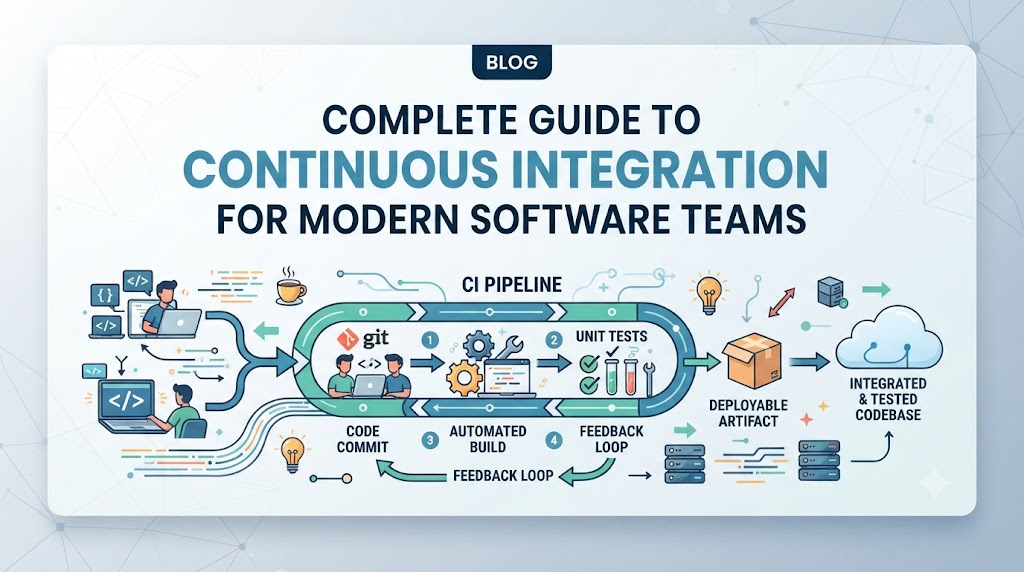
Continuous Integration is a software development practice where team members integrate their code changes into a shared central repository frequently—often multiple times a day. Each integration is verified by an automated build system that compiles the source code, runs automated tests, and executes static analysis tools. This process ensures that new code additions do not break existing application functionality or compromise system stability.
+--------------------+      +--------------------+      +--------------------+
|  Frequent Code     | ---> | Central Shared     | ---> | Automated Pipeline |
|  Integrations      |      | Repository (Git)   |      | Verification       |
+--------------------+      +--------------------+      +--------------------+
                                                                   |
+--------------------+      +--------------------+                 |
| Rapid Engineering  | <--- | Early Defect       | <---------------+
| Feedback Loop      |      | Detection          |
+--------------------+      +--------------------+
The core objective of Continuous Integration is to detect software defects as early as possible. By committing code in small, manageable increments, developers can easily pinpoint the exact change that caused a build failure or a broken test case. Rather than spending days investigating a complex web of architectural conflicts, engineers receive automated notifications within minutes of pushing code. This rapid feedback loop ensures the main branch remains consistently stable, deployment-ready, and aligned with rigorous quality standards.
Why Continuous Integration Matters
Adopting Continuous Integration provides measurable advantages that directly improve both the developer experience and overall business agility. By establishing automated feedback mechanisms, organizations significantly mitigate operational risks while accelerating engineering output.
- Rapid Feedback Loops: Developers receive automated validation reports within minutes of submitting code, allowing them to fix bugs while the context is still fresh in their minds.
- Elevated Code Quality: Automated linting, formatting, and testing enforce architectural standards uniformly across the entire engineering department.
- Enhanced Team Collaboration: By checking in code frequently, developers maintain visibility into neighboring workstreams, which minimizes duplicate efforts and code friction.
- Minimized Integration Risks: Breaking down large feature sets into daily commits avoids massive end-of-cycle merge conflicts and reduces late-stage project anxiety.
- Accelerated Feature Delivery: Eliminating manual compilation and verification tasks allows engineering teams to ship value to customers with predictable cadence.
- Release Confidence: A healthy, thoroughly validated codebase provides stakeholders with the assurance that software systems are functionally resilient and ready for production.
How Continuous Integration Works
The Continuous Integration process operates as a repeatable, circular workflow driven by developer actions and automated triggers. Understanding this lifecycle helps engineering teams optimize their daily technical habits.
[ Developer Writes Code ]
           │
           ▼
[ Commit to Version Control ]
           │
           ▼
[ CI Pipeline Triggered ] ──(Webhooks)
           │
           ▼
[ Automated Build Process ] ──(Compiles & Packages)
           │
           ▼
[ Automated Test Execution ] ──(Unit & Integration)
           │
           ▼
[ Code Quality Validation ] ──(Static Analysis & Linting)
           │
           ▼
[ Feedback Sent to Team ] ──(Slack / Email Notification)
           │
           ▼
[ Issue Resolution / Success ] ──(Loop Back / Advance)
1. Developer Writes Code
The cycle begins when an engineer picks up a task, creates a local feature branch, and writes code to implement a feature or resolve a bug.
2. Commit to Version Control
Once local verification passes, the engineer pushes the branch and opens a pull request to merge the code into the central shared repository (such as Git).
3. CI Pipeline Triggered
The version control system sends an automated webhook notification to the CI server, instantly initializing a fresh pipeline instance for that specific code change.
4. Automated Build Process
The CI agent pulls the latest code changes, resolves dependencies, and compiles the source code into executable binary artifacts to confirm the system architecture is valid.
5. Automated Test Execution
The pipeline runs a suite of automated unit and integration tests against the compiled binaries to confirm that the new changes have not broken existing behaviors.
6. Code Quality Validation
Static analysis engines inspect the source code to check for security vulnerabilities, enforce stylistic rules, and evaluate code coverage metrics against established team baselines.
7. Feedback Sent to Team
The CI engine publishes the detailed build execution status back to the version control system and notifies the development team via chat platforms or email.
8. Issue Resolution or Success
If the build fails, the engineer prioritizes fixing the issue immediately. If the build passes, the pull request is cleared for human peer review and final merging into the primary codebase.
Core Components of CI
A functional Continuous Integration environment relies on several integrated components working together seamlessly. The table below outlines these essential technical elements, their functions, and their business impact.
| Component | Technical Purpose | Business Benefit |
| Version Control System | Serves as the single source of truth for code, managing revisions and branching paths. | Preserves corporate intellectual property and facilitates transparent team collaboration. |
| Build Automation Engine | Automatically compiles source files, manages packages, and builds deployable binaries. | Eliminates human error and inconsistencies caused by manual local environment builds. |
| Automated Testing Suite | Evaluates code behavior using unit, integration, and regression test suites. | Safeguards application reliability and protects against systemic customer regressions. |
| Central CI Server | Orchestrates pipeline execution workflows, monitors webhooks, and manages execution infrastructure. | Provides centralized visibility and governance over the software verification lifecycle. |
| Code Quality Analytics | Analyzes code structure to identify technical debt, security bugs, and deviations from style guidelines. | Lowers long-term application maintenance overhead and minimizes production security risks. |
| Notification Mechanisms | Alerts engineering teams regarding pipeline statuses via corporate chat tools, dashboards, or emails. | Drastically reduces cycle times by promoting immediate remediation of build failures. |
Continuous Integration vs. Traditional Development
Shifting from traditional software delivery to a Continuous Integration model requires modifying both technical infrastructure and engineering culture. The following comparison highlights how these methodologies differ across key performance indicators.
| Development Attribute | Traditional Development | Continuous Integration Framework |
| Integration Frequency | Infrequent; occurred every few weeks or months at the end of long development cycles. | High-frequency; code is checked into the central repository multiple times per day. |
| Testing Philosophy | Manual or scheduled validation performed by a distinct QA team late in the project timeline. | Continuous and automated; execution runs instantly on every code contribution. |
| Feedback Speed | Delayed by weeks, making identifying root causes difficult and time-consuming. | Near-instantaneous; feedback is delivered within minutes of a code push. |
| Team Collaboration | Fragmented; developers work in isolation for long periods, leading to large merge conflicts. | High cohesion; regular updates ensure everyone builds on top of a current, uniform codebase. |
| Operational Risk Level | Elevated; massive code changes integrated concurrently create unpredictable systemic instability. | Minimalized; minor code changes are validated incrementally, keeping blast radiuses small. |
| Deployment Readiness | Unpredictable; requires stabilization phases to iron out integration issues. | Consistent; the main codebase is constantly verified and structurally ready for delivery. |
CI Pipelines Explained
A CI pipeline is a structured sequence of automated steps that code changes move through from initial commit to verified artifact. It acts as an automated assembly line for code verification, ensuring that no software modification reaches production without undergoing standardized checks.
 +------------------+      +------------------+      +------------------+
 |   STAGE 1:       | ---> |   STAGE 2:       | ---> |   STAGE 3:       |
 |   Code Fetch &   |      |   Compilation &  |      |   Unit Test      |
 |   Checkout       |      |   Dependency Read|      |   Execution      |
 +------------------+      +------------------+      +------------------+
                                                               |
 +------------------+      +------------------+                |
 |   STAGE 6:       | <--- |   STAGE 5:       | <--------------+
 |   Artifact       |      |   Static Analysis|
 |   Archival       |      |   & Quality Gate |
 +------------------+      +------------------+
The Standard Pipeline Phases
The sequence begins with the Checkout Stage, where the runner isolates the code revision within a fresh, clean environment. Next, the Compilation Phase verifies that the syntax is sound and resolves any external dependencies.
Once compiled, the Testing Phase runs thousands of focused checks, measuring code performance against expected logic. Afterward, the Static Analysis Stage scans for security risks and structural issues.
Finally, if all steps pass successfully, the Archival Phase packages the verified build into a secure repository, creating an immutable artifact ready for downstream deployment.
Automated Testing in CI
Automated testing forms the analytical core of a successful Continuous Integration model. Without automated testing, a CI pipeline merely builds broken code faster. By embedding varied testing strategies within the pipeline, teams build a multi-layered safety net that catches different types of software bugs before they reach users.
     ▲
    / \
   /   \       Functional / End-to-End Tests (Fewer, broader scope)
  /     \
 /───────\
/         \     Integration Testing (Validates system interactions)
/───────────\
/             \   Unit Testing (High volume, extremely fast, isolated logic)
/───────────────\
Unit Testing
Unit tests form the broad foundation of the testing pyramid. These tests evaluate individual functions, classes, or methods in absolute isolation by mocking external dependencies. Because they run in milliseconds, they provide engineers with immediate validation of internal business logic.
Integration Testing
Integration tests evaluate how different modules, database drivers, and external network services interact with one another. These tests uncover communication gaps, misaligned data schemas, and environment configuration issues that unit tests miss.
Regression Testing
Regression testing ensures that new features or bug fixes do not inadvertently degrade existing system capabilities. Running a comprehensive suite of historical test cases automatically guards against breaking previously validated features.
Quality Assurance & Continuous Validation
Continuous validation injects automated security scanning, performance budgeting, and compliance checking directly into the core development flow. This systemic approach guarantees that software updates remain performant, secure, and compliant with corporate standards by default.
Benefits of Continuous Integration
Implementing a mature Continuous Integration strategy helps engineering teams work more efficiently, build resilient systems, and align closer with business goals.
- Shorter Time-to-Market: Automating repetitive build and test processes lets teams release features steadily instead of dealing with manual verification delays.
- Fewer Production Incidents: Finding and fixing bugs early in the pipeline keeps defects from escaping into production and impacting users.
- Increased Engineering Efficiency: Offloading compilation, linting, and manual testing to automated runners gives engineers more uninterrupted focus time to solve core business problems.
- Improved Codebase Maintainability: Enforcing consistent formatting and static quality checks keeps the codebase readable, well-structured, and easy for new developers to learn.
- Data-Driven Engineering Management: Concrete metrics from pipeline logs give engineering leaders objective data to spot structural workflow bottlenecks and guide process improvements.
CI Metrics and KPIs
To continuously improve development workflows, engineering organizations track specific Key Performance Indicators (KPIs). Monitoring these metrics highlights pipeline inefficiencies and provides clear goals for team improvement.
| Metric | Measurement Purpose | Long-Term Business Value | Target Baseline |
| Build Success Rate | Measures the percentage of pipeline runs that complete successfully without errors. | Indicates overall branching stability and the health of local engineer validation habits. | > 90% Success |
| Test Pass Rate | Tracks the proportion of automated tests that pass successfully during pipeline runs. | Evaluates application stability and highlights regression trends across the product. | 100% Passing |
| Pipeline Duration | Computes the total time elapsed from the initial code commit to final artifact generation. | Direct indicator of engineering agility; faster pipelines accelerate development feedback. | < 10 Minutes |
| Defect Escape Rate | Measures the number of software bugs found in production compared to those caught in CI. | Gauges the overall effectiveness and test coverage of the automated testing suite. | < 5% Escaped |
| Code Coverage % | Calculates the percentage of application source code executed during automated test runs. | Identifies untested areas of the codebase to minimize hidden software risks. | 75% – 85% Coverage |
| Commit Frequency | Tracks how often individual developers push code updates to the central repository. | Indicates healthy task breakdown, active collaboration, and steady project momentum. | Multiple Daily Commits |
Common Challenges and Solutions
Transitioning to a Continuous Integration workflow comes with organizational and technical challenges. Recognizing these obstacles early allows teams to implement proven mitigation strategies.
| Identified Challenge | Impact on Engineering Teams | Recommended Architectural Solution |
| Slow Build Times | Creates pipeline bottlenecks, stalls engineering velocity, and discourages frequent code commits. | Leverage build caching, run tests in parallel stages, and use optimized container images. |
| Flaky Test Suites | Weakens trust in automated results, causes false alarms, and slows down code reviews. | Quarantine unreliable tests automatically, track failure patterns, and fix non-deterministic logic. |
| Low Test Coverage | Allows regressions to slip past the pipeline, leading to unexpected production issues. | Set quality gates that require minimum test coverage thresholds on all new pull requests. |
| Cultural Friction | Results in ignored build failures, long-lived feature branches, and delayed code reviews. | Shared ownership of pipeline health; make fixing a broken build the team’s top priority. |
| Complex Pipelines | Increases maintenance overhead and makes troubleshooting build failures difficult. | Treat pipeline configurations as code; keep build definitions modular, simple, and well-documented. |
| Legacy Systems | Impedes automated builds due to tightly coupled codebases and manual environment dependencies. | Break down monolithic applications gradually into testable modules using containerization. |
Best Practices
Establishing a dependable Continuous Integration workflow requires following core engineering habits. Below is an actionable checklist to help teams maintain highly effective CI pipelines.
- [ ] Commit Code Frequently: Break development tasks down into small increments and push code changes daily to avoid painful, late-stage merge conflicts.
- [ ] Automate the Entire Validation Suite: Ensure every single validation step—from dependency compilation to code style linting—runs automatically without requiring human intervention.
- [ ] Prioritize Fast Pipeline Execution: Keep the core validation cycle under ten minutes by optimizing test runners, using caching strategies, and running tasks in parallel.
- [ ] Treat Build Failures as Blockers: Stop work immediately when a pipeline breaks to investigate and fix the issue, keeping the shared main branch stable for everyone.
- [ ] Maintain an Isolated Test Environment: Run automated tests in clean, ephemeral containers or sandboxed environments to avoid data contamination and false positives.
- [ ] Enforce Uniform Testing Quality Gates: Configure repository merge rules so pull requests can only be merged after passing all automated pipeline checks and code coverage targets.
Popular CI Tools Overview
Modern software development offers a rich ecosystem of Continuous Integration tools, each catering to different infrastructure preferences, compliance mandates, and operational structures.
       [ Jenkins ]                  [ GitHub Actions ]               [ GitLab CI/CD ]
  (Self-Hosted / Plugin-Rich)    (Native GitHub Ecosystem)     (All-In-One DevOps Platform)
              \                             │                             /
               \                            │                            /
                ▼                           ▼                           ▼
          ┌──────────────────────────────────────────────────────────────┐
          │               Choosing the Right CI Engine                   │
          └──────────────────────────────────────────────────────────────┘
                ▲                           ▲                           ▲
               /                            │                            \
              /                             │                             \
     [ Azure DevOps ]                       │                       [ CircleCI ]
 (Enterprise Cloud Native)                  │                  (Speed & Optimization Focus)
Jenkins
Jenkins is an open-source automation engine known for its extensive plugin ecosystem. It provides exceptional flexibility for custom configurations, making it a popular choice for enterprises managing complex, self-hosted infrastructure. However, it requires dedicated administrative effort to maintain and scale securely.
GitHub Actions
GitHub Actions builds automation workflows directly into the GitHub repository ecosystem. It simplifies setup using YAML configurations and offers a broad marketplace of reusable community actions, making it highly effective for cloud-native projects and open-source teams.
GitLab CI/CD
GitLab CI/CD provides a unified, all-in-one platform that covers the entire DevOps lifecycle. With built-in container registries, security scanners, and clear pipeline dashboards, it eliminates the need to stitch together separate external tools.
Azure DevOps
Azure DevOps is an enterprise-grade platform designed by Microsoft. It pairs robust CI pipeline automation with project tracking tools, private artifact storage, and native cloud integrations, making it ideal for organizations managing hybrid or Azure-centered infrastructures.
CircleCI
CircleCI focuses on speed, performance tuning, and developer convenience. Offered primarily as a managed cloud service, it uses advanced caching, resource tuning, and parallel testing options to significantly reduce pipeline execution times.
Real-World Case Study
Background and Operational Friction
A mid-sized financial technology team managed their core platform using a traditional monolithic architecture. Developers worked on isolated feature branches for weeks at a time. Code integrations occurred once per month, leading to a frustrating period of merge conflicts, manual compilation failures, and broken system dependencies. The manual QA validation cycle took an additional seven days, leaving the team vulnerable to production bugs, missed launch dates, and highly stressed engineering teams.
BEFORE:
[ Isolated Branches for Weeks ] ──> [ High-Stress Monthly Merge ] ──> [ 7 Days Manual QA ] ──> [ High Defect Releases ]

AFTER IMPLEMENTATION:
[ Small Daily Commits ] ──> [ 8-Min Automated CI Pipeline ] ──> [ Ephemeral Test Clean ] ──> [ Stable Production Runs ]
Strategic CI Implementation Steps
The engineering leadership stepped back to re-architect their entire development lifecycle. They broke down long-lived branches, mandating that developers push small code increments to the main branch daily.
Next, they selected a modern CI tool and configured code compilation and automated unit testing to trigger instantly on every pull request. The team containerized their test suites, allowing them to run multiple tests in parallel and pull in clean, isolated database stubs on demand.
Business Outcomes and Key Lessons
The shift to Continuous Integration radically transformed the team’s delivery performance. Total build validation times dropped from days of manual work to an eight-minute automated pipeline run.
Production incident rates plummeted by sixty-five percent because bugs were caught and fixed during code reviews. Team morale improved significantly as late-night emergency deployments were replaced by predictable, stress-free releases.
The core takeaway was clear: sustainable success requires both a robust automation pipeline and a supportive engineering culture focused on small, frequent updates.
Common Misconceptions
As teams adopt Continuous Integration, misunderstanding core principles can lead to misconfigured tools and frustrated engineers. Clarifying these common myths keeps teams aligned on realistic expectations.
Myth 1: Continuous Integration is Identical to Continuous Delivery
Continuous Integration focuses on regularly merging and validating code within a shared repository. Continuous Delivery (CD) goes a step further by automatically deploying those validated artifacts to staging or production environments. CI provides the foundational quality checks that make CD safe to execute.
Myth 2: Adopting CI Completely Eliminates the Need for QA Professionals
A CI pipeline automates repetitive test execution, but it cannot replace human insight. QA engineers shift their focus away from manual regression checks toward designing advanced integration test suites, exploratory testing, security analysis, and optimizing the pipeline’s overall validation logic.
Myth 3: Continuous Integration Frameworks are Only Useful for Enterprise Teams
Small teams and startups actually gain massive competitive advantages from CI. Automating compilation and validation checks frees up limited engineering hours, allowing small teams to focus on building features rather than manual troubleshooting.
Myth 4: Adding More Automation Tools Automatically Optimizes Engineering Workflows
Tools alone do not fix broken organizational processes. A powerful CI tool paired with bad development habits—like ignoring build failures or keeping branches isolated for weeks—simply automates poor practices. Effective workflows require both automation and disciplined engineering habits.
Myth 5: Implementing a CI Pipeline is a Finished, One-Time Effort
A CI pipeline is a living product that evolves alongside the application it supports. As codebases grow and architectural requirements shift, pipelines require ongoing tuning, test optimization, and regular dependency updates to remain fast and secure.
Future of Continuous Integration
Continuous Integration continues to evolve alongside broader trends in software architecture and platform engineering.
Artificial Intelligence is increasingly integrated into development pipelines, allowing modern platforms to predict flaky tests, optimize test execution order, and automatically suggest code fixes for broken builds. This shift saves engineers valuable troubleshooting time.
   ┌────────────────────────────────────────────────────────┐
   │       The Next Generation Automated Ecosystem          │
   └────────────────────────────────────────────────────────┘
          ▲                           ▲                           ▲
          │                           │                           │
 ┌─────────────────┐         ┌─────────────────┐         ┌─────────────────┐
 │   AI-Driven     │         │    Platform     │         │  Shift-Left     │
 │ Pipeline Tuning │         │   Engineering   │         │ Security Gates  │
 └─────────────────┘         └─────────────────┘         └─────────────────┘
Concurrently, Platform Engineering has elevated pipeline maintenance into an institutional product discipline. Internal Developer Platforms (IDPs) now offer standardized, pre-configured pipeline templates that give developers self-service access to production-grade automation while ensuring compliance across the company.
Finally, security verification continues to move earlier in the lifecycle (“shift-left”). Pipelines now run automated container vulnerability checks, license compliance monitors, and secret detection tools directly within the core CI loop, catching security flaws long before deployment.
Certifications & Learning Paths
Building expertise in Continuous Integration requires structured education, hands-on practice, and exposure to broader cloud-native toolsets. Aspiring practitioners can accelerate their professional growth by leveraging the specialized technical tracks within the DevOpsSchool educational framework.
The matrix below highlights core professional certification domains, their target audiences, and the engineering skills required to master automated modern software delivery.
| Focus Domain | Intended Audience | Expertise Level | Core Core Skills |
| DevOps Fundamentals | Beginners, Systems Administrators, Software Engineers | Associate | Git foundations, fundamental CI workflows, automation basics, infrastructure understanding. |
| CI/CD Architecture | Automation Engineers, Release Architects, Release Managers | Advanced | Advanced multi-stage pipelines, distributed caching setups, orchestration, infrastructure management. |
| Cloud Infrastructure | Cloud Administrators, Systems Architects | Professional | Infrastructure as Code (IaC), cloud-native container engines, cloud scaling strategies. |
| Kubernetes / Containers | Platform Developers, Kubernetes Administrators | Expert | Microservices orchestration, containerized test runners, helm deployment setups. |
| DevSecOps Integration | Security Analysts, Compliance Engineers | Advanced | Automated security scanning (SAST/DAST), secrets vault management, compliance validation. |
| Platform Engineering | Site Reliability Engineers, DevOps Leaders | Expert | Internal developer platform design, reusable pipeline templates, developer self-service tools. |
Continuous Integration Readiness Checklist
Before building or redesigning your team’s automation pipelines, use this readiness checklist to evaluate your current technical capabilities and process maturity.
- Centralized Repository Strategy: All project source files, infrastructure scripts, and configuration guides are managed in a shared Git repository.
- Frequent Code Commit Policy: Engineering workflows encourage developers to push code updates to the main branch at least once per day.
- Automated One-Step Build Execution: The codebase can be compiled, linked, and packaged using a single terminal command or automated script.
- Comprehensive Unit Testing Suite: A robust collection of unit tests validates core business logic instantly without requiring external database connections.
- Active CI Automation Platform: An automated server monitors repository branches and triggers fresh pipeline runs immediately upon detecting code updates.
- Centralized Feedback Loops: Pipeline status alerts are automatically piped to common team communication channels or visible status dashboards.
- Empowered Build Failure Resolution: Teams treat a broken main branch as a high-priority incident, pausing new features until the pipeline returns to green.
FAQs (Frequently Asked Questions)
1. What is Continuous Integration?
Continuous Integration (CI) is a software development practice where engineers regularly merge their code updates into a central repository. Each code push automatically triggers a build and test pipeline to catch bugs and integration issues early.
2. How often should developers commit code in a CI workflow?
Developers should ideally push code changes to the shared main branch multiple times a day. Keeping code updates small reduces merge conflicts and makes tracking down bugs much simpler.
3. What role does automated testing play in Continuous Integration?
Automated testing serves as the primary verification mechanism within a CI pipeline. It automatically validates code changes against functional requirements, catching regressions and defects before they can impact production environments.
4. Is Continuous Integration only applicable to DevOps engineers?
No. CI is a core software development practice that directly benefits developers, QA engineers, and project stakeholders alike. While DevOps specialists often help design pipeline infrastructure, the entire engineering team interacts with CI daily to build features reliably.
5. What tools support Continuous Integration pipelines?
Popular CI orchestration tools include Jenkins, GitHub Actions, GitLab CI/CD, CircleCI, and Azure DevOps. Choosing the right tool depends on your team’s infrastructure preferences and compliance needs.
6. How can engineering teams measure the success of their CI adoption?
Teams track key operational metrics such as overall build success rates, average pipeline duration, automated test pass percentages, code coverage metrics, and how often bugs slip past the pipeline into production.
7. What is the difference between CI and CD?
CI focuses on automatically building, linting, and verifying code additions within a shared repository. Continuous Delivery (CD) extends this workflow by automatically preparing and staging those validated artifacts for safe deployment to production.
8. Where should a beginner start learning Continuous Integration?
Beginners should start by mastering Git fundamentals like branching and merging. From there, learn how to automate local builds, write simple unit tests, and configure a basic YAML-based pipeline using tools like GitHub Actions or GitLab CI/CD.
9. What constitutes a flaky test, and why is it dangerous?
A flaky test is a test that alternates between passing and failing without any changes to the underlying code. Flaky tests erode a team’s trust in automated pipelines, often leading engineers to ignore genuine build failures.
10. How long should a typical CI pipeline take to execute?
A standard CI pipeline should finish running in under ten minutes. Keeping feedback loops fast ensures developers don’t lose momentum while waiting for build results.
11. Can CI be implemented effectively on legacy monolithic codebases?
Yes, though it often requires a gradual approach. Teams can start by automating simple compilation checks, then slowly add linting tools and unit test coverage around new modules as they refactor the legacy code.
12. What does a “quality gate” mean in a CI context?
A quality gate is a set of automated rules that a code change must pass before it can be merged. Common requirements include a 100% test pass rate, meeting a minimum code coverage threshold, and passing all security vulnerability scans.
13. How does CI improve collaboration across distributed teams?
By serving as a single source of truth, CI keeps everyone working on the same current version of the code. Frequent automated merges give remote developers real-time visibility into neighboring workstreams, eliminating duplicate efforts.
14. What are the security implications of CI pipelines?
Pipelines handle sensitive resources like source code, API tokens, and cloud access credentials. Securing a CI environment requires strict access controls, isolated runners, and encrypted secret management tools to prevent unauthorized access.
15. Is a 100% code coverage target necessary for CI success?
Aiming for 100% code coverage is rarely practical and often leads to low-quality tests written just to hit a metric. A target between 75% and 85% is typically ideal, ensuring core business logic is thoroughly tested while keeping test suites maintainable.
Final Thoughts
Continuous Integration is ultimately less about the specific automation tools you choose and more about the collaborative culture your team builds. At its heart, CI shifts engineering habits away from high-stakes code merges toward a predictable routine of small, frequent updates. This disciplined approach uncovers bugs early, keeps the main codebase stable, and builds shared accountability for software quality.
Adopting CI is an incremental journey. Focus first on keeping your pipelines fast, ensuring your tests are reliable, and building a culture where a broken pipeline is fixed immediately. As your team grows comfortable with automated builds, your workflows will naturally become more resilient—establishing a stable foundation for modern software delivery.