




Modern engineering teams deploy infrastructure, services, and application updates at high velocity. Continuous Integration and Continuous Delivery (CI/CD) pipelines allow code commits to reach production environments in minutes. However, this deployment speed creates distinct operational challenges: how do security, platform, and operations teams verify that every change complies with internal risk standards, operational guardrails, and regulatory requirements?
Historically, security governance relied on manual reviews, static policy documents, architecture review boards, and periodic audits. When a delivery pipeline pushes dozens of releases daily across multiple cloud accounts and clusters, manual validation creates an unsustainable bottleneck. Engineers face a difficult trade-off between slowing down delivery to complete reviews or bypassing checks to maintain velocity, which introduces critical risks:
- Cloud resources deployed with public internet exposure.
- Insecure access permissions granted to workloads and users.
- Unencrypted storage volumes and databases.
- Container workloads running with elevated root privileges.
- Compliance drift between testing and production environments.
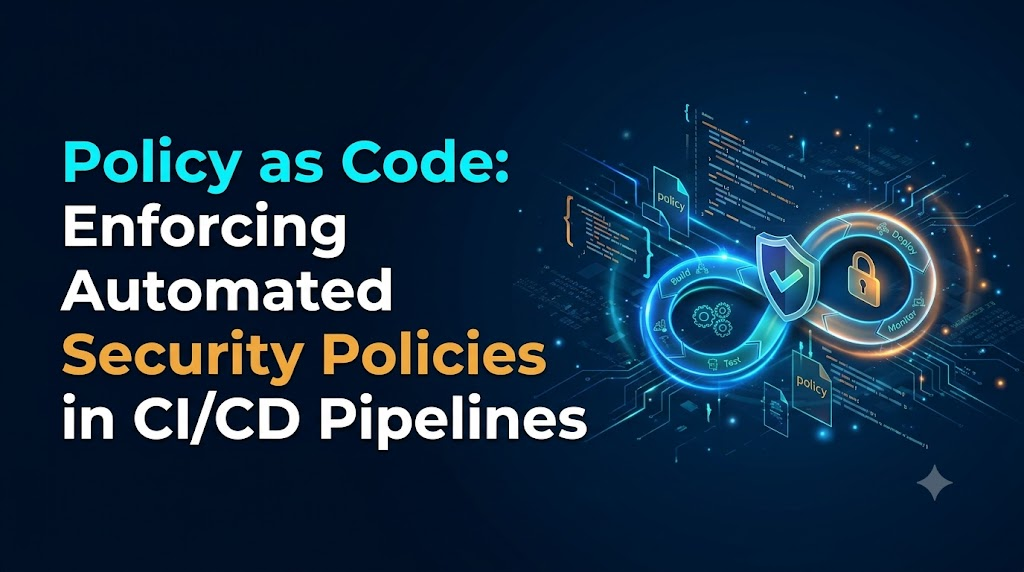
Policy as Code (PaC) provides a practical solution to this structural tension. By converting security requirements, architecture constraints, and governance standards into version-controlled, executable code, teams evaluate infrastructure and application definitions automatically at every stage of the software delivery lifecycle.
Understanding Policy as Code
Policy as Code is the practice of defining, managing, and enforcing security and operational rules using machine-readable definition files stored in version control. Instead of documenting security controls in wiki pages, internal PDFs, or spreadsheet checklists, policies are written in declarative or imperative code that automated testing engines evaluate directly.
Manual Approach:
[Policy PDF / Wiki] ---> [Human Reviewer] ---> [Manual Approval] ---> [Deployment]
                                  |
                                  +--> Bottleneck / Inconsistent enforcement

Policy as Code Approach:
[Policy in Git] ----+
                    v
[Code / Manifest] -> [Policy Engine] -> [Pass: Automated Deployment]
                                      -> [Fail: Clear Remediation Output]
From Human Interpretation to Machine Evaluation
Traditional policies rely on subjective human interpretation. A guideline stating “production data stores must be secured against unauthenticated access” requires an engineer to remember the rule and a reviewer to manually inspect Terraform configurations, CloudFormation templates, or console settings before approval. Reviewers may miss subtle misconfigurations, interpret ambiguous language differently, or feel pressured to expedite approvals during urgent deployments.
Policy as Code translates qualitative instructions into unambiguous, deterministic logic. The engine inspects a structured input—such as an Infrastructure as Code (IaC) plan or a Kubernetes manifest—and checks specific properties:
$$\text{Evaluate}(\text{Configuration Payload}, \text{Policy Rules}) \rightarrow \{\text{Decision: Allow \vert{} Deny}, \text{Violations: } [v_1, v_2, \dots]\}$$
If a storage resource defines an access control list allowing public read permissions, the policy engine matches the non-compliant attribute, rejects the change, and outputs an actionable error message.
Version Control, Testing, and Lifecycle Management
Treating policies as software brings standard software engineering practices to compliance and security governance:
- Version Control: Policies reside in Git repositories, establishing an immutable audit trail showing who made a rule change, when it occurred, and why.
- Peer Reviews: Security, cloud, and application engineers review policy modifications collaboratively through pull requests before merging changes into shared baselines.
- Automated Testing: Policies undergo automated unit and integration testing to confirm that rules block insecure inputs without creating false positives on compliant configurations.
- Release Management: Teams tag, release, and distribute policies through structured pipelines, ensuring all delivery workflows evaluate against tested baselines.
Intersecting Disciplines: PaC, IaC, DevSecOps, and Governance
Policy as Code connects several foundational disciplines within cloud-native engineering:
- Infrastructure as Code (IaC): While IaC defines what infrastructure should be provisioned (e.g., using Terraform, OpenTofu, Pulumi, or CloudFormation), Policy as Code defines the boundaries and constraints that those definitions must satisfy.
- DevSecOps: PaC embeds security controls directly into the developer workflow, providing immediate feedback during code authoring and pipeline runs instead of deferring checks to post-deployment audits.
- Governance, Risk, and Compliance (GRC): Automated policy checks provide cryptographically auditable proof of compliance. Rather than manually gathering point-in-time evidence for auditors, teams demonstrate that their CI/CD pipelines continuously enforce regulatory controls.
Where Policy as Code Fits in a CI/CD Pipeline
Enforcing policies at a single stage creates operational gaps. A robust DevSecOps workflow positions policy checks across multiple pipeline phases, giving developers early feedback while maintaining firm production gates.
+-----------------------------------------------------------------------------------------+
|                                CI/CD Pipeline Lifecycle                                 |
+-----------------------------------------------------------------------------------------+
  1. Commit / PR       2. IaC Validation    3. Container Checks   4. Deployment Gates   5. Runtime Control
  +----------------+   +----------------+   +-----------------+   +-----------------+   +------------------+
  | Pre-commit hooks|   | Terraform plan |   | Base image tags |   | Environments    |   | Admission control|
  | Pull request    |   | CloudFormation |   | Vulnerabilities |   | Approvals       |   | Drift detection  |
  | Static linting  |   | ARM / Bicep    |   | Root user flags |   | Change windows  |   | Periodic audits  |
  +----------------+   +----------------+   +-----------------+   +-----------------+   +------------------+
1. Source-Code and Pull-Request Reviews
Policy evaluation begins on the developer’s workstation or during the initial pull request (PR). Lightweight CLI tools or pre-commit hooks check source manifests before code merges into the central repository. When an engineer opens a PR, automated CI jobs evaluate the branch against the policy repository, posting contextual comments directly on code lines that violate organizational standards.
2. Infrastructure as Code Validation
Before cloud infrastructure provisions, the pipeline generates an execution plan (such as a serialized terraform plan output). The policy engine evaluates this plan against organizational rules, catching misconfigured network routing, unencrypted storage, or over-privileged identity roles before cloud API calls execute.
3. Container Image and Dependency Checks
Container builds produce Dockerfiles, build configurations, and Software Bills of Materials (SBOMs). Policy engines inspect these metadata payloads to verify that base images originate from approved internal registries, workloads do not run as root, and dependencies comply with vulnerability thresholds and software licensing rules.
4. Kubernetes Manifest Validation
Before application delivery to a cluster, the pipeline validates raw manifests, Helm charts, or Kustomize overlays. The policy check verifies that configurations define pod resource requests and limits, configure appropriate security contexts, drop dangerous Linux capabilities, and use compliant pod disruption budgets.
5. Pre-Deployment Approval and Release Gates
Release orchestration pipelines evaluate organizational delivery constraints. For example, a policy can verify that an application artifact passed all integration tests, holds a valid cryptographic signature, and is deploying during an approved release window before granting execution access.
6. Runtime Admission Control and Post-Deployment Monitoring
Pipeline checks catch errors during delivery, but they cannot prevent changes made out-of-band via direct cloud consoles or runtime API calls. Runtime admission controllers (such as OPA Gatekeeper or Kyverno in Kubernetes) and automated cloud configuration auditing tools enforce identical policies continuously against the running environment, preventing drift and unauthorized alterations.
Security Policies Teams Should Automate
Security policy automation targets concrete configurations that reduce infrastructure attack surfaces. Teams must distinguish between preventive controls (which block unapproved deployments) and detection controls (which flag configurations for investigation).
Furthermore, policy checks work alongside—rather than replace—dedicated security tooling such as Static Application Security Testing (SAST), Software Composition Analysis (SCA), and Secret Detection. While an SCA scanner discovers specific Common Vulnerabilities and Exposures (CVEs) in libraries, a Policy as Code engine assesses that scanner’s structured output against business rules (e.g., “Deny deployment if critical vulnerabilities with an available patch remain open”).
                               Security Scanning Workflow

[Source / Artifact]
        |
        v
+-----------------------+     Structured Output     +----------------------+
| Security Scanner      | ------------------------> | Policy Engine        |
| (SAST / SCA / Secret) |       (JSON/SARIF)        | (Applies Risk Logic) |
+-----------------------+                           +----------------------+
                                                               |
                                            +------------------+------------------+
                                            |                                     |
                                            v                                     v
                                    [Compliant: Pass]                   [Violations: Block]
Core Preventative and Guardrail Controls
- Cloud Storage Access Controls: Automatically reject cloud storage buckets (such as Amazon S3, Google Cloud Storage, or Azure Blob Containers) that enable public read or write permissions, lack server-side encryption with designated keys, or fail to enforce HTTPS transport.
- Identity and Access Management (IAM) Boundaries: Block policies that assign administrative rights (
*.*), configure wildcard actions on critical infrastructure, or attach permissions directly to users rather than defined roles and service accounts. - Network Perimeter Hardening: Flag security groups and firewall configurations that open unrestricted ingress (
0.0.0.0/0) on sensitive administration ports, including SSH (22), RDP (3389), or internal database listeners. - Container Hardening: Reject container workload manifests that mount host namespaces, allow privilege escalation, run containers with root user permissions, or omit hard CPU and memory resource limits.
- Image Provenance: Ensure container images pull exclusively from authenticated, organization-owned container registries, rejecting arbitrary public mirrors or unverified third-party repositories.
- Metadata and Operational Hygiene: Enforce mandatory resource tags (such as
Environment,Owner,CostCenter, andApplicationID) across all provisioned cloud resources to maintain financial and operational accountability. - Secrets Management Enforcement: Identify plain-text secrets, hardcoded API keys, or raw certificates stored in configuration manifests, requiring workloads to reference secure secret stores or runtime key vaults.
Policy as Code Tools and Their Use Cases
The Policy as Code ecosystem includes general-purpose policy evaluation engines, configuration-focused linters, and runtime-specialized tools. Selecting the right tool depends on your infrastructure layer, target formats, and organizational architecture.
| Tool | Core Language | Primary Focus | Best Use Cases | Trade-offs & Limitations |
| Open Policy Agent (OPA) | Rego | General-purpose policy engine | Microservices authorization, data pipeline filtering, multi-platform governance | Steep learning curve for Rego; requires structuring inputs into JSON. |
| Conftest | Rego | CLI testing utility using OPA | Validating static configuration files (Terraform plans, Kubernetes, Dockerfiles, Compose) | Optimized for pre-deployment CLI/CI checks; not designed for runtime admission control. |
| Checkov | Python / HCL / YAML | Static analysis for IaC security | Out-of-the-box security checks for Terraform, CloudFormation, Helm, and ARM | Custom policies require Python or YAML; less adaptable for generic non-IaC payload evaluation. |
| HashiCorp Sentinel | Sentinel Language | Embedded governance engine | Native integration with Terraform Enterprise and HCP Terraform | Proprietary ecosystem; tightly coupled to HashiCorp commercial products. |
| Kyverno | Native Kubernetes YAML | Kubernetes-native policy management | Kubernetes admission control, mutation, generation, and CI/CD manifest scanning | Kubernetes-exclusive; cannot evaluate generalized cloud IaC templates or arbitrary JSON. |
| OPA Gatekeeper | Rego (wrapped in K8s CRDs) | Kubernetes admission control | Enforcing fine-grained admission policies across large multi-tenant Kubernetes clusters | Requires managing custom resource definitions (CRDs), templates, and Rego code together. |
Selecting the Right Approach
- General-Purpose Configuration Verification: If you manage heterogeneous infrastructure spanning cloud resources, container manifests, and application configs, general-purpose engines like OPA and Conftest offer maximum flexibility across pipelines.
- Rapid IaC Guardrail Adoption: If your primary objective is immediately catching common cloud misconfigurations using established industry baselines (such as CIS Benchmarks), specialized scanners like Checkov provide extensive pre-built rule catalogs.
- Kubernetes-Centric Environments: For organizations standardizing on Kubernetes, Kyverno provides an accessible, YAML-native authoring experience, while OPA Gatekeeper suits teams that already write Rego across other parts of their cloud stack.
Practical Tutorial: Implementing Policy Checks in CI/CD
To understand how automated enforcement works in practice, we will implement a concrete validation gate. We will define an Infrastructure as Code security requirement, write a policy to catch non-compliant configurations, test it locally, and integrate it into a CI/CD pipeline using Conftest and Open Policy Agent.
Step 1: Define the Security Requirement
- Security Control: Cloud storage buckets must have Server-Side Encryption enabled using customer-managed KMS keys or provider-managed AES-256 keys. Unencrypted storage resources must fail the build.
Step 2: Establish the Non-Compliant Configuration
Below is a standard Terraform configuration (storage.tf) defining an AWS S3 bucket. Notice that the configuration lacks the mandatory aws_s3_bucket_server_side_encryption_configuration resource block, leaving it in an insecure, unencrypted state by default.
Terraform
# storage.tf (Insecure Example)
resource "aws_s3_bucket" "financial_records" {
  bucket = "company-financial-records-prod"

  tags = {
    Environment = "production"
    Owner       = "finance-platform"
  }
}
Step 3: Write the Policy Rule in Rego
Conftest uses OPA’s declarative query language, Rego. We create a policy file at policy/storage_encryption.rego. The policy inspects the parsed Terraform file, searches for aws_s3_bucket definitions, and checks whether a corresponding encryption configuration resource references that bucket.
Code snippet
# policy/storage_encryption.rego
package main

# Deny evaluation collects all violation strings into a set
deny[msg] {
    # Locate all declared aws_s3_bucket resources
    some bucket_name
    bucket := input.resource.aws_s3_bucket[bucket_name]

    # Verify if an encryption block exists for this bucket
    not has_encryption_configuration(bucket_name)

    # Return a structured, actionable failure message
    msg := sprintf(
        "SECURITY VIOLATION: S3 Bucket '%v' lacks mandatory server-side encryption. Add an 'aws_s3_bucket_server_side_encryption_configuration' resource.",
[bucket_name]
) } # Helper rule to verify the presence of the encryption configuration has_encryption_configuration(bucket_name) { some enc_name encryption := input.resource.aws_s3_bucket_server_side_encryption_configuration[enc_name] # Check if the encryption resource targets our specific bucket split(encryption.bucket, “.”)[1] == bucket_name }
Step 4: Validate the Policy Locally
Conftest parses HCL, JSON, and YAML files directly into the structured format that Rego evaluates. Running conftest test against our insecure file demonstrates immediate detection:
Bash
# Execute policy validation locally
conftest test storage.tf -p policy/
Output:
Plaintext
FAIL - storage.tf - main - SECURITY VIOLATION: S3 Bucket 'financial_records' lacks mandatory server-side encryption. Add an 'aws_s3_bucket_server_side_encryption_configuration' resource.

1 test, 0 passed, 0 warnings, 1 failure, 0 exceptions
The tool identifies the missing configuration, references the exact resource identifier, and exits with a non-zero exit code (1), which halts automated execution.
Step 5: Remediate the Configuration
To pass the check, the infrastructure engineer updates storage.tf to define server-side encryption explicitly:
Terraform
# storage.tf (Compliant Example)
resource "aws_s3_bucket" "financial_records" {
  bucket = "company-financial-records-prod"

  tags = {
    Environment = "production"
    Owner       = "finance-platform"
  }
}

resource "aws_s3_bucket_server_side_encryption_configuration" "financial_records_encryption" {
  bucket = aws_s3_bucket.financial_records.id

  rule {
    apply_server_side_encryption_by_default {
      sse_algorithm = "AES256"
    }
  }
}
Step 6: Verify the Compliant Configuration
Running the validation command against the updated file confirms compliance:
Bash
conftest test storage.tf -p policy/
Output:
Plaintext
PASS - storage.tf - main - 1 test, 1 passed, 0 warnings, 0 failures, 0 exceptions
With the policy verified locally, the next step is automating this validation inside continuous integration.
Example: Enforcing Policies with OPA and Rego
Open Policy Agent works by evaluating structured input payloads against policy logic, returning a structured JSON document containing the evaluation decisions.
       [Input Data: JSON/YAML]  ---+
                                   |
                                   v
[External Context Data: JSON] ----> [OPA Engine / Rego Evaluation]
                                   |
                                   v
                      [Result Document: Allow / Deny]
Core Rego Evaluation Principles
Rego is a declarative query language. Rather than executing imperative loops and branches, you write rules that assert conditions about input data:
- The
inputGlobal Variable: Represents the document currently undergoing evaluation (e.g., a Kubernetes manifest or JSON payload). - Rule Composition: By convention, rules named
denyorviolationevaluate all criteria. If every condition within a rule body evaluates totrue, the rule generates a result (typically a violation message). - Safety & Pure Functions: Rego rules avoid side effects. Given identical input documents and external data, evaluation yields identical decisions every time.
Illustrative Kubernetes Security Context Policy
Consider a Kubernetes manifest evaluation rule that rejects pods configured to run as root:
JSON
{
  "apiVersion": "v1",
  "kind": "Pod",
  "metadata": {
    "name": "workload-processor"
  },
  "spec": {
    "containers": [
      {
        "name": "app-runner",
        "image": "internal-registry.company.net/app:v1.2",
        "securityContext": {
          "runAsNonRoot": false
        }
      }
    ]
  }
}
The corresponding Rego policy evaluates the container’s securityContext:
Code snippet
package kubernetes.security

# Deny pod deployment if containers permit root execution
deny[msg] {
    # Confirm the input payload is a Pod manifest
    input.kind == "Pod"

    # Iterate through all defined containers
    some i
    container := input.spec.containers[i]

    # Evaluate if runAsNonRoot is explicitly false or omitted
    not container.securityContext.runAsNonRoot == true

    msg := sprintf(
        "CONTAINER SECURITY RISK: Container '%v' in Pod '%v' must explicitly set 'securityContext.runAsNonRoot' to true.",
[container.name, input.metadata.name]
) }
How OPA Evaluates the Logic
When OPA evaluates this policy against the JSON payload, it navigates the object path input.spec.containers[0].securityContext.runAsNonRoot. The value is false, satisfying the condition not container.securityContext.runAsNonRoot == true.
OPA appends the formatted violation string to the deny set and returns the evaluation output:
JSON
{
  "result": [
    "CONTAINER SECURITY RISK: Container 'app-runner' in Pod 'workload-processor' must explicitly set 'securityContext.runAsNonRoot' to true."
  ]
}
If the manifest sets runAsNonRoot: true, the condition fails to match, leaving the deny set empty ([]). Automated pipelines check this output collection: an empty list signals success, while an array containing items halts the build.
Integrating Policy as Code with Common CI/CD Platforms
Integrating Policy as Code into CI/CD workflows relies on standard operating system interfaces. The CI runner downloads the target policy engine binary, runs an evaluation command pointing to policy definitions and input manifests, and interprets the execution exit code:
- Exit Code
0: All policies passed. The pipeline proceeds to the next stage. - Exit Code Non-Zero (
1or2): A blocking policy was violated or an evaluation syntax error occurred. The pipeline terminates execution immediately.
+------------------------------------------------------------------------+
|                      CI Runner Policy Evaluation                       |
+------------------------------------------------------------------------+
                                    |
                        [Download Engine Binary]
                                    |
                        [Fetch Versioned Policies]
                                    |
                        [Execute Policy Evaluation]
                                    |
                        +-----------+-----------+
                        |                       |
                  [Exit Code 0]           [Exit Code != 0]
                        |                       |
                        v                       v
               [Proceed to Deploy]      [Halt & Output Remediation]
GitHub Actions Implementation
The following GitHub Actions workflow validates Kubernetes manifests located in the repository on every pull request targeting the main branch:
YAML
name: "Policy as Code Security Gate"

on:
  pull_request:
    branches:
      - main
    paths:
      - "deployments/**"
      - "policies/**"

jobs:
  validate-policies:
    name: "Enforce Security Guardrails"
    runs-on: ubuntu-latest
    steps:
      - name: "Checkout Repository"
        uses: actions/checkout@v4

      - name: "Install Conftest"
        run: |
          CONFTEST_VERSION="0.51.0"
          curl -LO "https://github.com/open-policy-agent/conftest/releases/download/v${CONFTEST_VERSION}/conftest_${CONFTEST_VERSION}_Linux_x86_64.tar.gz"
          tar xzf "conftest_${CONFTEST_VERSION}_Linux_x86_64.tar.gz"
          sudo mv conftest /usr/local/bin/

      - name: "Execute Manifest Validation"
        run: |
          # Evaluate manifests against policies; exits with 1 on violation
          conftest test deployments/ --policy policies/ --output stdout
GitLab CI/CD Implementation
In GitLab CI/CD, the policy gate runs as a test stage using an official container image:
YAML
stages:
  - test
  - deploy

policy_enforcement:
  stage: test
  image:
    name: openpolicyagent/conftest:v0.51.0
    entrypoint: [""]
  script:
    - conftest test deployments/ --policy policies/ --output stdout
  rules:
    - if: '$CI_PIPELINE_SOURCE == "merge_request_event"'
    - if: '$CI_COMMIT_BRANCH == $CI_DEFAULT_BRANCH'
Jenkins Pipeline Implementation
For Jenkins, the stage invokes the validation binary on the agent host, capturing results for reporting:
Groovy
pipeline {
    agent any
    stages {
        stage('Policy Enforcement') {
            steps {
                script {
                    sh label: 'Run Conftest Validation', script: '''
                        /usr/local/bin/conftest test deployments/ \
                            --policy policies/ \
                            --output stdout
                    '''
                }
            }
        }
        stage('Deploy') {
            steps {
                echo 'Policy checks passed successfully. Proceeding with deployment.'
            }
        }
    }
}
Managing Policy Violations and Exceptions
Enforcing absolute binary policies without flexible exception processes leads to operational friction. When a policy check blocks a release during an urgent production incident or specialized deployment, teams need structured, documented mechanisms to manage exceptions without disabling automated guardrails.
                       Policy Evaluation Flow
                                 |
                                 v
                     [Policy Violation Found]
                                 |
             +-------------------+-------------------+
             |                                       |
    [Severity: Warning]                     [Severity: High/Block]
             |                                       |
             v                                       v
    [Log & Continue]                        [Check Exception Registry]
                                                     |
                                     +---------------+---------------+
                                     |                               |
                              [Valid Exemption]             [No Valid Exemption]
                                     |                               |
                                     v                               v
                              [Log & Pass]                    [Halt Pipeline]
1. Severity Classifications
Categorize policies by severity instead of treating every rule as an immediate deployment blocker:
- Advisory / Info: Educational notifications. Intended to guide developers toward architectural best practices without interrupting pipelines.
- Warning: Identifies operational or configuration debt. Emits visible alerts during pull requests but permits deployment.
- High / Critical (Blocking): Severe security violations (e.g., exposed credentials, open administration ports, unencrypted storage). These configurations consistently halt pipeline execution.
2. Time-Bound, Auditable Exceptions
Avoid hardcoded policy skips or permanent exclusions. When a team requires an exemption—such as an external FTP appliance that temporarily requires an open ingress port—manage the exemption through an explicit, machine-readable exception registry:
YAML
# exceptions/security-exceptions.yaml
exceptions:
  - id: "EXC-2026-0881"
    policy_id: "network_port_open_ssh"
    resource_id: "aws_security_group.legacy_sftp.id"
    approved_by: "secops-lead@company.net"
    ticket_reference: "SEC-4921"
    creation_date: "2026-04-12"
    expiration_date: "2026-06-12"
    business_justification: "Legacy external vendor integration awaiting sFTP migration."
The policy engine loads this exception manifest alongside its evaluation rules. The rule verifies that:
- The resource explicitly matches an approved exception ID.
- The current pipeline execution timestamp does not exceed
expiration_date.
If the exception passes its expiration date, the policy engine revokes the waiver automatically and blocks the build, preventing temporary overrides from becoming permanent technical debt.
Testing, Versioning, and Maintaining Policies
Policies are mission-critical code. A broken policy script can shut down delivery pipelines across an entire organization. Teams must apply the same quality assurance standards to policy development that they apply to production software.
Unit Testing Policy Logic
Write comprehensive unit tests for every policy rule, including both positive (compliant) and negative (violating) scenarios. Rego includes a built-in test runner that tests policy logic against mocked inputs.
Code snippet
# policy/storage_encryption_test.rego
package main

# Mock non-compliant input: bucket without encryption
test_deny_unencrypted_bucket {
    mock_input := {
        "resource": {
            "aws_s3_bucket": {
                "insecure_bucket": {}
            }
        }
    }
    # Verify that the deny rule triggers an alert on this input
    count(deny) == 1 with input as mock_input
}

# Mock compliant input: bucket with matching encryption resource
test_allow_encrypted_bucket {
    mock_input := {
        "resource": {
            "aws_s3_bucket": {
                "secure_bucket": {}
            },
            "aws_s3_bucket_server_side_encryption_configuration": {
                "enc": {
                    "bucket": "aws_s3_bucket.secure_bucket.id"
                }
            }
        }
    }
    # Verify that the deny rule remains empty on compliant input
    count(deny) == 0 with input as mock_input
}
Execute unit tests directly during policy maintenance using the OPA CLI:
Bash
opa test policy/ -v
Staged Rollout and Canaries
To avoid unexpectedly disrupting delivery pipelines across multiple teams, roll out new policies in stages:
[Phase 1: Audit / Silent Mode] ---> Log violations to telemetry without blocking pipelines.
              |
              v
[Phase 2: Warning Mode]        ---> Display violations prominently in PR comments.
              |
              v
[Phase 3: Active Enforcement]  ---> Fail CI/CD builds on non-compliant changes.
- Audit Mode: Merge the new rule in an evaluation-only configuration that logs violations to centralized logging platforms without exiting with an error code.
- Warning Mode: Surface non-compliant results as warnings in pull request checks, allowing engineers to resolve issues before rules become mandatory.
- Blocking Mode: Convert the rule to a hard pipeline gate once production baselines meet the security standard.
Common Implementation Challenges
Implementing automated policy enforcement introduces operational and cultural challenges. The following table pairs frequent implementation hurdles with battle-tested engineering mitigations:
| Operational Challenge | Root Cause | Practical Engineering Mitigation |
| High False-Positive Rates | Policies assume uniform architectures across all workloads and environments. | Scope rules strictly to targeted resource types and environments (e.g., distinguishing test sandboxes from production clusters). |
| Developer Frustration | Policy checks fail with cryptic messages (e.g., evaluation error: deny). | Provide detailed failure messages explaining what failed, why it is risky, and how to fix it with an example manifest. |
| Pipeline Latency | Policies download remote dependencies or evaluate large plan files inefficiently. | Cache policy engines and rule bundles within pipeline runners; run policy checks concurrently with other build tasks. |
| Environment Inconsistencies | Teams apply different policies locally versus in centralized CI runners. | Package policies and evaluation engines into a single container image used consistently across developer CLIs and CI pipelines. |
| Policy Drift Across Repositories | Individual application teams fork policies into local project directories. | Store organizational policies in a central Git repository and distribute them as versioned OPA bundles or read-only submodules. |
| Excessive Exception Requests | Policies deploy without consulting operational teams, conflicting with reality. | Involve platform and delivery teams during policy design; run canary audit periods to assess impact before enforcing rules. |
Best Practices for Reliable Policy Enforcement
- Prioritize High-Risk Violations First: Avoid writing hundreds of rules at once. Begin with high-impact configurations, such as open administrative ports, unencrypted storage, missing baseline tags, and root container execution.
- Write Modular, Readable Policies: Keep rules focused on individual configuration attributes. Large, multi-layered policies are hard to unit test and maintain over time.
- Embed Clear Remediation Guidance: Every policy failure message should explain the underlying security requirement and link directly to compliant configuration templates.
- Maintain Policy Code in Version Control: Manage all rules in dedicated repositories with structured branch protections, peer reviews, and automated unit test workflows.
- Treat Policies as Shared Products: DevSecOps teams should collaborate with application developers when drafting rules, treating policies as internal platform features that support delivery rather than external hurdles.
- Coordinate Pipeline Gates with Runtime Controls: Enforcing policies in CI/CD catches misconfigurations before release, while runtime admission controllers (such as OPA Gatekeeper or Kyverno) prevent out-of-band drift in live environments.
Measuring the Effectiveness of Policy as Code
To evaluate the impact of automated policy enforcement, engineering leadership should monitor metrics that highlight security posture improvements, developer efficiency, and pipeline reliability.
+-----------------------------------------------------------------------------------+
|                        Key Performance Indicators (KPIs)                          |
+-----------------------------------------------------------------------------------+
  Pre-Deployment Prevention Rate     Mean Time to Remediation (MTTR)      Pipeline Overhead Impact
  Percentage of violations           Time required for a developer        Execution duration added
  blocked in CI vs discovered        to resolve a policy failure          by policy validation
  post-deployment in production.     during active pull requests.         checks on running builds.
+-----------------------------------------------------------------------------------+
Metrics for Continuous Improvement
- Pre-Deployment Prevention Rate: The percentage of security misconfigurations caught and resolved in CI/CD versus the number discovered post-deployment by cloud security posture management (CSPM) tools.
- Mean Time to Remediation (MTTR): The average duration between an automated policy failure alert on a pull request and the developer pushing a compliant fix.
- Exception Longevity: The average lifespan of approved policy exceptions. Increasing lifespans indicate that temporary operational waivers are turning into permanent technical debt.
- Pipeline Validation Latency: The wall-clock execution time added to CI/CD workflows by policy gates. Keeping policy check times low (ideally under 15–30 seconds) preserves fast developer feedback loops.
Frequently Asked Questions
What is Policy as Code in DevSecOps?
Policy as Code is the practice of expressing organizational security, compliance, and architectural standards as machine-readable code. In DevSecOps workflows, it automates guardrail evaluation across development pipelines, removing manual review bottlenecks while preventing insecure configurations from reaching production.
How does Policy as Code work in a CI/CD pipeline?
A CI/CD pipeline executes a policy engine CLI (such as OPA, Conftest, or Checkov) against structured inputs like Terraform plans, Kubernetes manifests, or build outputs. The engine evaluates these inputs against version-controlled policy files, producing an output log. If a rule triggers a failure, the engine exits with a non-zero exit code, terminating the pipeline before deployment starts.
What is the difference between Policy as Code and Infrastructure as Code?
Infrastructure as Code (IaC) defines what resources to provision (e.g., creating a database, network switch, or virtual server). Policy as Code (PaC) defines the boundaries, rules, and conditions those resources must satisfy (e.g., verifying that the database is encrypted, uses private endpoints, and contains ownership tags).
How are OPA and Rego related?
Open Policy Agent (OPA) is an open-source, general-purpose policy evaluation engine hosted by the Cloud Native Computing Foundation (CNCF). Rego is the declarative, high-level query language specifically designed for writing rules evaluated by OPA.
Can Policy as Code block an insecure deployment?
Yes. When a policy engine evaluates an insecure configuration and triggers a failure, it issues a non-zero process exit code. Continuous integration tools interpret this exit code as a build error, immediately halting execution before delivery scripts can deploy changes to target environments.
Which tools support Policy as Code?
Prominent Policy as Code tools include Open Policy Agent (OPA), Conftest, Checkov, Kyverno, OPA Gatekeeper, and HashiCorp Sentinel. Teams select tools based on target infrastructure layers, supported file formats, and runtime requirements.
How should teams manage policy exceptions?
Teams should manage exceptions using version-controlled, auditable records that reference designated policy IDs, specific resource identifiers, business justifications, approving authorities, and expiration dates. Policy engines evaluate these exception manifests directly, automatically re-enabling blocking controls once an exception expires.
Does Policy as Code replace security scanning or manual audits?
No. Policy as Code complements rather than replaces other testing practices. Static analysis (SAST), software dependency scanning (SCA), container vulnerability scanning, and manual architecture reviews address different risk vectors. Policy engines often ingest structured outputs from these specialized tools to enforce consistent deployment decisions across the pipeline.
Conclusion
Automating security policies within CI/CD pipelines bridges the gap between rapid software delivery and organizational governance by transforming static, easily overlooked guidelines into actionable guardrails that run on every code change. When teams treat policies as modular software assets—starting with high-impact controls, providing clear remediation advice, and pairing pipeline checks with runtime admission controls—they eliminate deployment bottlenecks while preventing critical cloud and container misconfigurations before infrastructure provisions. By integrating automated policy validation into everyday developer workflows, organizations shift security from a disruptive release-gate checkpoint into a predictable, transparent engineering standard that scales naturally with delivery velocity.