





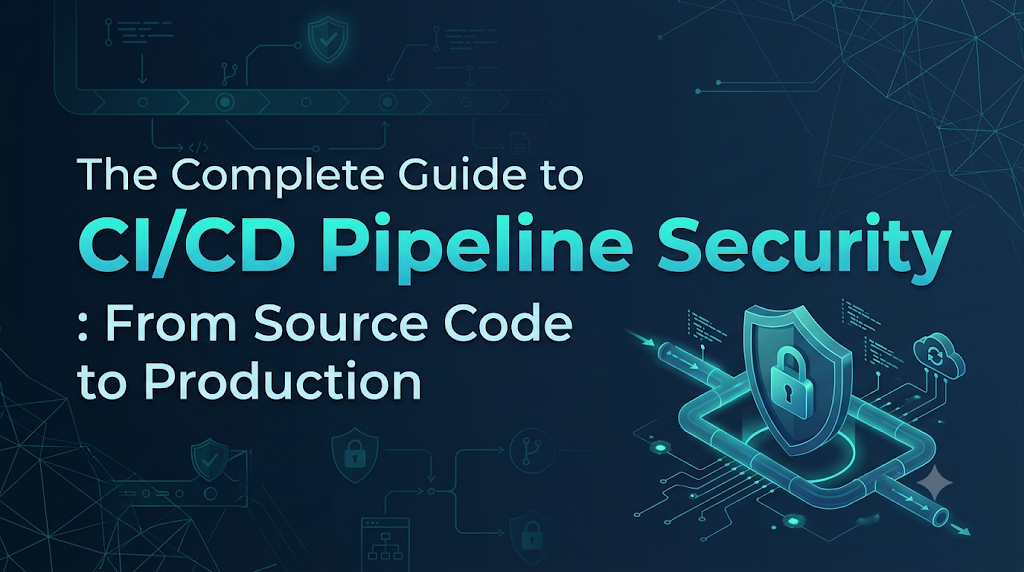
Continuous Integration and Continuous Delivery (CI/CD) pipelines are the backbone of modern software engineering, translating code changes into running applications through rapid, automated workflows. Yet the very attributes that make delivery pipelines efficient—broad infrastructure access, privileged execution rights, and automated pathways directly into production—also make them high-value targets for attackers seeking to bypass traditional network firewalls. Compromising a build runner or a repository workflow allows adversaries to poison dependencies, leak elevated cloud credentials, and deliver backdoored artifacts straight to end users under the guise of verified releases. Securing this pipeline requires engineering teams to treat their deployment automation with the same rigorous defense-in-depth principles applied to core production systems. For engineers and organizations aiming to deepen their practical knowledge of these controls, DevOpsSchool
serves as an established educational resource offering hands-on training across DevOps, DevSecOps, automation, and resilient software delivery architectures.
1. When the Delivery Pipeline Becomes an Attack Target
To understand pipeline security, consider a realistic incident scenario at a mid-market financial technology company.
The Incident Scenario: The “Green Build” Backdoor
An engineering team was delivering an update to an internal microservice. Every automated test passed, the pipeline turned green, and the production deployment finished without human intervention. Forty-eight hours later, incident responders noticed unexpected outbound network traffic originating from a production database cluster toward an unfamiliar external IP address.
The investigation revealed that the application source code repository contained no malicious commits. Instead, an attacker had compromised a personal access token belonging to a junior developer whose account lacked multi-factor authentication (MFA). Using this token, the attacker submitted a pull request containing an updated CI workflow file (
.github/workflows/build.ymlor.gitlab-ci.yml).The modified pipeline script executed an inline
curlcommand inside an untrusted build runner. This command downloaded an obfuscated binary, appended it to the final compiled Docker image right before push time, and extracted long-lived AWS production deployment credentials stored in the runner’s unmasked environment variables. Because the pipeline ran on a self-hosted runner with persistent storage, the backdoor persisted, and the compromised credentials gave the attacker direct deployment capabilities.
This scenario illustrates why delivery pipelines are attractive targets:
- Unprecedented Privilege Aggregation: Pipelines frequently hold elevated permissions across cloud providers, container registries, artifact repositories, and internal networks.
- Implicit Trust in Outputs: Downstream systems, including Kubernetes clusters and serverless engines, routinely accept and execute artifacts simply because they originate from an authorized CI/CD system.
- Supply Chain Leverage: Rather than attacking a well-defended production application directly, compromising the pipeline allows an attacker to poison software at the source. This affects every customer and downstream system relying on that build.
Pipeline security is not a secondary operational concern; it is a fundamental pillar of modern application security.
2. Map the Pipeline Before Securing It
You cannot defend what you have not mapped. A CI/CD pipeline is an interconnected distributed system composed of several distinct components. A weakness in any single component can compromise the integrity of the entire software supply chain.
+----------------------------------------------------------------------------------------------------+
|                                    CI/CD THREAT SURFACE MAP                                        |
+----------------------------------------------------------------------------------------------------+
|                                                                                                    |
|  [Source Code] -------> [Build Runner] -------> [Dependencies] -------> [Artifacts] ----> [Deploy] |
|   • Repositories         • Ephemeral vs          • Public Registries     • Container       • Cloud |
|   • Branch Rules           Persistent            • Lockfiles               Registries        Creds |
|   • Commits              • Injected Secrets      • Internal Proxies      • Signatures      • Prod  |
|                                                                                                    |
+----------------------------------------------------------------------------------------------------+
Key Components That Require Explicit Protection
- Source Code Repositories: Where code, infrastructure declarations (IaC), and pipeline configurations reside. Unauthorized repository access grants direct control over the pipeline logic.
- Developer Accounts & Authentication: The identity perimeter. Compromised credentials (passwords, SSH keys, personal access tokens) let adversaries impersonate trusted engineers.
- Build Servers, Agents, and Runners: The compute infrastructure executing compilation, testing, and packaging scripts. Persistent, unsegmented runners are prime targets for lateral movement and credential theft.
- CI/CD Configuration Files: Pipeline-as-code files (e.g., Jenkinsfiles, GitHub Actions workflows, GitLab CI YAMLs). If write access is unchecked, arbitrary commands can be injected into privileged execution flows.
- Dependencies & Package Registries: Third-party libraries, container base images, and external actions pulled during build time.
- Build Artifacts & Container Images: Binaries, JARs, wheels, and OCI container images produced by the build phase. If artifacts lack cryptographic signatures and integrity checks, they can be tampered with between build and deployment.
- Deployment Credentials & Environments: Cloud IAM roles, Kubernetes service accounts, and API tokens used to update production systems.
If an attacker modifies a dependency lockfile in the repository, the build runner pulls malicious code. If the runner runs in an unsegmented network, it can sniff internal traffic or dump cloud metadata tokens. Securing the pipeline requires isolating and verifying each component individually.
3. Protect the Entry Point: Source Code and Repository Security
The source code management (SCM) system serves as the control plane for your entire automation platform. Securing the repository layer prevents untrusted or uninspected code from ever triggering a build.
Core Defensive Controls
- Mandatory Multi-Factor Authentication (MFA): Enforce hardware security keys (FIDO2/WebAuthn) or time-based one-time passwords (TOTP) across all identity providers (IdPs) and code hosting platforms. Restrict repository access immediately when an identity lacks MFA compliance.
- Role-Based Access Control (RBAC): Apply the principle of least privilege. Developers should hold write access only to the specific repositories they actively maintain. Global administrative privileges should be restricted to a break-glass model with multi-party approval.
- Strict Branch Protection Rules: Protect primary branches (
main,production,release/*) against direct pushes. Require all code changes to arrive through pull requests (PRs) or merge requests (MRs). - Enforced Peer Code Reviews: Configure branch rules to require at least one or two independent approvals from authorized code owners before merging. Disallow PR authors from approving their own changes, and dismiss stale approvals automatically whenever new commits are pushed.
- Cryptographically Signed Commits: Enforce GPG or SSH commit signing. Signed commits verify that a commit originated from an authenticated author and was not altered in transit or spoofed via falsified Git author metadata.
- Immutable Configuration Files: Treat pipeline definitions as sensitive production infrastructure. Use code-owner configurations (
CODEOWNERS) to require dedicated security or platform engineering sign-off on any modification to pipeline files (e.g.,.github/workflows/,.circleci/, orJenkinsfile). - Audit Logging and Anomaly Detection: Stream SCM audit logs to an enterprise Security Information and Event Management (SIEM) system. Alert on anomalous events, such as bulk repository clones, sudden additions of outside collaborators, or administrative overrides of branch protections.
4. Stop Secrets From Leaking Into Builds
Hardcoded secrets remain one of the most common causes of supply chain compromise. Developers frequently embed API tokens, database connection strings, SSH private keys, and cloud credentials directly into application code, test scripts, or pipeline files to bypass friction during local testing.
Why Hardcoded Secrets Are Catastrophic
Git repositories retain full version history. Even if a developer deletes a password in a subsequent commit, that credential remains retrievable in the Git commit history, dangling branches, and repository mirrors. Furthermore, automated CI runs frequently echo environment variables into build logs, leaving credentials visible to anyone with read access to build output.
Defensive Best Practices
- Centralized Secret Management: Store credentials in purpose-built secret management platforms (e.g., HashiCorp Vault, AWS Secrets Manager, Azure Key Vault, Google Cloud Secret Manager). Never commit secrets into source control or paste them into plain text CI configuration variables.
- Short-Lived, Dynamic Credentials: Replace long-lived static tokens with dynamic, short-lived credentials generated on demand. Use OpenID Connect (OIDC) federation between your CI/CD platform and cloud providers. OIDC allows build runners to exchange short-lived cryptographic identity assertions for temporary cloud credentials (such as an AWS IAM role session lasting 15 minutes), eliminating static keys altogether.
- Automated Secret Scanning: Implement automated secret detection at two points:
- Pre-commit hooks (e.g., using tools like Gitleaks or detect-secrets) to intercept credentials before they leave the developer’s laptop.
- Pipeline gates to scan inbound pull requests and block merges containing potential API tokens, certificates, or private keys.
- Log Masking and Sanitization: Ensure your CI system automatically masks configured secrets in build console outputs. Developers must write build steps that avoid printing environment variables (such as avoiding bare
envorprintenvinvocations).
Practical Example: Hardcoded vs. Dynamic Secret Injection
Vulnerable Approach: Static Secret in Pipeline YAML
YAML
# INSECURE: Hardcoded credential in pipeline configuration
deploy-job:
  stage: deploy
  script:
    - export AWS_ACCESS_KEY_ID="AKIAIOSFODNN7EXAMPLE"
    - export AWS_SECRET_ACCESS_KEY="wJalrXUtnFEMI/K7MDENG/bPxRfiCYEXAMPLEKEY"
    - aws s3 sync ./dist s3://production-application-bucket/
Secure Approach: Dynamic Identity Federation via OIDC
YAML
# SECURE: Exchanging an ephemeral OIDC token for temporary cloud access
deploy-job:
  stage: deploy
  permissions:
    id-token: write   # Required to request the OIDC JWT token
    contents: read
  steps:
    - name: Configure AWS Credentials via OIDC
      uses: aws-actions/configure-aws-credentials@v4
      with:
        role-to-assume: arn:aws:iam::123456789012:role/GitHubActionsDeploymentRole
        aws-region: us-east-1
        audience: sts.amazonaws.com
    - name: Deploy Assets
      run: |
        aws s3 sync ./dist s3://production-application-bucket/
In the secure example, no long-lived secret is stored in the CI runner or the YAML file. The cloud provider validates the cryptographic identity of the specific repository and branch before issuing a temporary credential that expires automatically.
5. Make Build Environments Harder to Compromise
Build agents and runners execute code submitted by developers—and potentially by untrusted contributors. If a build environment is not properly isolated, malicious build scripts can extract sensitive variables, alter cached files, or attack internal networks.
+--------------------------------------------------------------------------+
|                     RUNNER ISOLATION ARCHITECTURE                        |
+--------------------------------------------------------------------------+
|                                                                          |
|  [Public PR / External Code] ---> [Ephemeral Isolated Runner]           |
|                                    • MicroVM / Disposable Container      |
|                                    • Zero Production Secret Access       |
|                                    • Scoped Egress Network Filters       |
|                                                                          |
|  [Approved Merge / Protected] --> [Dedicated Privileged Runner]          |
|                                    • Production Secrets via OIDC         |
|                                    • Signed Artifact Release Capabilities|
|                                                                          |
+--------------------------------------------------------------------------+
Hardening Build Runners
- Use Ephemeral Execution Environments: Never reuse build environments across unrelated jobs. Persistent build servers retain state, making them susceptible to cache poisoning, local file tampering, and cross-build data extraction. Deploy runners that run inside disposable container instances or microVMs (e.g., using AWS Firecracker or ephemeral Kubernetes pods) that are destroyed immediately after a single job completes.
- Restricted Network Egress: Configure strict firewall rules and network policies for build environments. A build runner rarely needs unrestricted access to the public internet. Block access to internal private subnets, cloud metadata endpoints (
169.254.169.254), and arbitrary outbound endpoints. Use an outbound egress proxy with domain allowlisting to restrict outbound network connections to approved package registries. - Secure Base Images and Regular Patching: Base runner operating systems and container images must be minimal, hardened, and patched regularly. Remove unnecessary utilities (e.g., compilers where not needed, netcat, or raw debugging tools) from runner environments to limit post-exploitation capabilities.
- Isolate Untrusted Pull Requests: A public open-source pull request or a commit from an untrusted fork must never execute inside an environment holding production secrets. Configure your pipeline orchestrator to require manual maintainer approval before running CI workflows on pull requests from forks, and ensure that deployment secrets are completely withheld from fork-based runs.
6. Verify Every Dependency Before It Enters the Build
Modern software is predominantly assembled rather than written from scratch. Applications routinely rely on hundreds of third-party open-source libraries, each bringing its own transitive dependencies. Attackers exploit this reliance through typosquatting (naming malicious packages similarly to popular ones), dependency confusion (tricking internal package managers into fetching external public packages), and account takeovers of legitimate open-source maintainers.
Dependency Verification Framework
| Control Strategy | Implementation Mechanism | Security Objective |
| Exact Version Pinning | Use hash-pinned lockfiles (package-lock.json, Poetry.lock, go.sum). | Prevents unexpected updates from pulling untrusted upstream code automatically. |
| Internal Caching & Proxies | Artifact repositories like Artifactory, Nexus, or cloud-hosted package proxies. | Protects against package deletion, tampering, and upstream repository downtime. |
| Software Composition Analysis | Automated SCA scanning tools run on every commit and dependency change. | Identifies known Common Vulnerabilities and Exposures (CVEs) in open-source components. |
| Software Bill of Materials (SBOM) | Automated generation of CycloneDX or SPDX metadata files during builds. | Maintains an auditable, queryable inventory of every direct and transitive library. |
| Dependency Scoping & Namespaces | Configure private package scopes (e.g., @myorg/package) in package managers. | Neutralizes dependency confusion attacks by enforcing internal registry routing. |
Treat dependencies as untrusted third-party inputs. Pin dependencies to exact cryptographic checksums, rather than broad version ranges, to ensure that the code built on the CI server matches the code reviewed on the developer’s machine.
7. Introduce Security Gates Without Slowing Delivery
Integrating security into the pipeline—often referred to as “shifting left”—fails when it creates friction that stalls development. Security checks must be fast, accurate, and predictable. If a scan takes 45 minutes or generates dozens of false positives, developers will find ways to bypass it.
+-----------------------------------------------------------------------------------------+
|                                CI/CD SECURITY GATES                                     |
+-----------------------------------------------------------------------------------------+
|                                                                                         |
|  [Commit]        [Build]             [Package]          [Pre-Deploy]       [Production] |
|     |               |                   |                    |                  |       |
|  • Secret Scan   • SCA Scan          • Container Scan    • Policy Check     • Runtime   |
|  • Linting       • SAST (Diff-based) • SBOM Generation   • Smoke Tests        Auditing  |
|  • IaC Check     • Unit Tests        • Image Signing     • Dynamic DAST                 |
|                                                                                         |
+-----------------------------------------------------------------------------------------+
Essential Automated Security Gates
- Pre-Commit and Early CI Checks (Fast: Under 60 Seconds):
- Secret Scanning: Scans diffs for accidentally introduced keys, passwords, and tokens.
- Static Code Quality and Linting: Enforces basic coding standards and flags common bug patterns.
- Infrastructure as Code (IaC) Scanning: Evaluates Terraform, CloudFormation, or Kubernetes manifests using policy-as-code tools (e.g., Checkov, tfsec, Trivy) to catch misconfigurations—such as open S3 buckets or unconfined root containers—before resources are provisioned.
- Build Stage Testing (Moderate: 2–5 Minutes):
- Software Composition Analysis (SCA): Verifies that third-party packages do not carry critical, exploitable vulnerabilities.
- Targeted Static Application Security Testing (SAST): Analyzes application source code for common security bugs (e.g., SQL injection, insecure deserialization, cross-site scripting). Focus SAST scans on the changes introduced in the pull request (differential scanning) rather than scanning the entire historical codebase on every commit.
- Packaging Stage Testing (Moderate: 2–5 Minutes):
- Container Image Scanning: Analyzes the final base operating system layers and compiled binaries within a container image to catch vulnerabilities introduced by OS packages (e.g., outdated OpenSSL or curl packages).
- Post-Deployment and Dynamic Testing (Asynchronous / Staging):
- Dynamic Application Security Testing (DAST): Evaluates running applications in a staging environment by simulating real-world attacks against live HTTP endpoints. DAST is typically slower and should run asynchronously or as part of scheduled release pipelines rather than blocking everyday pull requests.
Defining Actionable Failure Thresholds
Pipelines should not break for low-priority warnings. Establish clear, objective criteria for when a build must fail:
- Fail the Build: Critical or High severity vulnerabilities with a published, accessible exploit (e.g., CVSS 8.0+ with known exploit paths), newly detected exposed secrets, or severe IaC misconfigurations (e.g., opening port 22 to
0.0.0.0/0). - Warn Without Failing: Medium or Low severity vulnerabilities without public exploits, or license compliance alerts that require legal review. Route these issues directly to the team’s vulnerability management backlog.
- Define an Exception Process: Maintain a documented, auditable process for granting temporary security waivers when a safe fix is not immediately available. Waivers should require security approval and have strict expiration dates.
8. Protect Artifacts From Tampering
A secure build environment is ineffective if the resulting binary or container image can be modified after it leaves the runner. Attackers who gain access to an intermediate artifact registry can swap a legitimate, scanned container image with a poisoned image carrying the same tag.
Mechanisms for Artifact Integrity
- Private, Authenticated Registries: Store binaries, packages, and container images in private registries that require explicit identity authentication. Block public read access by default and disable anonymous uploads.
- Immutable Tags and Versioning: Disallow tag overwriting in your container registries. Once
app:v1.2.3is pushed, the registry must reject any subsequent push attempting to overwrite that tag. - Cryptographic Artifact Signing: Digitally sign all build outputs immediately after creation using trusted tooling such as Sigstore (Cosign) or Notary. Signing generates a cryptographic proof linking the artifact directly to the identity of the specific CI/CD build job that compiled it.
- SLSA Provenance Metadata: Generate provenance attestations aligned with the Supply-chain Levels for Software Artifacts (SLSA) framework. Provenance data records precisely where, when, and from which source commit an artifact was produced.
- Admission Verification: Configure target environments (such as Kubernetes clusters using tools like Kyverno or Open Policy Agent) to inspect incoming artifacts. If an image is not signed by your organization’s trusted CI/CD key, the admission controller must block it from running.
Bash
# Example: Signing a container image with Cosign in an automated job
cosign sign --yes \
  --key env://COSIGN_PRIVATE_KEY \
  registry.example.com/production/auth-service:v2.4.1

# Example: Verifying the image signature before deployment
cosign verify \
  --key cosign.pub \
  registry.example.com/production/auth-service:v2.4.1
9. Secure Deployment Permissions and Production Access
The final stage of the delivery pipeline—production deployment—holds the greatest operational risk. If the credentials used to deploy code are compromised, an attacker can directly reconfigure infrastructure, exfiltrate data, or disable services.
Separation of Environments and Privileges
Engineering teams must strictly segregate permissions across environments:
- Development & Staging: Developers may hold broader permissions to debug, apply temporary configurations, and deploy builds.
- Production: Direct human write access should be disabled under normal operations. All production deployments must flow through the automated pipeline.
+----------------------------------------------------------------------------------+
|                   ENVIRONMENT ISOLATION & PERMISSION SCOPING                     |
+----------------------------------------------------------------------------------+
|                                                                                  |
|   [Developer] ---> [Dev / QA Environment]                                        |
|                     • Direct push or rapid pipeline                              |
|                     • Non-sensitive mock secrets                                 |
|                                                                                  |
|   [Main Branch] -> [Automated Security Scans]                                    |
|                     • SAST, SCA, Container, Secret verification                  |
|                                                                                  |
|   [Approval] ----> [Production Deployment Engine]                                |
|                     • Dedicated Deployment Service Account                       |
|                     • Scoped to production namespace / cluster only              |
|                     • Immutable audit logs recorded                              |
|                                                                                  |
+----------------------------------------------------------------------------------+
Key Deployment Controls
- Least-Privilege Deployment Identities: Deployment service accounts should not have cluster-admin or cloud-owner privileges. Scope deployment roles down to only the operations they perform: updating specific Kubernetes deployments, syncing assets to an isolated S3 bucket, or updating a defined serverless function.
- Environment Protection Rules & Manual Sign-Offs: Configure pipeline environments to enforce manual reviews before production jobs can run. For example, deploying to production should require an explicit approval from an engineering lead or a platform operations engineer.
- Auditing and Immutable Deployment Logs: Capture immutable logs of every deployment event, including the triggering commit hash, the approving identities, the exact artifact digest deployed, and the execution timestamp.
10. What a Secure CI/CD Workflow Looks Like
Below is an illustrative CI/CD pipeline workflow demonstrating how to chain these defensive controls into a cohesive pipeline.
Note: This example uses GitHub Actions-style syntax for illustration. Adjust the syntax and specific actions to match your organization’s tooling (GitLab CI, Tekton, Jenkins, CircleCI).
YAML
name: Secure Software Delivery Pipeline

on:
  push:
    branches: [ "main" ]
  pull_request:
    branches: [ "main" ]

permissions:
  contents: read
  id-token: write # Minimal permission required for OIDC credential exchange

jobs:
  # Stage 1: Validation and Static Security Checks
  security-validation:
    name: Security Audits & Code Quality
    runs-on: ubuntu-latest
    steps:
      - name: Checkout Source Code
        uses: actions/checkout@v4
        with:
          fetch-depth: 0 # Full history allows comprehensive secret scanning

      - name: Run Secret Scanning
        uses: gitleaks/gitleaks-action@v2
        env:
          GITHUB_TOKEN: ${{ secrets.GITHUB_TOKEN }}

      - name: Software Composition Analysis (SCA)
        uses: dependency-check/Dependency-Check_Action@1.1.0
        with:
          project: "application-core"
          path: "."
          format: "HTML"
          args: "--failOnCVSS 8"

      - name: Static Application Security Testing (SAST)
        uses: github/codeql-action/init@v3
        with:
          languages: javascript-typescript

      - name: Perform CodeQL Analysis
        uses: github/codeql-action/analyze@v3

  # Stage 2: Isolated Build & Packaging
  build-and-package:
    name: Secure Build and Container Packaging
    needs: security-validation
    runs-on: ubuntu-latest
    steps:
      - name: Checkout Code
        uses: actions/checkout@v4

      - name: Set up Docker Buildx
        uses: docker/setup-buildx-action@v3

      - name: Build Local Container Image
        uses: docker/build-push-action@v5
        with:
          context: .
          load: true
          tags: internal-registry.example.com/app:${{ github.sha }}

      - name: Container Image Vulnerability Scan
        uses: aquasecurity/trivy-action@master
        with:
          image-ref: internal-registry.example.com/app:${{ github.sha }}
          format: 'table'
          exit-code: '1' # Fail the pipeline if critical vulnerabilities are found
          ignore-unfixed: true
          severity: 'CRITICAL,HIGH'

      - name: Authenticate to Cloud via OIDC
        uses: aws-actions/configure-aws-credentials@v4
        with:
          role-to-assume: arn:aws:iam::123456789012:role/CIBuildSigningRole
          aws-region: us-east-1

      - name: Log in to Container Registry
        uses: docker/login-action@v3
        with:
          registry: internal-registry.example.com
          username: ${{ steps.aws-credentials.outputs.username }}
          password: ${{ steps.aws-credentials.outputs.password }}

      - name: Push Container Image by Digest
        id: push-step
        uses: docker/build-push-action@v5
        with:
          context: .
          push: true
          tags: internal-registry.example.com/app:${{ github.sha }}

      - name: Sign Container Image (Cryptographic Attestation)
        env:
          COSIGN_EXPERIMENTAL: "1"
        run: |
          cosign sign --yes internal-registry.example.com/app@${{ steps.push-step.outputs.digest }}

  # Stage 3: Protected Production Deployment
  deploy-production:
    name: Production Deployment
    needs: build-and-package
    runs-on: ubuntu-latest
    if: github.ref == 'refs/heads/main'
    environment:
      name: production # Enforces environment protection rules and required reviewers
    steps:
      - name: Authenticate Production Cloud Role via OIDC
        uses: aws-actions/configure-aws-credentials@v4
        with:
          role-to-assume: arn:aws:iam::123456789012:role/ProductionDeployerRole
          aws-region: us-east-1

      - name: Verify Image Signature Before Deploying
        run: |
          cosign verify \
            --certificate-identity "https://github.com/my-org/my-app/.github/workflows/delivery.yml@refs/heads/main" \
            --certificate-oidc-issuer "https://token.actions.githubusercontent.com" \
            internal-registry.example.com/app:${{ github.sha }}

      - name: Execute Rolling Deployment
        run: |
          aws eks update-kubeconfig --region us-east-1 --name prod-cluster
          kubectl set image deployment/app-deployment app=internal-registry.example.com/app:${{ github.sha }}
Why This Pipeline Design Works
- Sequential Gates: Code must pass static linting, secret detection, and SCA checks before the build stage executes.
- Digest-Based Referencing: Images are signed and deployed by immutable cryptographic digest (
sha256:...) rather than mutable, floating tags likelatest. - Environment Separation: The deployment step runs under a distinct cloud role with production-only access, guarded by an automated check that ensures it executes only on the primary branch after manual sign-off.
11. Responding When the Pipeline Is Compromised
Even mature security programs must plan for the possibility of a breach. When an indicator of compromise (IoC) surfaces—such as an unexpected build script execution or an unauthorized image push—teams need a structured incident response playbook.
Immediate Containment Steps
- Sever Identity and Access: Revoke exposed tokens, service account credentials, and deployment keys immediately. If an OIDC federation trust policy is suspect, disable the IAM role mapping in your cloud provider.
- Isolate Build Infrastructure: Terminate running build agents and runners. If using self-hosted runner infrastructure, disconnect the compute instances from the network to preserve memory dumps and forensic artifacts.
- Halt Deployment Queues: Freeze all CI/CD deployment jobs globally to prevent automated pipelines from rolling new builds into production during the investigation.
- Identify Affected Artifacts: Trace the timeline of the compromise. Query container registries and artifact storage to identify all images, packages, or binaries produced by the compromised runner during the attack window.
- Purge and Replace Untrusted Artifacts: Quarantine compromised artifacts. Never assume an intermediate build was untouched. Recompile the software from a known-good commit using clean, newly provisioned ephemeral runners.
- Enforce Comprehensive Secret Rotation: Treat any secret that passed through the compromised runner’s environment variables or configuration files as exposed. Rotate all database passwords, API keys, and signing certificates touched during that window.
- Conduct a Root Cause Analysis (RCA): Document how the attacker established access, whether controls failed, and what pipeline modifications are required to prevent a recurrence.
12. Security Mistakes That Create Hidden Pipeline Risks
Many pipeline security vulnerabilities stem from well-intentioned operational shortcuts. Addressing these common misconfigurations eliminates broad classes of attack.
1. Excessive Runner Permissions
- The Mistake: Assigning an IAM role with administrative access (
AdministratorAccessorcluster-admin) to a general-purpose build runner so builds “never run into permissions issues.” - The Correction: Use scoped roles. A testing job needs no cloud privileges; an artifact upload job needs write access only to an S3 bucket or registry; a deployment job needs access only to trigger an update on a specific service.
2. Reusing Credentials Across Environments
- The Mistake: Using the same API key or database user across development, staging, and production.
- The Correction: Enforce distinct credential boundaries. Staging environments should have completely unique credentials that share no trust relationship with production systems.
3. Using Mutable Base Images and Actions
- The Mistake: Writing pipeline steps that pull third-party community actions or images using floating tags like
@v1or@latest(e.g.,uses: actions/checkout@v4). If the maintainer’s account is compromised, your pipeline immediately pulls the malicious update. - The Correction: Pin third-party actions to an exact, immutable Git commit SHA:YAML
# SECURE: Pinning an action to an exact commit hash uses: actions/checkout@b4ffde65f46336ab88eb53be808477a3936bae11 # v4.1.1
4. Over-Relying on Self-Hosted Persistent Runners
- The Mistake: Running all pipeline jobs on a pet virtual machine that retains downloaded dependencies, files, and state between builds.
- The Correction: Switch to ephemeral, single-use container runners or dynamically provisioned autoscaling compute instances that destroy their local state upon job completion.
5. Silent Security Failures
- The Mistake: Running security tools with flags that suppress exit codes (e.g.,
trivy image ... || true) so that scans populate reports without interrupting the build when high-risk vulnerabilities are found. - The Correction: Configure scans to block builds when vulnerabilities exceed your defined risk threshold. If an exception is warranted, handle it via a formal, documented waiver rather than disabling the check entirely.
13. Building a Continuous CI/CD Security Improvement Process
Securing the delivery pipeline is not a one-time project. As applications evolve, new dependencies, tools, and environments are continuously introduced. Maintaining a secure software supply chain requires an operational cadence.
+-------------------------------------------------------------------------------+
|                      CONTINUOUS PIPELINE GOVERNANCE                           |
+-------------------------------------------------------------------------------+
|                                                                               |
|  [Quarterly]  ---> Access Reviews (Prune dormant accounts, PATs, and roles)   |
|  [Monthly]    ---> Tooling & Runner Updates (Base images, agent patches)      |
|  [Continuous] ---> Automated Secret Detection & Dependency Vulnerability Scans|
|  [Bi-Annual]  ---> Incident Simulations (Compromised token / runner drills)   |
|                                                                               |
+-------------------------------------------------------------------------------+
Pillars of Continuous Assurance
- Quarterly Access and Token Audits: Review all personal access tokens (PATs), deploy keys, and service accounts. Revoke dormant tokens, eliminate accounts belonging to former team members, and ensure service account permissions remain scoped to current operational needs.
- Continuous Policy-as-Code Enforcement: Use governance tools (like Open Policy Agent or Conftest) to validate pipeline configurations automatically. Treat any pipeline YAML file that disables scanning or requests unapproved permissions as a policy violation.
- Run Tabletop Incident Drills: Periodically simulate a supply chain breach. Test whether your team can rapidly identify which production container images were built from a specific commit, verify whether those images were signed, and confirm how quickly deployment credentials can be rotated without breaking healthy services.
- Cross-Functional Training: Build security awareness directly into development workflows. Platforms like DevOpsSchool provide structured training paths covering container security, CI/CD pipeline automation, and DevSecOps practices, helping cross-functional teams build shared ownership of secure software delivery.
14. Frequently Asked Questions
Why is CI/CD pipeline security important?
CI/CD pipelines hold elevated permissions to source code, internal networks, and production environments. A compromised pipeline allows attackers to bypass production perimeters, inject malicious code directly into legitimate software releases, or exfiltrate sensitive cloud credentials.
What is the most common CI/CD security risk?
The exposure of hardcoded secrets (API keys, database credentials, long-lived cloud tokens) in source repositories and build logs remains the most common and easily exploited pipeline risk. Using dynamic identity federation (such as OIDC) and automated secret scanning directly mitigates this issue.
How does OIDC make CI/CD pipelines more secure?
OpenID Connect (OIDC) allows your CI/CD runner to authenticate directly with your cloud provider using short-lived cryptographic tokens. This eliminates the need to store static, long-lived cloud access keys inside your CI/CD platform.
What is the difference between SAST and SCA in a pipeline?
Static Application Security Testing (SAST) analyzes the proprietary code written by your developers to find coding flaws (like SQL injection or buffer overflows). Software Composition Analysis (SCA) scans third-party open-source libraries and dependencies to identify known vulnerabilities (CVEs) and license compliance issues.
Should all security vulnerabilities stop a build?
No. Failing a build on every low- or medium-severity warning creates alert fatigue and slows engineering velocity. A balanced policy fails builds on Critical and High vulnerabilities with viable exploit paths, while logging lower-severity issues into the development backlog for standard remediation.
What is artifact signing and why is it necessary?
Artifact signing uses cryptographic keys to generate a digital signature for compiled binaries or container images. Downstream environments (like production Kubernetes clusters) verify this signature before executing the artifact, ensuring the code has not been tampered with or replaced after leaving the CI/CD pipeline.
How do ephemeral runners improve security?
Ephemeral runners are destroyed immediately after executing a single job. This prevents attackers from persisting backdoors, accessing residual files from previous builds, or stealing credentials left in temporary directories by earlier jobs.
Conclusion
Securing automated software delivery is not a static milestone or a single tool deployment, but an ongoing operational discipline embedded across every commit, build, and release. By locking down repository access, eliminating hardcoded credentials through dynamic identity federation, isolating runner compute, and cryptographically validating artifacts before deployment, teams can systematically dismantle the most common attack paths targeting modern delivery chains. Real resilience comes from aligning rapid development velocity with non-negotiable security guardrails—ensuring that every automated transition from source code to production remains verifiable, auditable, and secure against supply chain threats.