




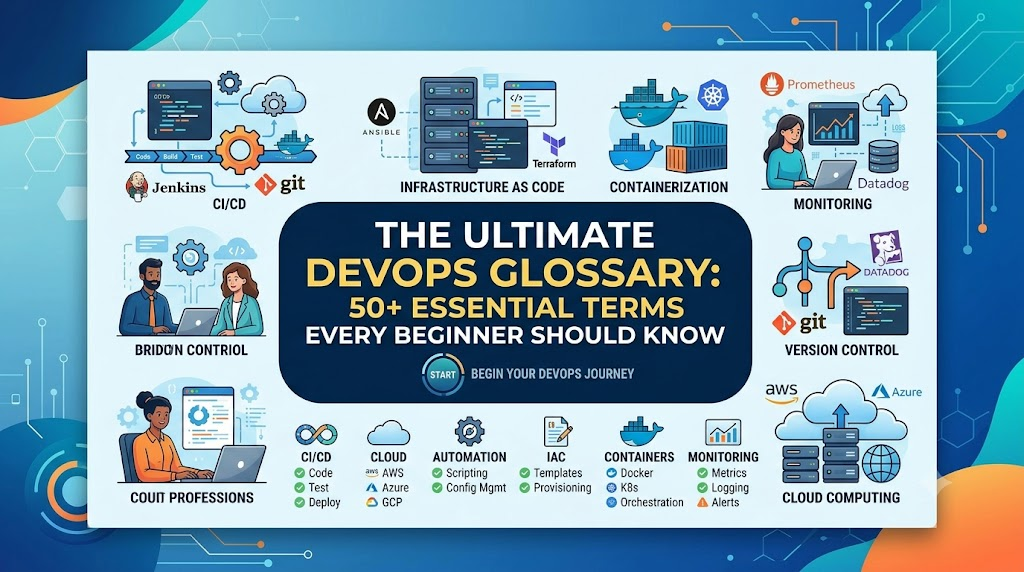
Starting out in modern software engineering often feels like stepping into a room where everyone speaks in acronyms. Technical documentation, job descriptions, and team meetings frequently reference CI/CD pipelines, GitOps, container orchestration, Kubernetes pods, drift detection, and observability. For newcomers, this dense vocabulary can make learning feel overwhelming. At its core, DevOps bridges the gap between software development and IT operations. Instead of treating code creation, infrastructure setup, testing, security, and live maintenance as isolated phases handled by separate teams, DevOps unites them into a shared, continuous delivery lifecycle.
This DevOps Glossary for Beginners demystifies core DevOps terms and definitions. By understanding these fundamental concepts, you will be able to follow technical documentation, navigate engineering conversations, choose the right tools, and approach hands-on projects or technical interviews with confidence.
What Is DevOps?
DevOps is a cultural philosophy, a collection of collaborative practices, and a set of automated processes designed to shorten the systems development life cycle while delivering features, fixes, and updates frequently and reliably.
Historically, software development (Dev) and IT operations (Ops) worked in organizational silos:
- Developers focused on building new features and writing code quickly.
- Operations engineers focused on maintaining system stability, uptime, and infrastructure control.
Because change often introduces instability, these competing goals led to friction. Developers threw code “over the wall,” and operations teams struggled to deploy and support it in live environments.
DevOps aligns these teams around shared ownership. Developers take responsibility for how their code performs in production, while operations teams provide automated platforms, tooling, and infrastructure patterns that allow developers to test and release software safely.
DevOps is not a single downloadable tool, a programming language, or a standalone job title. It relies on automated, repeatable workflows, continuous feedback loops, and measurable telemetry to deliver stable, high-quality software to end users as efficiently as possible.
Essential DevOps Terms for Beginners
To make these DevOps concepts for beginners easy to digest, this glossary is organized into ten foundational categories. Each entry covers what the term means, why it matters, and a real-world scenario illustrating how it works.
1. Core DevOps Concepts
DevOps
- Simple Definition: A collaborative framework combining people, processes, and automation tools to deliver software faster, more reliably, and with higher quality.
- Why It Matters: Eliminates friction between software creators and infrastructure managers, turning manual releases into smooth, continuous updates.
- Example: A team that used to release software twice a year moves to deploying small bug fixes and features every afternoon without service interruptions.
Agile
- Simple Definition: An iterative project management and software development approach that delivers work in small, incremental cycles (often called sprints) rather than all at once.
- Why It Matters: Allows teams to adapt to shifting user requirements quickly. While Agile focuses on how teams plan, build, and adapt software, DevOps extends this philosophy through automated testing, deployment, and live operations.
- Example: A product team prioritizes a two-week sprint to launch a basic user profile page, collecting feedback before planning the next set of features.
Software Development Life Cycle (SDLC)
- Simple Definition: The structured, step-by-step process used by engineering teams to design, develop, test, deploy, and maintain software applications.
- Why It Matters: Provides a standardized roadmap for taking an idea from initial business planning to reliable production operations.
- Example: A project moves sequentially through requirements gathering, system architecture design, coding, automated testing, deployment, and ongoing maintenance.
Continuous Improvement (Kaizen)
- Simple Definition: The ongoing practice of identifying bottlenecks, operational inefficiencies, and defects to make steady, incremental enhancements to code and workflows.
- Why It Matters: Prevents teams from becoming stagnant, ensuring systems and team practices get safer, faster, and more resilient over time.
- Example: After a production outage, an engineering team runs a post-incident review and implements automated health checks so the issue cannot happen again.
Collaboration
- Simple Definition: Active, transparent communication and shared responsibility across cross-functional teams, particularly between developers, system administrators, QA engineers, and security specialists.
- Why It Matters: Breaks down knowledge silos, accelerates problem-solving, and ensures everyone works toward system reliability instead of shifting blame.
- Example: Developers sit with operations engineers to review deployment automation scripts before releasing a major payment gateway update.
Shift Left
- Simple Definition: Moving tasks like testing, security scanning, and quality validation earlier (“to the left”) in the software development lifecycle.
- Why It Matters: Finding a bug or security flaw on a developer’s laptop takes minutes to fix, whereas finding it in production can cost thousands of dollars and cause major downtime.
- Example: A developer’s code editor runs an automated vulnerability scan the moment they write a database connection string, preventing insecure code from ever reaching the repository.
Feedback Loop
- Simple Definition: A mechanism that routes data, test results, or operational metrics from downstream stages (like production or testing) back to upstream stages (like development) to guide immediate adjustments.
- Why It Matters: Gives engineers fast visibility into whether an update works, broke a feature, or degraded performance.
- Example: An automated test suite fails within three minutes of a code push, instantly notifying the developer that their recent change broke user authentication.
Value Stream
- Simple Definition: The entire end-to-end sequence of activities required to turn an initial concept or user request into a functioning, delivered software feature.
- Why It Matters: Helps teams map out manual handoffs, identify delays, and streamline delivery efficiency from idea to production.
- Example: Tracking the exact time it takes from a customer requesting an export button to that button running live in their web browser.
DevOps Culture
- Simple Definition: An organizational mindset based on psychological safety, shared accountability, blameless post-mortems, continuous learning, and cross-team empathy.
- Why It Matters: Tooling alone cannot succeed if teams distrust one another, hide mistakes, or refuse to share operational duties.
- Example: When a service crashes due to a typo in a configuration file, the team investigates how the deployment validation system allowed the bad configuration through, rather than reprimanding the engineer who made the typo.
Platform Engineering
- Simple Definition: The discipline of designing and operating internal developer platforms (IDPs) that provide self-service tools, infrastructure templates, and automated workflows for development teams.
- Why It Matters: Frees software developers from managing low-level cloud and networking configurations, allowing them to deploy code independently within secure, pre-approved guardrails.
- Example: A platform team creates a single command that provisions a secure database, sets up networking, and configures a deployment pipeline for any new developer project.
2. Version Control and Source Code Management
Version Control System (VCS)
- Simple Definition: Software that records every change made to files over time, allowing teams to track revisions, compare edits, and restore previous states if something breaks.
- Why It Matters: Acts as the single source of truth for application code and infrastructure definitions, enabling multiple engineers to work on the same project without overwriting each other.
- Example: A developer reviews the project history from six months ago to understand why a specific caching rule was added.
Git
- Simple Definition: A free, open-source, distributed version control system that lets developers track local changes and synchronize them with shared codebases.
- Why It Matters: The industry standard for version control; it allows developers to work entirely offline and manage branches locally before sharing them.
- Example: An engineer runs
git initon their laptop to begin versioning a brand-new Python script.
Repository (Repo)
- Simple Definition: A centralized or distributed storage location where a project’s files, code, history, and version metadata are organized and preserved.
- Why It Matters: Serves as the authoritative source of files that automated pipelines pull from to build, test, and release software.
- Example: A web application’s frontend code, documentation, and configuration files stored in a single folder managed by Git.
Commit
- Simple Definition: A saved, immutable snapshot of changes made to files in a repository, accompanied by a descriptive message explaining what changed and why.
- Why It Matters: Creates an auditable historical trail of project changes, allowing teams to pinpoint precisely when and where a bug was introduced.
- Example: Running
git commit -m "Fix checkout button validation on mobile"creates a permanent checkpoint in the project history.
Branch
- Simple Definition: An independent line of development that splits off from the main codebase, allowing developers to build features or test fixes in isolation.
- Why It Matters: Keeps incomplete or unstable code from contaminating the stable production codebase (
mainormaster). - Example: A developer creates a branch named
feature/dark-modeto write new UI styling without affecting the live application code.
Merge
- Simple Definition: The process of combining changes from one branch into another branch.
- Why It Matters: Integrates completed, tested, and reviewed code back into the main project stream so it can be deployed.
- Example: Merging the approved
feature/dark-modebranch back into themainbranch after passing all test suites.
Pull Request (PR) / Merge Request (MR)
- Simple Definition: A formal request submitted on a platform like GitHub or GitLab to review, discuss, and merge code changes from a feature branch into a target branch.
- Why It Matters: Provides a central space for code reviews, automated status checks, discussions, and collaborative quality control before code is integrated.
- Example: A junior developer submits a PR asking senior team members to review their newly written login endpoint.
Code Review
- Simple Definition: The deliberate inspection of source code by one or more peers before that code is merged into the shared codebase.
- Why It Matters: Catches logic errors, enforces architectural standards, shares institutional knowledge, and prevents security vulnerabilities from slipping into production.
- Example: A teammate notices during a code review that an incoming pull request forgets to close a database connection, and leaves a comment asking for a fix.
Git Workflow (e.g., Gitflow, Trunk-Based Development)
- Simple Definition: A agreed-upon branching and release strategy that governs how developers create, name, merge, and deploy code using Git.
- Why It Matters: Prevents chaotic merge conflicts and clarifies how code advances from development to testing and production environments.
- Example: In Trunk-Based Development, developers merge small, frequent updates into a single shared branch multiple times a day instead of maintaining long-lived feature branches.
GitOps
- Simple Definition: An operational paradigm where Git repositories act as the single source of truth for declarative infrastructure and application configurations.
- Why It Matters: Any change to infrastructure or deployments is managed via Git commits and pull requests, providing automated auditing, version tracking, and rollback capabilities.
- Example: Updating the desired number of application replicas from three to five in a Git repository file, prompting an automated agent to apply that change to the live cloud cluster.
Key Distinction: Git vs. GitHub / GitLab / Bitbucket
Git is the local, command-line version control engine installed on your computer. GitHub, GitLab, and Bitbucket are cloud-based hosting platforms built on top of Git. They provide graphical user interfaces, remote repository hosting, issue tracking, project management, and automated CI/CD runners.
3. CI/CD and Software Delivery
Continuous Integration (CI)
- Simple Definition: The practice of automatically building and testing code changes whenever a developer commits and pushes code to a shared repository.
- Why It Matters: Catches defects and integration conflicts early, preventing “integration hell” when multiple developers try to merge weeks of uncoordinated work at once.
- Example: Pushing code triggers an automated test runner that checks whether the new code breaks existing application features.
Continuous Delivery (CD)
- Simple Definition: A software delivery practice where code changes are automatically built, tested, and staged so that the application is always in a releasable state, requiring only a manual business approval to deploy to production.
- Why It Matters: Keeps deployment risks low by preparing every change for release, while leaving the final deployment timing to business discretion.
- Example: A pipeline runs all tests, builds deployable packages, and updates the staging environment; the product owner clicks a “Deploy to Production” button when ready.
Continuous Deployment (CD)
- Simple Definition: An extension of continuous delivery where every change that successfully passes all stages of the automated pipeline is released directly to production with no human intervention.
- Why It Matters: Eliminates manual deployment delays, allowing customer feedback, bug fixes, and features to reach end users within minutes of passing validation.
- Example: A developer fixes a typographical error in application copy, merges the change, and watches the update go live on the production website ten minutes later.
CI/CD Pipeline
- Simple Definition: An automated sequence of execution steps (stages) that code passes through on its journey from the source repository to production.
- Why It Matters: Standardizes software delivery, ensuring no code reaches production without undergoing identical build, test, and verification procedures.
- Example: A pipeline composed of three sequential stages: Lint & Compile $\rightarrow$ Automated Unit & Integration Tests $\rightarrow$ Production Deployment.
Build
- Simple Definition: The process of compiling human-readable source code into executable binaries, packaging assets, and resolving dependencies.
- Why It Matters: Converts raw code into run-ready software components that can be executed on target operating systems.
- Example: Running an automated tool that compiles TypeScript code into optimized JavaScript and packages it with CSS and image files.
Artifact
- Simple Definition: A deployable, packaged output generated during the build process, such as a compiled binary, a ZIP archive, a Java JAR file, or a container image.
- Why It Matters: Ensures that the exact same tested binary tested in staging is what gets promoted to production, preventing inconsistencies caused by recompiling.
- Example: A packaged
.jaror.tar.gzfile stored in an artifact repository, ready to be deployed to virtual servers.
Automated Testing
- Simple Definition: The programmatic execution of predefined test suites without human intervention to confirm that code behaves as expected.
- Why It Matters: Dramatically accelerates release cycles by giving developers fast, repeatable validation without waiting for manual QA teams.
- Example: Running a test suite of 500 unit tests in under 60 seconds whenever a new pull request is opened.
Deployment
- Simple Definition: The technical process of installing, configuring, and starting an application version on a target infrastructure environment (such as a staging or production server).
- Why It Matters: Makes the built software runnable in a target environment.
- Example: Copying a newly built application package onto three web servers and restarting their application services.
Release
- Simple Definition: The point at which a deployed software feature or version is made accessible and visible to end users.
- Why It Matters: Separates the technical act of deploying code from the business decision of exposing functionality to customers.
- Example: Deploying code silently to production behind a feature toggle, and turning that toggle on for public users the following morning.
Rollback
- Simple Definition: The process of quickly reverting an application or infrastructure state back to its previously known stable version when a new release causes errors or downtime.
- Why It Matters: Minimizes service disruptions by returning to a working state first, allowing teams to investigate root causes offline.
- Example: Running a single command to switch production traffic back to version 2.1 after version 2.2 causes high memory usage.
Blue-Green Deployment
- Simple Definition: A deployment technique that uses two identical production environments: one active (“Blue”) hosting live traffic, and one idle (“Green”) where the new version is deployed and tested. Once verified, traffic is switched instantly to Green.
- Why It Matters: Enables zero-downtime releases and near-instantaneous rollbacks simply by switching the router or load balancer back to the Blue environment.
- Example: Testing version 3.0 on the Green environment while users interact with version 2.0 on Blue, then switching DNS or router rules to route all users to Green in seconds.
Canary Deployment
- Simple Definition: A release strategy where a new software version is exposed to a small, controlled percentage of real users (e.g., 5%) while the rest continue using the stable version.
- Why It Matters: Identifies performance issues, errors, and edge-case bugs under real production workloads with minimal blast radius.
- Example: Routing 5% of web traffic to a new payment microservice; after monitoring error rates for two hours with no issues, gradually shifting the remaining 95% of traffic over.
4. Containers and Orchestration
Container
- Simple Definition: A lightweight, standalone, executable package that bundles an application’s code together with all its dependencies, runtime libraries, and system configurations.
- Why It Matters: Solves the notorious “it works on my machine” problem by ensuring software behaves identically on a developer’s laptop, in staging, and across production clouds.
- Example: Packaging a Node.js web application and its specific Node runtime version so it runs smoothly on any Linux server without manual library installations.
Docker
- Simple Definition: A popular open-source platform that enables developers to build, run, share, and manage software containers.
- Why It Matters: Popularized container technology by providing simple, intuitive command-line tools and standardized formats for creating and sharing containers.
- Example: An engineer runs
docker run -p 80:80 my-web-appto start a web server on their laptop in seconds.
Container Image
- Simple Definition: A read-only, immutable file template containing the source code, libraries, dependencies, and instructions needed to instantiate a running container.
- Why It Matters: Serves as the static blueprint from which multiple identical container instances can be launched reliably.
- Example: Downloading the official
python:3.11-slimimage to use as the base environment for a Python data service.
Dockerfile
- Simple Definition: A plain text file containing sequential instructions that Docker uses to assemble a container image.
- Why It Matters: Documents an application’s system dependencies and build steps in source code, making environment builds repeatable and auditable.
- Example: A five-line file specifying the base operating system, copying project files, running an installation command, and exposing port 8080.
Container Registry
- Simple Definition: A secure, centralized storage and distribution system used for publishing, managing, and pulling container images (e.g., Docker Hub, Amazon ECR, Google Artifact Registry).
- Why It Matters: Acts as the bridge between the CI pipeline that builds images and the servers or clusters that pull and run them.
- Example: A CI server uploads a newly built container image to an organization’s private registry so staging servers can download and run it.
Kubernetes (K8s)
- Simple Definition: An open-source container orchestration system that automates the deployment, scaling, networking, and management of containerized applications across clusters of hosts.
- Why It Matters: Running five containers manually is straightforward; running thousands across distributed clouds requires automation for failover, auto-scaling, and traffic routing.
- Example: Kubernetes detects that a container crashed on one physical server, automatically restarts it on a healthy server, and redirects web traffic to it without human intervention.
Pod
- Simple Definition: The smallest and most basic deployable computing unit in Kubernetes, representing a single instance of a running process (containing one or more tightly coupled containers).
- Why It Matters: Kubernetes manages pods rather than raw containers directly, grouping storage resources and unique network IP addresses at the pod level.
- Example: A pod running a web service container alongside a small “sidecar” container that ships access logs to a central logging server.
Cluster
- Simple Definition: A connected group of physical or virtual machines (nodes) working together under a unified control plane to run containerized applications.
- Why It Matters: Provides pooled computing, memory, and networking resources that allow applications to scale seamlessly and survive hardware failures.
- Example: A fleet of ten virtual cloud servers managed collectively by Kubernetes as a single compute platform.
Node
- Simple Definition: A single worker machine (either physical hardware or a virtual machine) within a Kubernetes cluster that runs application workloads.
- Why It Matters: Provides the actual CPU and RAM capacity that containers consume to execute workloads.
- Example: A virtual machine running a Linux operating system, Docker/container runtime, and the Kubernetes worker agent (
kubelet).
Namespace
- Simple Definition: A virtual partitioning mechanism within a single Kubernetes cluster used to divide cluster resources between different teams, environments, or projects.
- Why It Matters: Prevents naming collisions and allows administrators to set resource quotas and security policies for distinct teams sharing the same cluster.
- Example: Splitting a Kubernetes cluster into
development,testing, andproductionnamespaces so team experiments cannot consume production memory.
Helm
- Simple Definition: A package manager for Kubernetes that bundles related configuration manifests into reusable, configurable packages called Helm Charts.
- Why It Matters: Eliminates the need to manually write and maintain dozens of repetitive Kubernetes configuration files for complex applications.
- Example: Installing a full-featured monitoring system into a cluster with a single command:
helm install prometheus prometheus-community/prometheus.
Container Orchestration
- Simple Definition: The automated management of the lifecycle of containers, handling provisioning, scheduling, load balancing, health monitoring, scaling, and rolling updates.
- Why It Matters: Makes running containerized applications practical at scale, removing the need for 24/7 manual oversight of individual server processes.
- Example: Automatically increasing the number of active container replicas from 5 to 20 during a sudden flash sale, and shrinking them back when traffic subsides.
5. Infrastructure and Configuration Management
Infrastructure as Code (IaC)
- Simple Definition: The practice of defining, provisioning, and managing IT infrastructure (servers, networks, databases, firewalls) using descriptive configuration code files rather than manual point-and-click console setups.
- Why It Matters: Makes infrastructure setup repeatable, version-controlled, testable, and auditable, eliminating human configuration errors and environment discrepancies.
- Example: Storing a configuration file in Git that automatically provisions three virtual servers, a firewall rule, and a load balancer in the cloud.
Terraform
- Simple Definition: An open-source Infrastructure as Code tool created by HashiCorp that uses declarative configuration files to provision and manage resources across multiple cloud and infrastructure providers.
- Why It Matters: Allows engineers to manage diverse cloud services (AWS, Azure, Google Cloud, on-premises systems) using a single, unified workflow and syntax.
- Example: Writing HashiCorp Configuration Language (HCL) code to provision an Amazon S3 storage bucket and an associated IAM security policy.
Ansible
- Simple Definition: An open-source automation engine used for configuration management, software deployment, and task execution across fleets of servers without requiring agent software installed on the target machines.
- Why It Matters: Automates routine operating system setup, package installations, and security patches across hundreds of servers simultaneously.
- Example: Executing an Ansible playbook that connects to 50 Linux servers via SSH, installs security updates, and restarts the web server service.
Configuration Management
- Simple Definition: The disciplined process of establishing and maintaining consistency in a system’s software settings, dependencies, and operational parameters over its lifetime.
- Why It Matters: Ensures servers do not slowly drift into inconsistent, undocumented configurations that cause mysterious software failures.
- Example: Enforcing that every server in an organization runs Python 3.11, has firewall port 22 restricted, and uses standardized NTP time servers.
Provisioning
- Simple Definition: The act of preparing, creating, and allocating underlying infrastructure resources—such as virtual servers, network switches, storage volumes, and cloud databases—so they are ready for use.
- Why It Matters: Represents the foundational step of standing up raw hardware or cloud assets before software configuration takes place.
- Example: Using cloud APIs to spin up two virtual compute instances and attach a 100 GB network storage disk to each.
State File
- Simple Definition: A dedicated file (used heavily by tools like Terraform) that maps real-world infrastructure resources to your configuration code, keeping track of resource metadata and IDs.
- Why It Matters: Allows IaC tools to understand what already exists, calculate differences when changes are requested, and avoid destroying or recreating existing systems unnecessarily.
- Example: Terraform consults its state file to recognize that an existing database already matches your code, choosing to modify its storage size rather than creating a duplicate database.
Declarative Configuration
- Simple Definition: An approach where you define the desired end state of a system (“what” it should look like), letting the tool figure out the underlying steps to achieve that state.
- Why It Matters: Simplifies infrastructure management; you describe the destination rather than writing fragile, step-by-step scripts that might break halfway through.
- Example: Declaring
replicas: 3in a Kubernetes manifest. If there is currently 1 replica running, the system knows to launch 2 more.
Imperative Configuration
- Simple Definition: An approach where you specify the exact sequence of commands (“how”) that a system must execute step-by-step to reach a desired outcome.
- Why It Matters: Offers direct, explicit control over operational processes and procedural tasks, though it requires handling edge cases manually.
- Example: Writing a Bash shell script that runs
mkdir /app, downloads a file, unzips it, changes user permissions, and executes a start binary.
Immutable Infrastructure
- Simple Definition: An operational approach where servers or infrastructure components are never modified or patched in-place after deployment; instead, if an update is needed, entirely new servers are built from a fresh image and replaced.
- Why It Matters: Eliminates configuration drift and unpredictable server states, ensuring that testing and production environments run identical machine images.
- Example: Instead of updating software packages on running servers via SSH, a team builds a new virtual machine image, provisions new servers with it, and terminates the old ones.
Environment
- Simple Definition: An isolated deployment tier consisting of hardware, configurations, and services configured for a specific stage of software development (e.g., Development, QA, Staging, Production).
- Why It Matters: Provides safe testing grounds where developers can experiment and validate code without impacting live end users or real customer data.
- Example: Testing a new checkout flow with simulated credit cards in a Staging environment before deploying it to the live Production environment.
Infrastructure Drift
- Simple Definition: The gradual, undocumented divergence between the actual state of live infrastructure and the defined state recorded in your Infrastructure as Code configuration files.
- Why It Matters: Often caused by emergency manual changes made via cloud web consoles; drift leads to unrepeatable setups and unexpected pipeline failures.
- Example: An engineer manually opens firewall port 8080 during an outage investigation but forgets to update the Terraform code, causing future automated deployments to fail or revert the fix.
6. Cloud and Networking Basics
Cloud Computing
- Simple Definition: The on-demand delivery of computing power, database storage, applications, and other IT resources over the internet with pay-as-you-go pricing.
- Why It Matters: Replaces expensive, slow-to-procure physical data center hardware with flexible, instantly available virtual resources that scale with demand.
- Example: Renting compute servers from a cloud provider for four hours to run a batch data processing job and terminating them when finished.
Public Cloud
- Simple Definition: Cloud computing infrastructure owned, operated, and maintained by third-party providers (such as Amazon Web Services, Microsoft Azure, or Google Cloud) that delivers shared virtual resources over the public internet.
- Why It Matters: Eliminates data center management overhead, offering global scale and high reliability without capital hardware investments.
- Example: Hosting an e-commerce website on AWS infrastructure used by millions of other businesses worldwide.
Private Cloud
- Simple Definition: Cloud infrastructure dedicated entirely to a single organization, hosted either on-premises in a private data center or by an external hosting partner.
- Why It Matters: Provides granular control over physical security, hardware architecture, and strict regulatory compliance requirements.
- Example: A bank hosting its core transaction ledger on private, isolated servers running in a dedicated, company-owned data center facility.
Hybrid Cloud
- Simple Definition: An IT environment that combines and connects public cloud services, private cloud infrastructure, and on-premises systems, allowing data and applications to be shared across them.
- Why It Matters: Offers flexibility by keeping sensitive legacy workloads on private infrastructure while running high-traffic, customer-facing apps in the scalable public cloud.
- Example: A hospital system storing confidential patient health records on an on-premises database while hosting its patient appointment booking web app on a public cloud.
Virtual Machine (VM)
- Simple Definition: A software-based emulation of a physical computer that runs an independent operating system and applications using virtualized physical hardware.
- Why It Matters: Allows multiple isolated operating systems to run concurrently on a single physical server, maximizing hardware efficiency.
- Example: Running an Ubuntu Linux virtual server on top of a hypervisor running on an enterprise physical machine.
Serverless Computing
- Simple Definition: A cloud execution model where the cloud provider dynamically manages the provisioning, scaling, and maintenance of physical and virtual servers; developers simply write and deploy application code.
- Why It Matters: Eliminates server administration tasks and charges only for the exact milliseconds of compute time your code consumes during execution.
- Example: An AWS Lambda function that executes small snippets of code to resize an image only when a user uploads a new avatar.
Load Balancer
- Simple Definition: A dedicated networking device or software service that distributes incoming network traffic evenly across a pool of backend servers.
- Why It Matters: Prevents individual servers from becoming overwhelmed with traffic, ensuring high availability and seamless application performance.
- Example: Directing incoming HTTP requests across five identical web servers so that no single server runs out of capacity.
DNS (Domain Name System)
- Simple Definition: The internet’s phonebook system that translates human-friendly domain names (like
example.com) into computer-readable IP addresses (like192.0.2.1). - Why It Matters: Directs user traffic to the correct cloud instances, load balancers, or content delivery networks worldwide.
- Example: Typing
devopsschool.cominto your browser triggers a DNS query that returns the IP address of DevOpsSchool’s web servers.
API (Application Programming Interface)
- Simple Definition: A set of rules, protocols, and definitions that allows different software applications to communicate and exchange data with one another.
- Why It Matters: Modern cloud platforms, automation scripts, and microservices interact entirely through APIs to provision resources and transfer payloads.
- Example: A payment processing script calling Stripe’s API to authorize a customer transaction.
Reverse Proxy
- Simple Definition: A server positioned in front of backend web servers that intercepts client requests, handles security, SSL/TLS termination, and caching, and routes requests to the appropriate backend service.
- Why It Matters: Shields internal server architectures from direct internet exposure, simplifies security management, and improves caching speeds.
- Example: An NGINX reverse proxy receiving HTTPS traffic on port 443, decrypting the SSL certificates, and forwarding plain HTTP traffic to a backend application on port 3000.
Virtual Private Cloud (VPC)
- Simple Definition: An isolated, private virtual network provisioned within a public cloud environment where you can safely run cloud resources in your own dedicated network space.
- Why It Matters: Provides essential network security boundaries, allowing engineers to isolate backend databases away from direct internet access.
- Example: Placing backend databases in private VPC subnets with no internet access, while placing public load balancers in public subnets.
Scalability
- Simple Definition: The capability of an application or infrastructure system to handle growing workloads by adjusting its computing capacity.
- Why It Matters: Ensures your application remains fast and responsive whether it serves 10 users or 100,000 users.
- Example: Horizontal scaling adds five new web server instances to handle a morning traffic surge, whereas vertical scaling upgrades a single database server with more CPU and RAM.
High Availability (HA)
- Simple Definition: An architectural approach that ensures a system remains operational and accessible for a specified high percentage of time, even if individual components fail.
- Why It Matters: Prevents business downtime and financial loss by removing single points of failure across infrastructure.
- Example: Running application servers across three independent geographical data centers (Availability Zones) so that if one data center loses power, the application stays online.
7. Monitoring, Logging, and Reliability
Monitoring
- Simple Definition: The automated collection, aggregation, and analysis of quantitative system data to track whether a service is functioning properly.
- Why It Matters: Provides real-time visibility into system health, alerting engineers when systems exceed resource thresholds or crash.
- Example: A monitoring dashboard tracking that a web server’s CPU usage is currently hovering at 65%.
Logging
- Simple Definition: The practice of recording timestamped, discrete event messages emitted by operating systems, runtimes, and applications during execution.
- Why It Matters: Provides an auditable paper trail that engineers use to diagnose errors, understand crashes, and trace user actions.
- Example: An application outputting:
2026-10-14 10:15:02 ERROR: Database connection failed for user_id=452.
Observability
- Simple Definition: A measure of how well you can infer the internal states of a system based entirely on its external outputs (primarily telemetry data: metrics, logs, and traces).
- Why It Matters: While monitoring tells you that something is broken, observability enables you to understand why it broke, especially in complex, distributed systems.
- Example: Using rich contextual telemetry to track down an intermittent payment failure caused by a slow third-party API call.
Metrics
- Simple Definition: Numeric, quantifiable measurements captured over time intervals representing system performance, capacity, or activity (e.g., CPU load, request count, latency).
- Why It Matters: Metrics are computationally lightweight to store and visualize, making them ideal for trend analysis, auto-scaling triggers, and live dashboards.
- Example: A graph displaying that an API’s average response time increased from 120 milliseconds to 850 milliseconds over the last hour.
Tracing
- Simple Definition: The technique of tracking the lifecycle of an individual user request as it traverses across multiple microservices, networks, and databases.
- Why It Matters: Pinpoints exactly which microservice or database query is causing latency or errors in a distributed architecture.
- Example: A distributed trace shows that a 2-second user request spent 1.8 seconds waiting for an unindexed database query in the shipping service.
Alerting
- Simple Definition: The automated notification system that pages or messages on-call engineers when a monitored metric crosses a dangerous threshold or an incident occurs.
- Why It Matters: Ensures operational issues are caught and addressed immediately before they cause widespread outages for end customers.
- Example: A notification automatically sent to an on-call Slack channel when API error rates exceed 1% over a five-minute window.
Service Level Indicator (SLI)
- Simple Definition: A carefully defined quantitative metric that measures how well a service is performing in real-time.
- Why It Matters: Serves as the raw data source for evaluating whether a service meets its operational commitments.
- Example: The percentage of successful HTTP requests (returning non-5xx status codes) measured over the past 30 days:
99.92%.
Service Level Objective (SLO)
- Simple Definition: An internal target or goal agreed upon by engineering teams for a specific Service Level Indicator over a given period.
- Why It Matters: Sets an objective standard for balancing feature velocity against system stability.
- Example: An internal engineering target stating that “99.9% of user authentication requests must respond in under 200 milliseconds over any 30-day rolling window.”
Service Level Agreement (SLA)
- Simple Definition: A formal, legally binding contract between a service provider and its customers defining performance standards and specifying financial remedies (such as refunds or credits) if those standards are breached.
- Why It Matters: Translates technical reliability targets into formal legal and business commitments.
- Example: A cloud vendor promises 99.99% uptime; if monthly uptime drops below that threshold, customers receive a 10% credit on their monthly bill.
Site Reliability Engineering (SRE)
- Simple Definition: An engineering discipline founded by Google that applies software engineering principles to solve operations, infrastructure, and reliability problems.
- Why It Matters: Treats operations as a software problem, relying on automation, code, and statistical error budgets rather than manual system administration.
- Example: An SRE builds an automated software controller that detects traffic spikes and scales application capacity automatically, eliminating manual sysadmin interventions.
Mean Time to Recovery (MTTR)
- Simple Definition: The average time required to troubleshoot, fix, and restore a failed system or application back to normal operations.
- Why It Matters: A core DevOps key performance indicator; modern teams prioritize recovering quickly from small failures over trying to prevent every conceivable failure.
- Example: If a service experiences three outages that take 10, 15, and 20 minutes to fix, the MTTR is 15 minutes.
Incident Management
- Simple Definition: The structured organizational process used by IT and DevOps teams to identify, analyze, respond to, and resolve unexpected service disruptions.
- Why It Matters: Minimizes downtime, clarifies team roles during high-stress outages, and ensures clear communication with stakeholders.
- Example: Declaring a Major Incident when checkout fails, paging the primary on-call engineer, setting up an incident call bridge, and posting public status page updates.
Root Cause Analysis (RCA)
- Simple Definition: A problem-solving method focused on identifying the fundamental, underlying system failure that allowed an incident to happen, rather than just treating symptoms.
- Why It Matters: Ensures teams fix systemic flaws so the same issue cannot recur in the future.
- Example: Discovering that a database crash wasn’t just “out of memory,” but happened because an automated index-cleanup job had been disabled during last week’s migration.
Error Budget
- Simple Definition: The allowable room for failure defined mathematically as $100\% – \text{SLO}$ (e.g., a 99.9% SLO gives an error budget of 0.1% downtime or bad requests).
- Why It Matters: Helps teams balance speed and stability; if the error budget is healthy, developers can release features quickly; if it is exhausted, teams pause releases to focus on stability.
- Example: Having an error budget of 43 minutes of downtime per month; if an outage consumes 40 minutes in week one, the team slows down risky deployments for the rest of the month.
How Telemetry Works in Practice: Investigating a Slow Application
Imagine an e-commerce checkout page suddenly slows down. Here is how metrics, logs, and traces work together:
- Metrics trigger an alert: The average latency on the
/checkoutendpoint spikes from 200 ms to 4,500 ms.- Traces narrow the search: Distributed tracing tracks an individual slow request and reveals that 4.2 seconds were spent waiting inside the
inventory-servicecall.- Logs pinpoint the root cause: Looking at the timestamped log lines for that specific
inventory-servicerequest reveals:Database connection pool exhausted on db-node-03. The team adds database connections and resolves the incident.
8. Security and DevSecOps
DevSecOps
- Simple Definition: The integration of security practices, automated testing, and compliance checks into every phase of the DevOps software delivery lifecycle.
- Why It Matters: Ensures security is a shared responsibility baked into software from the start, rather than an afterthought audited by a separate team right before release.
- Example: Running automated security scans on container images and dependencies every time a developer opens a pull request.
Shift-Left Security
- Simple Definition: The practice of embedding security reviews, code analysis, and vulnerability checks as early as possible in the development process.
- Why It Matters: Fixing architectural flaws and dependency vulnerabilities during the coding phase is faster, cheaper, and less disruptive than fixing them after deployment.
- Example: Equipping a developer’s IDE with real-time linting that highlights insecure cryptographic functions as they type.
Static Application Security Testing (SAST)
- Simple Definition: A security testing method that scans an application’s uncompiled source code for known security vulnerabilities and compliance issues without running the application.
- Why It Matters: Analyzes 100% of the codebase quickly, catching flaws like SQL injection vulnerabilities and cross-site scripting (XSS) before code is built.
- Example: A CI pipeline step running a static analysis tool that detects an unescaped SQL query in a pull request and blocks the merge.
Dynamic Application Security Testing (DAST)
- Simple Definition: A black-box security testing method that analyzes a running application from the outside, testing for vulnerabilities by simulating attacks against live endpoints.
- Why It Matters: Finds runtime vulnerabilities—such as authentication flaws and server misconfigurations—that only appear when the full application stack is running.
- Example: A scanner sending malformed input payloads to a staging web server to see if it can bypass authentication endpoints.
Software Composition Analysis (SCA)
- Simple Definition: An automated scanning process that inspects an application’s open-source dependencies and third-party libraries for known vulnerabilities and licensing risks.
- Why It Matters: Most modern software consists of 80% open-source packages; an unpatched vulnerability in a nested dependency can compromise the entire application.
- Example: An SCA scanner scans a
package.jsonfile and warns that an included logging library has a known remote-code-execution vulnerability (CVE).
Secrets Management
- Simple Definition: The tools and operational practices used to securely store, transmit, access, and rotate sensitive credentials, such as API keys, database passwords, and cryptographic certificates.
- Why It Matters: Prevents accidental hardcoding of credentials into Git repositories where attackers or unauthorized users could find them.
- Example: An application securely fetching its database password at startup from a dedicated secrets vault (like HashiCorp Vault or AWS Secrets Manager) using encrypted tokens.
Principle of Least Privilege (PoLP)
- Simple Definition: A fundamental security standard stating that any user, program, or system process should be granted only the minimum permissions necessary to complete its task, and nothing more.
- Why It Matters: Limits the blast radius if an account, server, or application service is compromised by an attacker.
- Example: Giving an automated deployment script permission to upload files to an S3 storage bucket, but denying it permission to delete the bucket or view billing details.
Vulnerability
- Simple Definition: A flaw, loophole, or weakness in software code, system design, or configuration that can be exploited by an attacker to compromise system security.
- Why It Matters: Identifying and patching vulnerabilities quickly protects systems against data breaches and unauthorized takeovers.
- Example: An outdated web framework containing a bug that allows unauthenticated users to read private database records.
Threat Modeling
- Simple Definition: A proactive engineering exercise that identifies potential security threats, attack vectors, and failure modes during the initial architectural design phase.
- Why It Matters: Enables teams to design defensive measures into their software architecture before writing code, saving costly refactoring later.
- Example: A team maps out how an attacker could intercept data sent between a mobile app and its cloud API, deciding to implement certificate pinning before writing the networking module.
Software Bill of Materials (SBOM)
- Simple Definition: A comprehensive, machine-readable inventory listing every component, open-source library, module, and dependency included in a software product.
- Why It Matters: Gives organizations visibility into their software supply chain, allowing them to verify quickly whether a newly announced vulnerability affects their applications.
- Example: Generating an SBOM for a container image to confirm that none of its internal packages contain an unpatched OpenSSL vulnerability.
Policy as Code
- Simple Definition: The practice of writing and enforcing security, governance, and compliance rules using human-readable code files that can be automated through pipelines.
- Why It Matters: Prevents misconfigured resources (like publicly accessible storage buckets) from ever being provisioned, without requiring manual security reviews.
- Example: An automated policy engine scanning Terraform code and blocking any deployment where a cloud database is configured without encryption at rest.
9. Automation, Testing, and Release Management
Test Automation
- Simple Definition: The practice of using specialized software tools to execute tests automatically, verify outcomes, and compare results against expected criteria without human interaction.
- Why It Matters: Enables rapid, consistent testing across releases, reducing testing cycles from days to minutes.
- Example: Running an automated test suite across multiple browser engines simultaneously whenever a new release candidate is generated.
Unit Testing
- Simple Definition: The practice of testing individual functions, methods, or components of an application in complete isolation from the rest of the system.
- Why It Matters: Fast to execute and straightforward to write, unit tests verify that low-level business logic calculations work properly.
- Example: Writing a test confirming that an
apply_discount(price, rate)function correctly calculates a 15% discount on a $100 cart.
Integration Testing
- Simple Definition: Testing how multiple independently developed software modules, microservices, or external systems interact and communicate with each other.
- Why It Matters: Verifies that database connections, API calls, and inter-service messaging contracts work reliably when connected.
- Example: A test verifying that the user registration service successfully writes a new record into a test PostgreSQL database.
End-to-End (E2E) Testing
- Simple Definition: Testing an entire application workflow from start to finish, simulating real user behavior from the user interface down to the backend database.
- Why It Matters: Confirms that the integrated system functions as an organic whole and delivers the intended user experience.
- Example: A script that automatically opens a headless browser, searches for a product, adds it to a cart, inputs mock credit card details, and verifies the order confirmation page.
Regression Testing
- Simple Definition: Re-running functional and non-functional test suites to ensure that recently added code, bug fixes, or system upgrades have not broken existing functionality.
- Why It Matters: Gives teams the confidence to release updates frequently without breaking previously delivered features.
- Example: Running the full test suite before a release to ensure that fixing a navigation menu bug didn’t accidentally break user checkout.
Infrastructure Automation
- Simple Definition: Using scripting and specialized automation tools to install, configure, update, and manage hardware, operating systems, and virtual infrastructure without human intervention.
- Why It Matters: Eliminates slow, error-prone manual server administration, ensuring environments can be stood up or replaced automatically.
- Example: An automated script that updates operating system packages and adjusts firewall rules across a pool of 20 virtual machines simultaneously.
Job Scheduler
- Simple Definition: A software service that triggers, coordinates, and executes automated tasks, scripts, or batch jobs at specified times or in response to events.
- Why It Matters: Handles recurring background processing, such as data backups, database maintenance, and nightly test suites, reliably without manual triggering.
- Example: Setting up a Cron job or Kubernetes CronJob to back up database transaction logs to cloud storage every midnight.
Workflow Automation
- Simple Definition: The orchestration of multi-step digital processes across different tools and platforms based on predefined triggers and conditions.
- Why It Matters: Eliminates manual administrative handoffs between tools, speeding up engineering tasks.
- Example: An automated workflow that detects a merged pull request, creates a Jira release ticket, sends a message to a team Slack channel, and triggers a staging build.
Deployment Strategy
- Simple Definition: A defined operational methodology chosen by an engineering team to roll out new software versions to production environments while minimizing downtime and operational risk.
- Why It Matters: Provides structured rollout patterns—such as Rolling Updates, Blue-Green, or Canary releases—to suit an application’s risk profile.
- Example: Choosing a Rolling Deployment to update instances one at a time, ensuring continuous service availability throughout the upgrade process.
Feature Flag (Feature Toggle)
- Simple Definition: A software engineering technique that wraps new code in a conditional configuration check, allowing features to be turned on or off remotely without redeploying code.
- Why It Matters: Separates code deployment from feature release, enabling safe production testing and instant deactivation if a feature behaves unexpectedly.
- Example: Wrapping a new search algorithm in a feature flag so engineers can test it on internal staff accounts before enabling it for all users.
Dependency Management
- Simple Definition: The practice of identifying, installing, updating, and locking the external libraries, frameworks, and packages required by an application to compile and run.
- Why It Matters: Prevents unpredictable build failures caused by external packages changing their APIs unexpectedly.
- Example: Using a lock file (like
package-lock.jsonorPipfile.lock) to ensure that every developer and CI build installs the exact same library versions down to the patch number.
10. DevOps Tools and Ecosystem
DevOps relies on a rich ecosystem of tools across the software lifecycle. Here are some of the most widely adopted open-source and commercial tools beginners will encounter:
- Git: The open-source distributed version control system that tracks code changes, manages branches, and forms the foundation for modern source code management.
- Jenkins: A mature, self-hosted open-source automation server with an extensive plugin ecosystem used to orchestrate custom CI/CD pipelines.
- GitHub Actions: A modern, cloud-integrated automation platform built directly into GitHub that executes workflows, tests, and deployments triggered by repository events.
- Docker: The industry-standard containerization platform that packages applications and their runtimes into portable, lightweight container images.
- Kubernetes: The leading container orchestration platform that manages the scheduling, scaling, networking, and fault tolerance of containerized applications across distributed clusters.
- Terraform: HashiCorp’s declarative Infrastructure as Code tool that provisions and manages cloud and on-premises infrastructure using human-readable configuration files.
- Ansible: Red Hat’s agentless automation and configuration management tool that configures systems, deploys software, and orchestrates tasks over standard SSH.
- Prometheus: An open-source metrics monitoring and time-series database that scrapes numeric metrics from services and powers flexible alerting queries.
- Grafana: A multi-platform visualization and analytics platform that turns data from systems like Prometheus, Elasticsearch, and cloud providers into customizable, interactive dashboards.
Tooling Note: These tools represent popular, industry-standard examples, not a mandatory stack. Many organizations use alternatives like GitLab CI, Podman, Pulumi, Puppet, or Datadog depending on their architecture, compliance requirements, and business goals.
How These DevOps Terms Work Together
To understand how these concepts connect in practice, consider what happens when a developer adds a new feature to an e-commerce platform.
+---------------------------------------------------------------------------------------------------+
|                                     THE DEVOPS LIFECYCLE                                          |
+---------------------------------------------------------------------------------------------------+
|  1. PLAN & CODE   -->  2. REVIEW (PR)  -->  3. CI PIPELINE   -->  4. PACKAGE (IMAGE)  -->         |
|  (Git, Branch)        (Code Review)        (Build & Tests)       (Dockerfile, Registry)           |
+---------------------------------------------------------------------------------------------------+
|  --> 5. PROVISION -->  6. SCAN & SEC   -->  7. DEPLOY        -->  8. OBSERVE & ITERATE            |
|      (IaC, Terraform) (DevSecOps/SAST)     (Canary / K8s)        (Metrics, Logs, Traces)          |
+---------------------------------------------------------------------------------------------------+
- Code Modification: A developer writes code for a new discount calculation feature on an isolated Git branch on their local workstation.
- Version Control: The developer creates a commit with a clear message and pushes the branch to a central Git repository.
- Peer Review: The developer opens a Pull Request (PR). Teammates conduct a code review to verify architectural standards and algorithmic correctness.
- Continuous Integration (CI): The PR automatically triggers a CI/CD pipeline. The runner builds the code and executes automated unit tests and integration tests to verify that no existing features are broken.
- Security Scanning (DevSecOps): As part of the automated pipeline, a SAST tool checks the source code for insecure programming patterns, while an SCA tool checks third-party dependencies for known vulnerabilities (Shift Left).
- Container Packaging: Once tests pass, the pipeline uses a Dockerfile to build a standardized container image containing the application and its dependencies, uploading it to a container registry.
- Infrastructure Validation (IaC): The pipeline runs Terraform to ensure the target staging environment matches the required cloud infrastructure specifications without infrastructure drift.
- Deployment Strategy: The application is deployed to a Kubernetes cluster. The team uses a Canary deployment strategy, routing 5% of live traffic to the new version while monitoring performance.
- Observability: Telemetry collectors gather metrics (CPU and error rates), logs (application output), and traces (request duration), displaying them on a Grafana dashboard. The team verifies that the SLI remains within the agreed SLO.
- Continuous Feedback: Real-world usage data confirms the feature works smoothly. Traffic scales to 100%, completing the value stream cycle and informing the team’s next planning session.
DevOps Terms Beginners Often Confuse
Beginners frequently encounter concepts that sound similar or are used interchangeably in informal conversations. The table below clarifies the key differences between these commonly confused terms:
| Term A | Term B | Main Difference | Practical Example |
| DevOps | DevSecOps | DevOps integrates software development and operations; DevSecOps explicitly weaves security testing, compliance, and governance into every stage of that integration. | DevOps automates building and deploying code; DevSecOps adds automated SAST and vulnerability scans before deployment. |
| Agile | DevOps | Agile is a project management approach focused on iterative planning and development; DevOps extends that speed into automated infrastructure, testing, and operations. | Agile plans software releases in two-week sprints; DevOps provides the pipelines to deploy those updates multiple times daily. |
| Continuous Delivery | Continuous Deployment | Continuous Delivery ensures software is always release-ready, but requires manual human approval to deploy to production; Continuous Deployment deploys every passing change automatically. | In Continuous Delivery, an engineer clicks an “Approve Release” button; in Continuous Deployment, the code goes live automatically once tests pass. |
| Git | GitHub | Git is a local, command-line distributed version control software; GitHub is a cloud-hosted platform providing Git repository hosting, web interfaces, and collaboration features. | You run git commit locally on your computer; you push that commit to a project repository hosted on GitHub. |
| Docker | Kubernetes | Docker is a container runtime used to package and run individual containers on a single host; Kubernetes is an orchestrator that manages fleets of containers across clusters of machines. | Docker packages your Python web app into an image; Kubernetes manages 50 running instances of that image, balancing traffic and handling server failures. |
| Terraform | Ansible | Terraform is an Infrastructure as Code tool specialized in provisioning cloud infrastructure (declarative); Ansible excels at configuration management and software installation (procedural/declarative). | Terraform creates three virtual machines and a network firewall; Ansible connects to those machines via SSH to install packages and configure files. |
| Monitoring | Observability | Monitoring tracks known system metrics and alerts you when predefined thresholds fail (“Is the system working?”); Observability lets you explore internal system states to diagnose why unknown failures occurred. | Monitoring shows that API error rates spiked to 10%; Observability allows you to trace queries across microservices to uncover why. |
| SLI | SLO vs. SLA | An SLI is the actual measurement (the metric); an SLO is the internal goal for that metric; an SLA is the legal customer contract with penalties if the goal is breached. | SLI: Current uptime is 99.95%. SLO: Internal target of 99.9% uptime. SLA: Legal contract promising at least 99.5% uptime or customers receive a refund. |
| Deployment | Release | Deployment installs software on servers; Release makes that software visible and usable to end customers. | Deploying code to production behind a feature flag at midnight, but turning the feature flag on (releasing) during a marketing launch at 10 AM. |
| Cloud Computing | Serverless Computing | Cloud computing covers on-demand virtualized infrastructure (including VMs you manage); Serverless is a cloud model where the cloud vendor completely manages server allocation and scaling. | Renting an Amazon EC2 virtual server that runs 24/7 vs. running an AWS Lambda function that executes only when a file is uploaded. |
How Beginners Can Learn DevOps Terminology Effectively
Memorizing definitions out of context makes technical terminology hard to retain. A structured, hands-on learning strategy will help these concepts stick:
  Step 1: Master Git & Version Control locally
     │
     ▼
  Step 2: Automate builds & tests with basic CI/CD
     │
     ▼
  Step 3: Containerize applications with Docker
     │
     ▼
  Step 4: Provision cloud resources using IaC (Terraform)
     │
     ▼
  Step 5: Orchestrate with Kubernetes & add Observability
- Start with Core Concepts and Version Control: Install Git locally. Learn how to stage changes, write meaningful commit messages, create feature branches, and merge code using pull requests on GitHub.
- Build a Basic CI/CD Pipeline: Create a simple application (even a one-page web app). Write two automated tests and configure a free CI runner (such as GitHub Actions) to run those tests automatically on every push.
- Containerize Your App: Write a
Dockerfilefor your application. Build the container image, run it locally with Docker, and verify that it behaves consistently regardless of the host machine. - Explore Infrastructure as Code Fundamentals: Instead of clicking around cloud consoles, write a simple Terraform configuration to provision a basic cloud resource, such as an AWS S3 bucket or a virtual network.
- Learn Orchestration and Telemetry Gradually: Once you are comfortable with individual containers, explore basic Kubernetes concepts (Pods, Deployments, Services) using a local testing cluster like Minikube or Kind. Add basic logging and monitoring with Prometheus and Grafana.
- Tie Everything Together with an End-to-End Project: Build a small portfolio project that incorporates these elements: a code repository, an automated CI/CD pipeline, containerized packaging, automated infrastructure provisioning, and basic health metrics.
- Maintain a Personal Learning Glossary: Whenever you encounter an unfamiliar term in documentation or error logs, write it down in your own words with a code snippet or practical example.
Common Mistakes Beginners Should Avoid
When learning DevOps, avoiding common pitfalls will save you significant time and frustration:
- Memorizing Definitions Without Practical Use: Reciting the definition of a blue-green deployment is not the same as configuring one. Always pair conceptual study with terminal practice and pipeline configuration.
- Assuming DevOps Is Just a Collection of Tools: Learning how to write a Jenkinsfile or a Terraform script does not automatically mean you are practicing DevOps. Focus on the underlying goals: rapid feedback, team collaboration, system reliability, and automated validation.
- Jumping into Kubernetes Too Early: Trying to learn Kubernetes before understanding Linux basics, networking fundamentals, and core Docker containerization is a common reason beginners feel overwhelmed. Build a solid foundation in containers first.
- Confusing Provisioning with Configuration Management: Treating Terraform and Ansible as direct competitors often leads to fragile setups. Use provisioning tools to build infrastructure, and configuration tools (or immutable container images) to manage what runs on that infrastructure.
- Treating Security and Observability as Afterthoughts: Building pipelines that deploy code without testing for vulnerabilities or tracking system metrics leaves you vulnerable to production outages and security breaches. Practice Shift Left security and structured logging early.
- Copying Configurations Without Understanding Them: Copying and pasting YAML files, Dockerfiles, or shell commands from search results without understanding each directive can introduce hidden security vulnerabilities and configuration drift. Read through each line and check the official documentation.
Continue Your DevOps Journey with DevOpsSchool
Developing practical DevOps skills requires more than memorizing terminology—it requires hands-on experience with real-world infrastructure, deployment workflows, and troubleshooting scenarios.
For learners looking for structured educational guidance, DevOpsSchool provides an established technical platform featuring comprehensive learning tracks, technical articles, and practical training programs. Covering core domains—including Linux administration, version control, CI/CD pipeline automation, containerization, Kubernetes orchestration, cloud infrastructure, and DevSecOps—their structured roadmaps are designed to take students, developers, and system administrators from foundational concepts to production-grade engineering practices.
Whether you are preparing for your first DevOps interview or upskilling to manage complex cloud architectures, exploring structured resources and community learning paths can help you build practical, job-ready expertise.
Frequently Asked Questions
1. What is a DevOps glossary?
A DevOps glossary is an educational reference that defines and contextualizes commonly used terms, acronyms, methodologies, and tools across software development, IT operations, cloud computing, automated testing, and security.
2. What are the most important DevOps terms for beginners?
The most fundamental terms to understand first are DevOps, Version Control (Git), Continuous Integration (CI), Continuous Delivery (CD), Containers (Docker), Orchestration (Kubernetes), and Infrastructure as Code (IaC).
3. Is DevOps a tool or a methodology?
DevOps is a cultural philosophy and methodology supported by automated practices. It is not a single software application, tool, or product you can purchase or install.
4. What does CI/CD mean in DevOps?
CI/CD stands for Continuous Integration and Continuous Delivery (or Continuous Deployment). It refers to the automated practice of regularly integrating code changes, running automated tests, and deploying validated software to target environments quickly and reliably.
5. What is the difference between continuous delivery and continuous deployment?
In Continuous Delivery, every code change that passes automated testing is automatically built, packaged, and staged so it is ready for release, but the final deployment to production requires manual human approval. In Continuous Deployment, every passing change is released directly to production automatically without human intervention.
6. What is Infrastructure as Code?
Infrastructure as Code (IaC) is the practice of provisioning, managing, and versioning IT infrastructure—such as virtual servers, networks, and databases—using machine-readable definition files rather than manual configuration steps in cloud consoles.
7. What is the difference between Docker and Kubernetes?
Docker is a containerization engine used to build, package, and run applications inside individual containers on a single machine. Kubernetes is a container orchestration platform that coordinates, manages, network-routes, and scales thousands of containers across clusters of machines.
8. What is the difference between Git and GitHub?
Git is a distributed version control system that runs locally on your computer to track file revisions. GitHub is an online cloud hosting service that stores Git repositories remotely and adds web-based collaboration features, pull request reviews, and CI/CD tools.
9. What are SLI, SLO, and SLA?
An SLI (Service Level Indicator) is a real-time measurement of service performance. An SLO (Service Level Objective) is the internal target set for that measurement. An SLA (Service Level Agreement) is the legal contract with customers outlining performance commitments and penalties for downtime.
10. Do beginners need to learn every DevOps tool?
No. Beginners should focus on foundational concepts and workflows using one representative tool per category (e.g., Git for version control, GitHub Actions for CI/CD, Docker for containers, and Terraform for IaC) rather than trying to master every tool simultaneously.
11. How long does it take to understand basic DevOps concepts?
Learning time varies depending on your background in programming, system administration, and networking. With regular, hands-on practice, most beginners can understand core terms and build basic working pipelines within a few weeks to a few months.
12. What is the best way to practice DevOps terminology?
The most effective approach is to build a small, end-to-end project: write a simple application, manage its code with Git, set up an automated CI/CD pipeline, package it with Docker, and deploy it to a cloud provider using Infrastructure as Code. Practical application reinforces terminology far better than memorization alone.
Build Your DevOps Vocabulary Step by Step
Mastering DevOps terminology is an iterative process. You do not need to memorize every concept overnight. Instead, focus on understanding how software development, automated testing, infrastructure provisioning, and continuous monitoring collaborate to deliver value to end users.
As you explore technical documentation, work through tutorials, and configure your first deployment pipelines, refer back to this glossary whenever you encounter unfamiliar terms. By connecting clear definitions to hands-on projects, you will steadily build the fluency and practical skills needed for a successful career in modern software engineering.